


Introduction
NezHub is a centralized productivity app that streamlines file access, team communication, and quick workflows in one polished interface. Designed for professionals and small teams, NezHub reduces context switching by combining cloud links, task snippets, and smart search into a single hub for everyday work needs.
Overview of the app
NezHub consolidates scattered tools into a compact experience. Rather than opening multiple apps to find a document, a message, or a link, users can rely on NezHub's unified search and intelligent organization to surface the most relevant items. The app emphasizes speed, minimal setup, and compatibility with popular cloud services.
Core features at a glance
- Unified search: Fast search across files, messages, and saved links with fuzzy matching and recent filters.
- Quick snippets: Store reusable text blocks and templates for emails, code, or notes.
- Link management: Save, tag, and preview links from several cloud providers and internal tools.
- Collaboration shortcuts: Share items or assign quick tasks without leaving the app.
How NezHub organizes your workflow
NezHub takes a folder-free approach by focusing on tags and dynamic lists. Instead of drilling through nested folders, you create named collections or apply tags that the app treats as live views. Filters let you combine tags, dates, and people, producing context-specific results instantly. This makes it easier to maintain an overview of active projects.
Interface and navigation
The interface is intentionally clean: a single sidebar for collections, a main pane for previews, and a compact top bar for search and actions. Keyboard shortcuts are abundant and optimized for power users. NezHub balances gesture-friendly controls with precision tools for desktop-style navigation, so both mobile and tablet users will find it responsive.
Customization and integrations
NezHub supports integrations with major cloud drives, calendar services, and messaging platforms. Integration settings are straightforward: connect accounts, grant read-only or edit permissions, and choose which folders or channels are indexed. Customizable pinboards and color-coded tags make personalization quick, while developer-facing webhooks enable simple automation for teams.
Performance and reliability
The app prioritizes lightweight performance, caching frequently used items for offline access and reducing network calls. Sync settings let users decide how much data stays on-device. In tests, NezHub handles large libraries smoothly and recovers gracefully after connection interruptions, minimizing downtime for essential tasks.
User experience and design choices
NezHub’s design favors clarity over visual noise. Icons are functional, typography is readable at a glance, and information density is adjustable. New users benefit from guided tours and contextual tips. For experienced users, NezHub offers quick actions and macros that reduce repetitive steps, improving efficiency across daily routines.
Tips for getting started
- Set up searchable collections: Create three initial collections for Personal, Work, and Archive to start categorizing items immediately.
- Import essential folders: Link your most-used cloud folders so NezHub can index them for rapid retrieval.
- Create snippet templates: Add common responses or code patterns to the snippet library to save time.
- Learn shortcuts: Spend ten minutes with the keyboard cheat sheet to speed up navigation.
Why professionals pick NezHub
Teams and solo workers choose NezHub because it reduces app switching and brings visibility to buried content. The combination of smart search, lightweight syncing, and useful integrations makes it a practical tool for knowledge workers who need to find and share resources quickly. Frequent updates and a clear roadmap also signal steady improvement.
Installation and getting running
Installing NezHub is straightforward: download from the app store, sign in with your preferred account, and connect at least one cloud service. Initial indexing runs in the background and doesn't block use. For teams, an admin can configure shared collections and permission levels to maintain control over shared resources.
Overall, NezHub is tailored for users who want a fast, focused hub for everyday digital work. With thoughtful integrations and a stripped-down interface, it helps reduce clutter and makes finding what matters quicker and more predictable.
- No virus
- No advertising
- User protection
Information
- File size: 19.30 M
- Language: English
- Latest Version: 1.4
- Requirements: Android
- Votes: 462
- Package ID: com.nezhub.ph
- Developer: Ocirohj
Screenshots

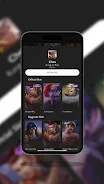
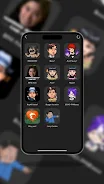
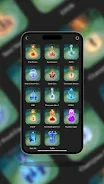
















Explore More
Connect deeper through meaningful conversations with our communication apps. Enjoy crystal-clear calls, video chats, messaging, and file sharing. Find the perfect emojis, GIFs, and stickers to express yourself. Keep the non-stop group banter organized in one place. Block unwanted interactions at the source. Meet new people worldwide through our global community features.

IZI: play, listen, watch, call

OnDjoss

Connecting - Friends Near Me

TryController

DATING SITES

TownSq Community

69ers

LR Store





























