Introduction
CIT Europe Device Guide is a compact, purpose-built Android utility that helps technicians and fleet managers identify, configure, and troubleshoot on-board units used across European transport networks. It consolidates device specifications, compatibility notes, and quick-reference procedures into a single searchable interface for field and office use.
Overview of the app
The CIT Europe Device Guide focuses on practical assistance rather than promotional material. It organizes device data by model and vendor, highlights supported protocols and firmware versions, and supplies concise instructions for common maintenance tasks. The app is intended for professionals who need fast, reliable data when working with vehicle telematics and tolling equipment.
What you get at a glance
- Device profiles: Compact spec sheets for a wide range of CIT-compatible hardware.
- Compatibility matrix: Quick indicators of which devices work with specific network services and region rules.
- Troubleshooting steps: Step-by-step checks for connectivity and power issues.
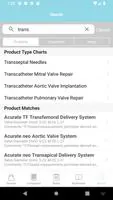
- Search and filters: Find devices by model number, vendor, or supported protocol.
Key features and tools
CIT Europe Device Guide combines several practical tools into one app. The device database is searchable offline, making it useful in garages, depots, and on the roadside. The guide provides clear firmware notes so technicians can decide whether to upgrade equipment before deployment. A simple checklist tool helps standardize routine inspections and reduces the chance of overlooking critical steps.
Detailed specification pages
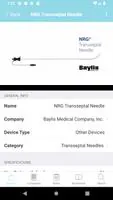
Each device entry contains electrical characteristics, antenna types, supported communication standards, and a list of certified firmware builds. Photographs and port diagrams are included when available, helping technicians identify connectors and mounting points quickly. The app flags any known interoperability caveats that might affect cross-border operations.
How it works in daily operations
Used as part of a workflow, the app streamlines diagnostics and equipment verification. Technicians can confirm a unit’s model, verify whether it meets service requirements, and follow guided checks to test connections. The app reduces back-and-forth with central teams by equipping field staff with actionable information at the device level.
Suggested workflow
- Search the device profile by serial or model number.
- Review firmware and compatibility notes.
- Run the recommended point-by-point troubleshooting checklist.
- Record any observations in the app to maintain a local log.
User interface and performance
The interface favors clarity over visual complexity. Text-heavy pages use clear headings and bullet points to make critical details easy to scan. The app is optimized for low-latency searches and conserves battery by minimizing background activity. Large font options and high-contrast modes support readability in bright outdoor conditions.
Responsiveness and offline use
CIT Europe Device Guide caches essential data for offline access so technicians can work without a network connection. Sync operations are lightweight and can be scheduled to avoid peak hours. The app’s small footprint helps it run on older Android devices commonly used in vehicle workshops.
Tips for new users
- Bookmark frequently used device profiles for faster retrieval.
- Use the checklist feature to standardize inspections across teams.
- Enable scheduled syncs when connected to Wi‑Fi to keep firmware notes current.
- Capture photos of device installations in the app to build a visual reference library for your fleet.
For organizations that manage mixed fleets across borders, CIT Europe Device Guide reduces ambiguity around device capabilities and shortens repair cycles. Whether used by depot technicians, installers, or operations managers, the app provides a focused, evidence-based reference that helps teams make informed decisions on site.
Getting started and installation
Installation is straightforward: download, grant the minimal permissions requested, and perform an initial sync while on Wi‑Fi. New users should explore a few device entries to become familiar with the layout and to set up preferred filters. Administrators can recommend a standard sync cadence and a list of critical models to bookmark for team members.
- No virus
- No advertising
- User protection
Information
- File size: 37.70 M
- Language: English
- Latest Version: 6.4.4
- Requirements: Android
- Votes: 449
- Package ID: com.bmctoday.citeudeviceguide
- Developer: BrynMawr Communications
Screenshots



















Explore More
Connect deeper through meaningful conversations with our communication apps. Enjoy crystal-clear calls, video chats, messaging, and file sharing. Find the perfect emojis, GIFs, and stickers to express yourself. Keep the non-stop group banter organized in one place. Block unwanted interactions at the source. Meet new people worldwide through our global community features.

IZI: play, listen, watch, call

OnDjoss

Connecting - Friends Near Me

TryController

DATING SITES

TownSq Community

69ers

LR Store