

Introduction
Revtech Mobile is a compact productivity suite designed to put powerful diagnostics, remote management, and device optimization tools in your pocket. It combines intuitive controls with in-depth system reporting to help technicians and power users diagnose issues, apply fixes, and monitor performance across multiple Android devices quickly and reliably.
Overview of the app
Built for both field technicians and experienced users, Revtech Mobile organizes common administrative tasks into a clean, accessible interface. Rather than hiding advanced options behind complex menus, the app groups features by workflow so you can jump from a system scan to remediation within moments. The design prioritizes speed, transparency, and actionable data.
Core capabilities
- Real-time diagnostics: Live resource consumption charts and error logs that update while you interact with the device.
- Remote management: Secure tools to connect and control devices over local networks or VPN.
- Automated repair routines: One-tap processes for cache clearing, permissions resets, and service restarts.
- Inventory tracking: Device profiles, serial numbers, and software versions for organized fleet oversight.
How it works
Revtech Mobile runs a lightweight agent that queries system APIs and aggregates results into clear, color-coded reports. When you initiate a scan, the app categorizes findings by severity and suggests remediation steps. For many routine problems the app offers automated scripts, which can be reviewed before executing to maintain control and safety.
Step-by-step workflow
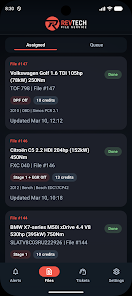
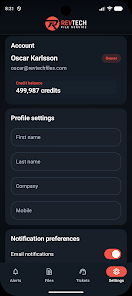
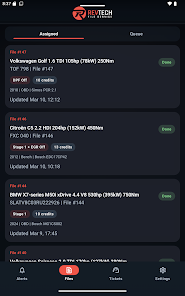
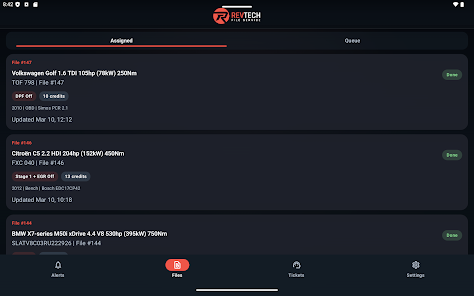
- Open the dashboard to view connected devices and recent alerts.
- Run a quick scan or a full system audit depending on urgency.
- Review flagged items; important issues are prioritized at the top.
- Apply recommended fixes, schedule maintenance, or export reports for later analysis.
Interface and performance
The interface balances minimalism with information density. Charts and status badges give immediate context without overwhelming the screen. On modern devices Revtech Mobile runs smoothly, with low memory overhead and fast load times. The app is optimized to reduce battery impact while conducting long-running checks.
Customization and visibility
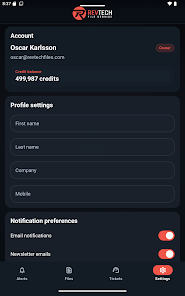
Many users appreciate the adjustable notification levels that let you focus on critical alerts only. You can customize dashboards, reorder modules, and set thresholds for automated actions. These options make the app suitable for both single-device troubleshooting and managing larger deployments.
Integration and tools
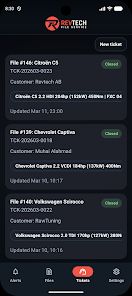
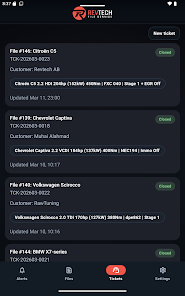
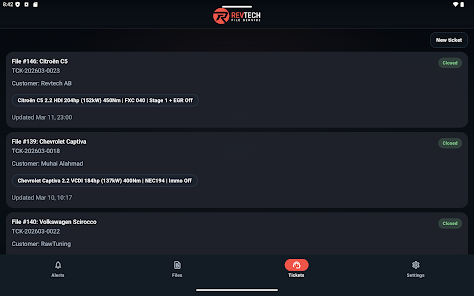
Revtech Mobile supports export formats such as CSV and PDF for sharing reports with teammates or clients. It also integrates with external ticketing systems and cloud storage, so diagnostics can become part of your established workflow. For developers, the app exposes an API endpoint for scripted automation and batch operations.
Security and permissions
Security is handled through tiered permissions and encrypted communications. Sensitive operations require elevated access, and the app logs actions for audit trails. For enterprise environments, admin controls can restrict functions by user role to prevent accidental changes.
Tips for new users
- Start with a quick scan to familiarize yourself with how findings are presented.
- Enable scheduled audits during off-hours to spot trends without interrupting users.
- Use exportable reports to document fixes and build a knowledge base.
- Review suggested scripts before execution to ensure they match your environment.
Why professionals pick it
Technicians choose Revtech Mobile for its focused toolset and clear reporting. The app shortens diagnosis time and reduces repetitive tasks through automation. Mobile-first workflows ensure that field teams can complete jobs without returning to a central console, saving time and improving client satisfaction.
Getting started
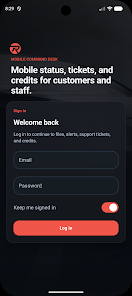
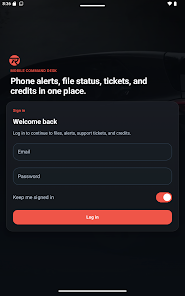
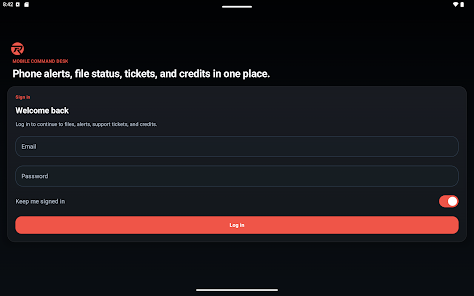
Installation is straightforward: download the package, grant the necessary permissions for diagnostics, and create an account to enable cloud features. New users should configure notification thresholds and link any ticketing or storage services they rely on. Once the basics are set, the app becomes a central hub for monitoring, diagnosing, and maintaining Android devices.
Overall, Revtech Mobile positions itself as a practical utility for anyone responsible for device health. It combines efficient diagnostics, automation, and integrations into a single app designed to speed up routine maintenance and provide clear, shareable insights.
- No virus
- No advertising
- User protection
Information
- File size: 53.00 M
- Language: English
- Latest Version: 1.0.6
- Requirements: Android
- Votes: 429
- Package ID: com.revtech.mobile
- Developer: Fileservice Scandinavia
Screenshots

















Explore More
Take charge of your wellbeing with our innovative health and fitness apps. Monitor your activity, sleep, nutrition and more using our advanced tracking tools. Access personalized insights to develop healthy habits. Check symptoms, manage medications, and connect with doctors through our telehealth services. Follow customized workout plans for any fitness level with our virtual coaching.

Half Marathon Trainer 13.1 21K

DWP Fitness - Diet & Workout

MaaS360 MDM for Android

AD Program

Health Connect (Beta)

Kidcare – Parental Control App

Ultimate IPTV Playlist Loader

Calorie





























