Introduction
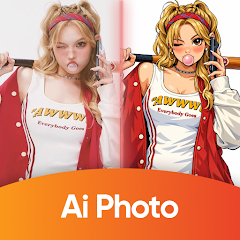
Remii AI: AI Photo & Enhance is a mobile photo editor that uses machine learning to restore, upscale, and stylize images with minimal effort. The app streamlines common edits—noise reduction, color correction, and detail recovery—so users quickly improve snapshots, portraits, and older scans without complex manual adjustments.
Key Capabilities
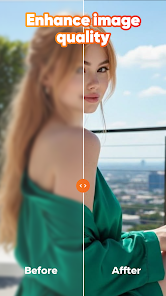
Remii AI: AI Photo & Enhance packs several intelligent tools designed for everyday and professional use. Core features include AI-powered upscaling to enlarge images while preserving edges and textures, automatic noise removal for low-light photos, and intelligent sharpening that brings out fine detail. The app also offers smart color correction, exposure balancing, and one-tap portrait enhancement that targets skin tones and facial features without over-processing.
How the Editing Workflow Looks
The interface guides you from import to export in just a few steps. After selecting an image you can choose from recommended presets or build a custom sequence of enhancements. Batch mode lets you apply a single AI pipeline to multiple photos, saving time for event galleries or travel shots. Progress is shown continuously so you can preview changes and rollback specific adjustments before saving.
Tools and Adjustment Options
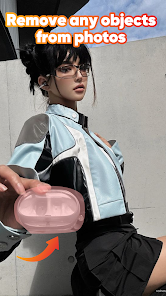
Beyond automatic enhancements, Remii AI provides manual controls for users who prefer finer tuning. Use sliders for exposure, contrast, saturation, and warmth, or selectively apply edits with brush tools and masks. Specialized tools include background blur simulations for depth-of-field effects, object removal to clean up distracting elements, and texture smoothing for scanned documents and old prints.
Creative Filters and Style Transfers
For creative projects, the app includes a library of filters and style-transfer effects powered by neural networks. Transform a photo into a painterly image, apply cinematic color grades, or experiment with vintage film looks. Presets are adjustable so you can keep the artistic feel while dialing back intensity to match your personal taste.
Performance, Export and Compatibility
Remii AI performs most operations on-device, optimizing speed and protecting user privacy. The app supports popular formats such as JPEG and PNG, and handles high-resolution files for printing and social sharing. Export options include multiple quality settings and aspect-ratio presets for Instagram, stories, and widescreen displays. It is built to run smoothly on current Android devices; performance scales with available CPU and GPU resources, with faster results on newer hardware.
Practical Uses in Daily Life
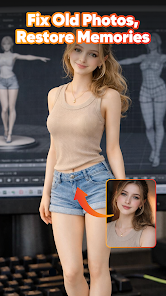
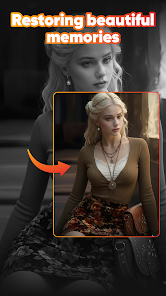
Photographers, content creators, and casual users will find practical value in Remii AI. Restore family photos damaged by age, enhance travel images taken in mixed lighting, or quickly prepare professional-looking images for online listings and social media. The batch processing and preset system is especially helpful for streamlining repetitive tasks across dozens of files.
Privacy and Sharing
Data handling focuses on local processing where possible, reducing the need to upload sensitive images. When cloud services are used for advanced models, the app provides clear options and explains what is transmitted. Sharing is integrated with native Android intents, so you can export to messaging apps, cloud storage, or save images directly to your device gallery.
Tips for Better Results
- Start with the highest-quality source—AI enhancements perform better on clean, well-composed originals.
- Use batch mode to standardize looks across events or albums.
- Combine automatic and manual tools—let the AI do the heavy lifting, then tweak small details for a personal finish.
Getting Started Quickly
Begin by installing the app, granting access to photos, and testing a few one-tap presets. Experiment with upscaling and noise reduction on a backup copy to compare before-and-after results. Remii AI: AI Photo & Enhance makes it straightforward to elevate everyday images with smart automation and hands-on controls when you need them.
- No virus
- No advertising
- User protection
Information
- File size: 31.00 M
- Language: English
- Latest Version: 1.0.1
- Requirements: Android
- Votes: 86
- Package ID: com.mdnaiphotofive.enhance.aiart
- Developer: Ares Logic
Screenshots

















Explore More
Discover and share the hottest events around with our intuitive apps. Find local concerts, festivals, shows, and more based on your unique interests. Create customizable calendars of upcoming events to coordinate schedules with friends. Purchase tickets seamlessly from our integrated platforms. Check real-time transit schedules to plan your trip. Access maps, directions, and parking information for any venue.

Board Game Stats

Bloomberg Connects

Metro Micro

TVSMILES

Tax Calculator India 2024-2025

OnDjoss

Park4Me

Scary sound effects