


Introduction
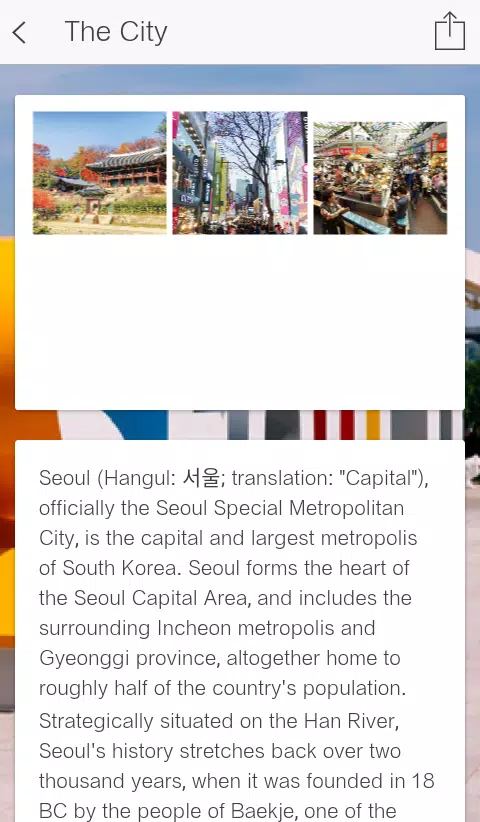
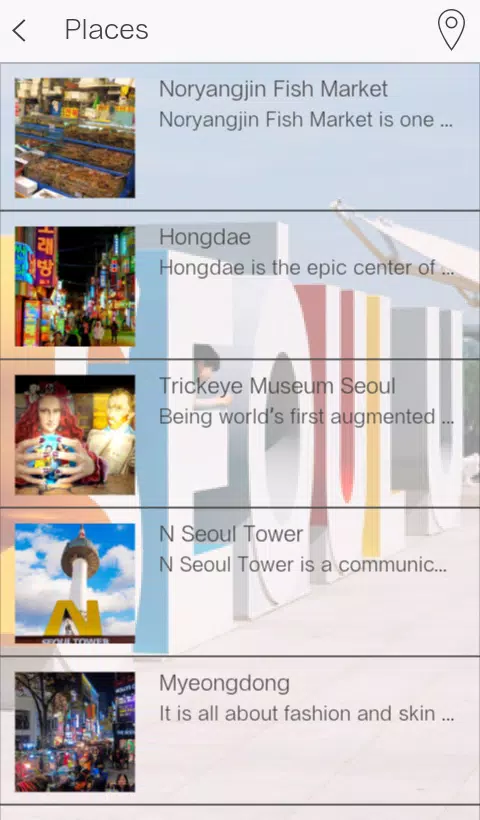
Visit Seoul City helps travelers and locals navigate Seoul with curated guides, offline maps, transit tools, and neighborhood insights. The app combines hyperlocal recommendations, step-by-step routes, and real-time event updates into a single toolkit for planning daily outings or extended stays in South Korea’s capital.
Overview and purpose
Designed for people who want practical, up-to-date information without wading through multiple sites, Visit Seoul City focuses on actionable local data. Rather than a general travel brochure, it prioritizes walkable routes, transit connections, and venue details so users can plan a museum morning, a food crawl in Jongno, or a last-minute night market stop with confidence.
What makes it different
Where many city guides are heavy on photos and light on logistics, Visit Seoul City balances discovery with utility. Offline map tiles, transit timetables, and neighborhood filters keep the app useful when connectivity is limited. It also bundles event calendars and seasonal guides, helping you decide what to do on a short layover or an extended stay.
Key features at a glance
- Offline maps: Download district maps and points of interest to save data and avoid getting lost.
- Public transit integration: Turn-by-turn subway and bus directions with estimated travel times and transfer suggestions.
- Curated neighborhood guides: Local picks for dining, shops, galleries, and parks grouped by interest and proximity.
- Event listings: Real-time and seasonal events with ticket links and venue details, updated frequently.
- Favorites and itinerary builder: Save spots, reorder plans, and export simple day plans for easy reference.
How it works in practice
Start by selecting the districts or themes you care about—history, nightlife, family activities, or food—and the app surfaces matching spots within walking distance or a short transit ride. Search results include distance, opening hours, average visit time, and a short tip so you can decide quickly. If you prefer a hands-off approach, the itinerary builder can generate a logical route that minimizes backtracking.
Interface, speed, and reliability
Visit Seoul City keeps the interface utilitarian and readable: clear typography, color-coded transit lines, and compact cards for each location. It performs reliably on mid-range devices because the app offloads heavy map rendering for offline use and caches recent searches. Users report fast route calculations and smooth transitions between map and list views.
Personalization and tools
The personalization system learns from saved favorites and recent searches. Suggested neighborhoods adapt to your preferences, and the app can notify you about nearby events or time-limited promotions. Integration with local transit schedules and simple expense trackers lets you plan how long and how much a day will cost.
Practical tips for new users
- Pre-download maps: Before arriving, download the districts you plan to visit to ensure full offline functionality.
- Use the itinerary saver: Build one-day or multi-day plans and share them with travel companions via a link or exported notes.
- Check event details: Events listed through the app can change; confirm venue pages and ticket availability before heading out.
- Enable notifications selectively: Turn on alerts for nearby events or transit disruptions, but keep them limited to avoid unnecessary interruptions.
Why locals and visitors appreciate it
Many users praise Visit Seoul City for making short trips more efficient and longer stays more exploratory. Locals find value in event discovery and neighborhood updates, while visitors like the blend of offline navigation and curated suggestions that save planning time without sacrificing spontaneity.
Getting started
Installation is straightforward: download the app, grant location permissions, and choose which map regions to store offline. Spend a few minutes creating a profile and saving a couple of favorite spots to help the app tailor suggestions. With minimal setup you’ll be ready to navigate Seoul’s neighborhoods with confidence.
- No virus
- No advertising
- User protection
Information
- File size: 23.80 M
- Language: English
- Latest Version: 1.0
- Requirements: Android
- Votes: 99
- Package ID: com.valsipawi.visitseoulcity
- Developer: valsipawi
Screenshots

















Explore More
Discover the joy of cooking with our revolutionary food apps. Find and save recipes for every taste and diet with our intuitive recipe managers. Meal plan for the week ahead using our meal calendar planners. Streamline grocery shopping with synced shopping lists. Develop skills in the kitchen through step-by-step video tutorials. Enhance flavor with our database of spices and aromatics. Learn fun food facts and wine pairings.

TANTRI : QR Menu & POS

カウシェ

DWP Fitness - Diet & Workout

데일리샷 - 위스키·와인·맥주 주류 스마트오더 앱

Calorie

Starbucks México

Grab - Taxi & Food Delivery

Uber Eats





























