
Introduction
Buenos días tardes y noches is a lightweight Android utility that automates friendly greetings throughout the day. It delivers customizable morning, afternoon and night messages as notifications or widgets, supports scheduling and language options, and integrates with alarms so your device feels more personal without extra effort.
What the app does
At its core, Buenos días tardes y noches sends timed greetings and short reminders based on the hour and your preferences. You can choose how messages appear — as persistent widgets, silent notifications, or spoken alerts — and set different text or voice styles for each time window, making routine check-ins feel fresh and tailored.
Key features and tools
- Time-based messages: Automatically switch content between morning, afternoon and night periods with customizable cutoffs.
- Widgets and notifications: Place a compact greeting widget on your home screen or receive banner notifications that respect Do Not Disturb settings.
- Voice and text modes: Select silent text, gentle speech, or both; choose from multiple voices and adjust speech speed.
- Custom phrases: Create your own greetings or pick from built-in templates; support for accented characters and multiple languages.
- Scheduling rules: Use one-time events, repeating schedules, or geofenced triggers to control when messages fire.
- Alarm integration: Link a greeting to your morning alarm so the message appears as the alarm stops.
Interface and usability
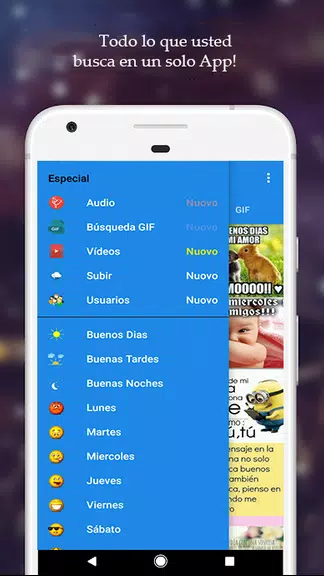
The design emphasizes clarity: a simple dashboard shows the three main periods, quick toggles for each, and an edit icon to change content. Buenos días tardes y noches uses readable typography and large touch targets so configuring greetings is fast. New users will find preloaded templates and step-by-step prompts that reduce setup time to a minute or two.
Personalization and customization
Personalization is a highlight. You can set different themes, choose color accents for widgets, and pick animated or static backgrounds for message cards. Advanced users can schedule unique messages for weekdays versus weekends, set language blends for bilingual households, or create message cycles that rotate through a list automatically.
Practical use cases
Beyond casual greetings, this app can act as a gentle routine manager. Use Buenos días tardes y noches to:
- Remind family members of daily tasks with friendly tone adjustments.
- Create a calm wake-up routine by having a soft, spoken good morning linked to an alarm.
- Mark transitions during a work-from-home day — a polite afternoon nudge to stand up, or an evening reminder to wind down.
- Support language learning by showing and speaking paired phrases at different times of day.
Performance and compatibility
The app is optimized for battery efficiency and minimal background activity. It uses Android’s scheduled jobs and notification channels, so greetings won’t interfere with system performance. Buenos días tardes y noches supports a wide range of Android versions and adapts its appearance for phones and tablets, including low-memory devices.
Privacy and permissions
Permissions are intentionally limited: notifications, optional microphone access for text-to-speech tuning, and optional location access for geofenced triggers. No message content is uploaded to servers unless you opt into cloud backup. Local storage keeps templates and schedules on your device for privacy-conscious users.
Getting started
After installing Buenos días tardes y noches, open the app and follow the setup wizard: define morning/afternoon/night cutoffs, pick message styles, and choose whether to enable widgets or voice output. A preview mode lets you test how greetings will appear or sound before activating them on your daily schedule.
Why try it?
For users who want a subtle, customizable companion that adds warmth to routine moments, Buenos días tardes y noches offers practical tools without clutter. It’s an accessible way to bring structure, personality, and occasional reminders into the day with flexible controls that respect your preferences and device resources.
- No virus
- No advertising
- User protection
Information
- File size: 25.00 M
- Language: English
- Latest Version: 1.6.4
- Requirements: Android
- Votes: 389
- Package ID: com.Mensajes.buena.manana.tarde.noche
- Developer: Go.To IT
Screenshots



















Explore More
Make your house a home with our selection of innovative apps. Discover programs to simplify cleaning, organize closets, and manage home maintenance. Take the hassle out of chores and keep your space running smoothly. Design, visualize, and renovate like a pro using our augmented reality and 3D modeling tools. Enhance security and monitor your property 24/7 with our connected home tech.

Scary sound effects

カウシェ

Baby songs free Nursery rhymes

Kaspersky Password Manager

Kidcare – Parental Control App

OTT Navigator IPTV

MTS Link

Origin Energy Gas Internet LPG