


Introduction
갤러리아 is a modern mobile application designed to simplify browsing, shopping, and managing your membership benefits in one place. Built for fast discovery and convenient purchases, 갤러리아 offers curated product catalogs, exclusive deals, and an intuitive layout that helps users find what they want quickly and securely.
Core features at a glance
갤러리아 brings together essential shopping tools with a focus on clarity and speed. The app delivers personalized recommendations, real-time inventory checks, and an integrated checkout that supports multiple payment methods. Users can track orders, access digital receipts, and redeem loyalty points without leaving the app.
Clean interface and navigation
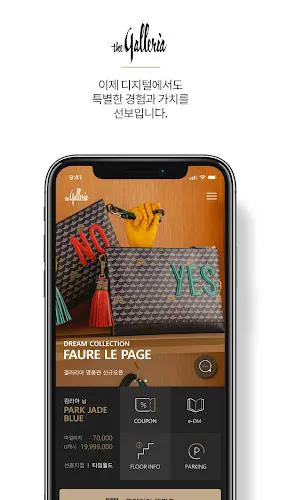
The design emphasizes straightforward navigation: a bottom tab bar for main sections, a searchable header, and categorized product cards for rapid scanning. Images load progressively to reduce wait times, and product pages present key information up front — price, available sizes, delivery estimates, and customer reviews — so decisions are easier to make.
Personalization and curated content
갤러리아 adapts to your tastes over time. It learns from browsing and purchase history to surface relevant collections and limited-time offers. Curated lists and seasonal showcases highlight trending items and new arrivals, while saved searches and wish lists let you build a personalized shopping queue.
Tools that streamline shopping
The app includes several productivity-focused features designed to save time:
- Smart search: Autocomplete and filter combinations let you narrow results by brand, price range, color, or rating.
- Price alerts: Set notifications for price drops or restocks on items you follow.
- Secure checkout: Multiple payment methods with tokenization and one-tap order confirmations.
- Digital receipts and warranties: Store purchase documentation for quick returns and service claims.
Membership and rewards
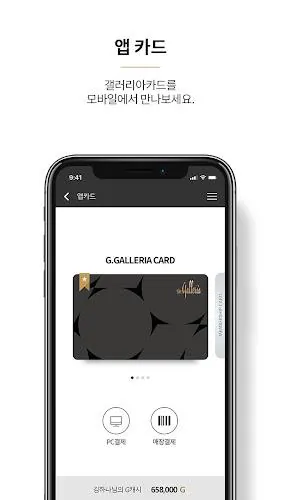
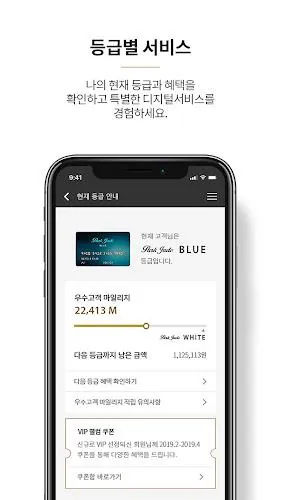
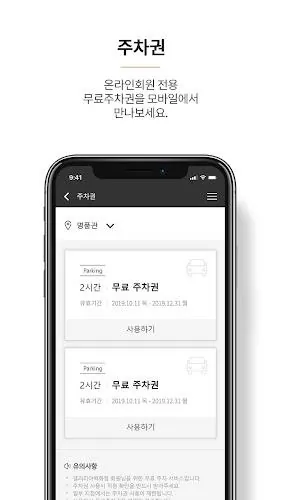
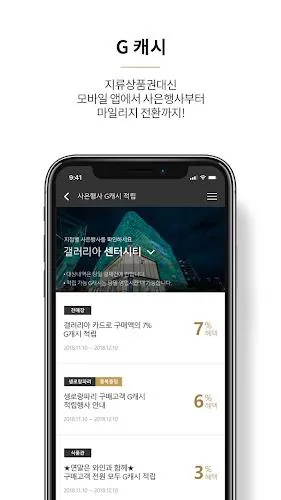
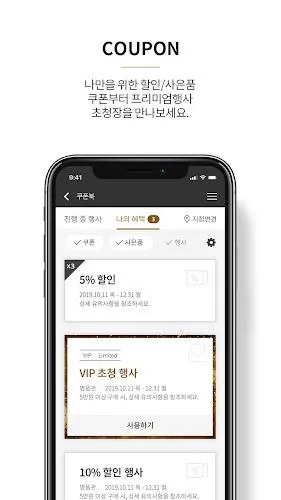
갤러리아 integrates loyalty management directly into the app. Members can view point balances, redeem rewards, and unlock tiered benefits such as early access to sales or complimentary services. Exclusive coupons and member-only flash deals are displayed in a dedicated section to encourage repeat engagement.
Performance and compatibility
Performance was prioritized to ensure a responsive experience across a wide range of Android devices. The app is optimized for quick load times, minimal battery usage, and compact storage footprint. Offline-friendly caching keeps recently viewed items accessible even with spotty connectivity, while background sync updates wish lists and order status when the network is restored.
Security and privacy practices
Security features include encrypted transactions, optional biometric login, and transparent permission requests. The app provides clear controls for push notifications, location access for delivery options, and data usage preferences. A concise privacy section explains how purchase and profile information is used to improve recommendations without sharing personal details with third parties unnecessarily.
How to get started
Setting up 갤러리아 is straightforward. Download and open the app, create or sign into an account, and allow basic permissions for location and notifications if you want tailored delivery options and sale alerts. Complete a short onboarding sequence to pick favorite categories and connect preferred payment methods to speed up future checkouts.
Tips for power users
Advanced users can combine saved filters with price alerts to monitor specific product variations, use the wishlist sharing feature to coordinate group purchases, and enable app-only promos to receive exclusive discounts. Regularly clearing cached images can reclaim storage without affecting order history or saved items.
Why users choose 갤러리아
Users appreciate 갤러리아 for its combination of curated shopping content, smooth navigation, and practical tools that simplify everyday purchases. The membership perks and reliable performance make it a convenient companion for anyone who wants a focused, mobile-first shopping experience without unnecessary complexity.
- No virus
- No advertising
- User protection
Information
- File size: 50.64 M
- Language: English
- Latest Version: 6.65
- Requirements: Android
- Votes: 148
- Package ID: co.kr.galleria.GalleriaApp
Screenshots
















Explore More
Empower learning and research with our innovative reference apps. Access dictionaries, thesauruses, encyclopedias, and more with our comprehensive databases. Get homework help, study tips, and writing guides from our academic resources. Learn new skills by browsing how-to videos and manuals. Stay up-to-date with latest news, data, and facts curated by our editors.

Bloomberg Connects

OnDjoss

Kyrgyz Russian Translation

Domino's Pizza Sri Lanka

Bollinger 1829

TANTRI : QR Menu & POS

Vi2Go

DATING SITES





























