


Introduction
GameTree: LFG & Gamer Friends connects players across platforms to find teammates, join groups, and build lasting gaming networks. The app is built around profile-driven matchmaking, event scheduling, and topic-based communities so you can discover compatible partners quickly and organize sessions without friction. Designed for both casual sessions and regular team nights, this editor overview explains how the core tools work and what to expect from day one.
Key features and tools
GameTree: LFG & Gamer Friends provides a practical set of tools aimed at efficient matchmaking and group coordination. Profiles let you describe playstyle, timezone availability, preferred roles and game modes so suggestions are tailored to your schedule and approach. In-app lobbies and integrated text and voice options allow teams to meet and coordinate inside the platform, while event creation supports single sessions or recurring meetups with RSVP tracking. Search filters let you narrow results by platform, region, language and competitive preference so you find teammates who share the same setup and goals.
How the system organizes your search
The matching system uses layered filtering combined with compatibility metrics that adapt over time. Initial filters remove clearly incompatible options and tags — such as competitive rank or preferred game genres — help refine results. As you interact, the algorithm observes response patterns, attendance history and mutual activity to surface better matches. A reputation mechanism highlights consistent and responsive players, which helps reduce noisy invites and increases the chance that scheduled sessions run smoothly.
Community moderation and safety
GameTree: LFG & Gamer Friends includes moderation features and privacy controls that let communities set standards and enforce them. Group admins can manage membership, pin rules and remove disruptive accounts, while reporting and blocking tools are accessible from profiles and chat. Profiles may be set to private and sensitive fields can be hidden from public searches. These safeguards are paired with community guidelines so organizers can maintain productive, welcoming spaces for every skill level.
Customization and notification workflow
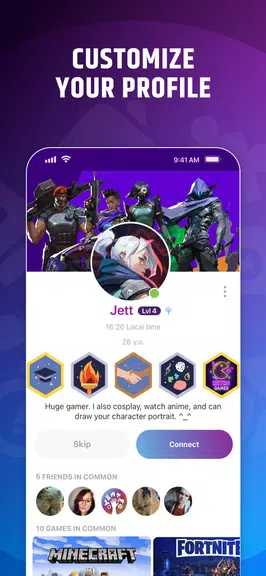
Customization focuses on discovery and interruptions: you choose whether to appear in search, set availability windows, and define preferred matchmaking criteria so recommendations align with real-life schedules. Notification controls are granular, allowing you to receive alerts for invites, event changes, direct messages or only for messages from selected groups. This reduces alert fatigue and keeps your attention on sessions that matter. Profile tags, linked game lists and short role descriptions make it simpler for others to find and evaluate you at a glance.
Interface, controls and accessibility
The interface emphasizes clarity and fast actions. A central dashboard aggregates upcoming events, active groups and suggested matches, and common functions are reachable in two taps: join a lobby, send an invite or edit availability. Controls include intuitive swipe and tap behaviors for browsing lists and a clear hierarchy for messages versus event activity. Accessibility options such as adjustable font sizes, high-contrast themes and basic screen reader compatibility help make the app usable across a wide audience. Cached data and a read-only view allow you to browse saved groups and recently viewed events when connectivity is limited.
Performance and platform compatibility
Optimized for mobile use, the app minimizes battery and data impact while keeping real-time updates where they matter — event lists, group chat and match suggestions. Background sync prioritizes essential changes and limits unnecessary refreshes. Cross-platform filters ensure you can indicate console or PC preferences so searches return players who share hardware and input style. The goal is reliable operation across varied devices and network conditions while keeping session setup fast.
Tips for getting started and long-term engagement
To get the most from the platform, fill out your profile with accurate availability, preferred roles and a short playstyle summary. Use tags to highlight the specific games and modes you play and post clear looking-for-group ads with game, time and objectives. Start with small groups to build rapport, then expand hubs as trust grows. Regular event scheduling and consistent RSVP behavior improve your reputation and lead to better automatic suggestions over time, keeping the cycle of quality teammates steady.
- No virus
- No advertising
- User protection
Information
- File size: 69.40 M
- Language: English
- Latest Version: 2.22.1
- Requirements: Android
- Votes: 117
- Package ID: com.gametreeapp
- Developer: GameTree PBC
Screenshots



















Explore More
Discover and share the hottest events around with our intuitive apps. Find local concerts, festivals, shows, and more based on your unique interests. Create customizable calendars of upcoming events to coordinate schedules with friends. Purchase tickets seamlessly from our integrated platforms. Check real-time transit schedules to plan your trip. Access maps, directions, and parking information for any venue.

Board Game Stats

Bloomberg Connects

Metro Micro

TVSMILES

Tax Calculator India 2024-2025

Park4Me

Scary sound effects

TryController





























