Introduction
FlashGet Kids is a child-focused file management and download tool that simplifies content control and media organization for families. It provides a safe, straightforward interface that helps parents manage downloads, set limits, and curate age-appropriate files while giving children a friendly, easy-to-use experience.
What It Does
Designed for households with young users, FlashGet Kids streamlines how families handle digital content. The app separates parental settings from the child view, queues and prioritizes downloads, and tags media for quick retrieval. It emphasizes safety and clear workflows so that parents stay in control without interrupting a child’s learning or play.
Key Features
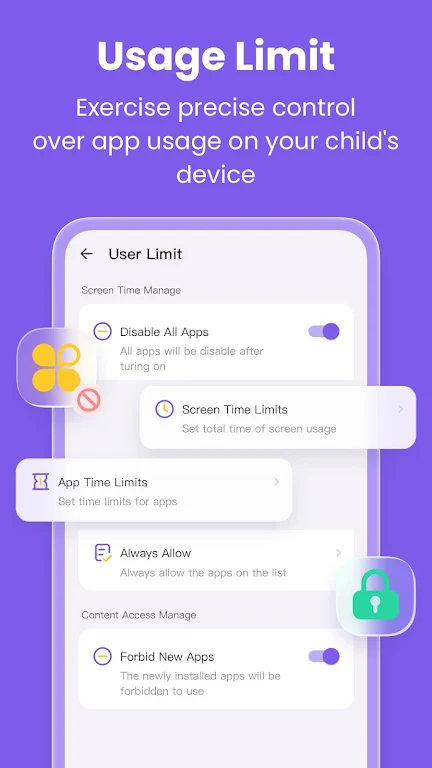
- Parental controls: Toggle permissions for downloads, approve content categories, and set time-based access windows.
- Safe browsing and downloads: Built-in filters screen out inappropriate websites and file types before they reach the device.
- Organized media library: Auto-categorize photos, videos, audio, and documents into labeled folders for easy navigation.
- Download scheduler: Queue large files for off-peak hours and limit simultaneous downloads to preserve bandwidth.
- Profile management: Create multiple child profiles with distinct restrictions and storage quotas.
User Interface and Workflow
FlashGet Kids presents a clear dual-pane layout: one side for parental settings and one for the child-facing dashboard. The parent pane uses simple toggles and sliders for permissions, while the child pane offers colorful icons and large thumbnails. The app guides users through common tasks with short, contextual tips so families can adapt without technical know-how.
How Parental Controls Work
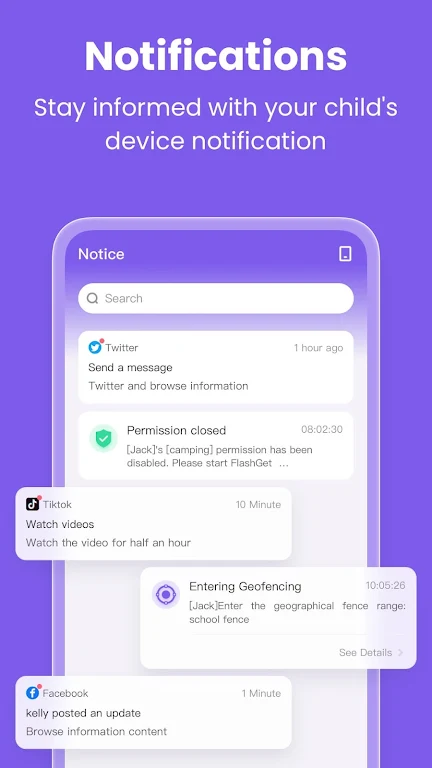
Parental tools are privacy-focused and operate locally on the device unless an optional cloud account is enabled. Parents can whitelist or blacklist domains, approve individual files before download, and receive activity summaries. Time limits are set per profile and can be overridden temporarily with a one-time pass for special circumstances.
Managing Media and Storage
Storage management in FlashGet Kids is purpose-built to avoid clutter. Automatic archiving moves older or completed downloads to a private archive that only parents can access. Media tags and smart folders let children find approved games, videos, or homework files quickly. When storage runs low, the app suggests cleanup options and offers to transfer archives to external storage or cloud services.
Performance and Compatibility
FlashGet Kids is optimized for low memory use and minimal background activity to preserve battery life on mobile devices. It supports a broad range of Android versions and adapts download behavior based on connection type—Wi-Fi only, cellular with parental approval, or scheduled sync windows. The app also integrates with common accessibility features to support diverse needs.
Privacy and Security
Privacy is handled with a parent-first approach: data collected for performance or diagnostics is anonymized and only sent with explicit consent. All local files remain device-stored unless a user opts into cloud backup. The app uses encrypted channels for any remote communication and offers a simple audit log so parents can review recent activity at a glance.
Setting Up and Getting Started
Getting started with FlashGet Kids takes just a few minutes. Install the app, create a parent account, and add profiles for each child. The setup wizard walks through basic permissions, storage preferences, and recommended safety filters. Once profiles are configured, parents can immediately approve or queue downloads and tailor limits as needed.
Why Families Choose It
Families appreciate the balance of control and simplicity. FlashGet Kids places safety features where parents expect them while maintaining a playful, uncluttered experience for children. Its combination of scheduling, filtering, and storage tools reduces the effort required to manage digital content and helps keep devices organized and secure.
Extra Tips
- Use the download scheduler to avoid bandwidth spikes during evening video calls.
- Set different time windows for schoolwork and leisure to encourage healthy device habits.
- Regularly review the private archive to clear out unused files and reclaim space.
Overall, FlashGet Kids provides a practical toolkit for families who need dependable download management and straightforward parental controls without steep learning curves. It focuses on making everyday digital chores easier while protecting children from unsuitable content.
- No virus
- No advertising
- User protection
Information
- File size: 28.68 M
- Language: English
- Latest Version: 1.0.9.0
- Requirements: Android
- Votes: 147
- Package ID: com.flashget.parentalcontrol
- Developer: HONGKONG FLASHGET NETWORK TECHNOLOGY
Screenshots
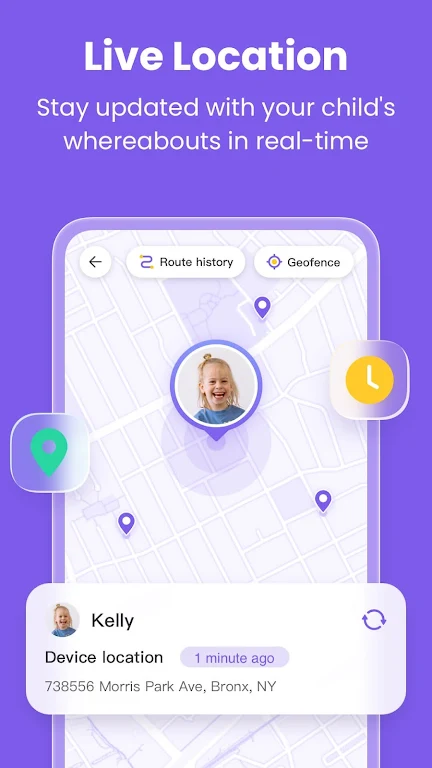
















Explore More
Make your house a home with our selection of innovative apps. Discover programs to simplify cleaning, organize closets, and manage home maintenance. Take the hassle out of chores and keep your space running smoothly. Design, visualize, and renovate like a pro using our augmented reality and 3D modeling tools. Enhance security and monitor your property 24/7 with our connected home tech.

Scary sound effects

カウシェ

Baby songs free Nursery rhymes

Kaspersky Password Manager

Kidcare – Parental Control App

OTT Navigator IPTV

MTS Link

Origin Energy Gas Internet LPG