


Introduction
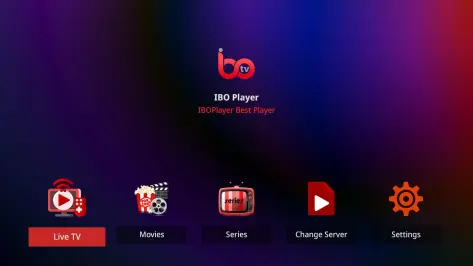
IBO Player is a lightweight Android media player designed for smooth local and network playback, supporting common video and audio formats, subtitles, and playlist management. It combines an uncluttered interface with advanced playback tools so users can stream, organize, and customize media on phones and tablets quickly.
What IBO Player Offers
IBO Player delivers a practical set of tools for everyday media consumption and light power users. The app focuses on reliable playback, clear navigation, and flexible input options — from opening files stored on device memory to pulling streams from a local network or online URL. Performance-minded features such as hardware acceleration and adaptive buffering help preserve battery life while keeping playback smooth.
Key Features
- Wide format support: Plays common video and audio containers and codecs so you can open most files without conversion.
- Subtitle handling: Load external SRT or embedded subtitle tracks, change timing, and adjust font size and placement.
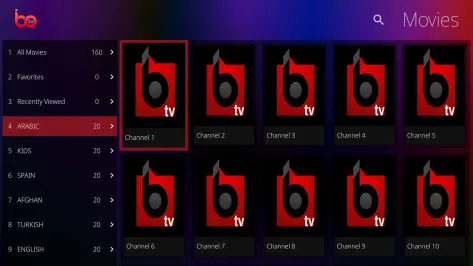
- Playlist and library: Create and save playlists, scan folders for media, and sort by date, name, or media type.
- Network access: Connect to SMB, FTP, and DLNA sources or stream via HTTP links for easy access to shared libraries.
- Hardware acceleration: Offloads decoding to compatible device chips to reduce CPU load and improve energy efficiency.
Interface and Controls
The user interface emphasizes simplicity: big touch targets for play/pause, skip, and seek, with gesture shortcuts for brightness and volume. Menus are kept shallow so you reach common actions in one or two taps. IBO Player includes a compact on-screen control panel that appears during playback and fades out to keep the viewing area uncluttered.
Playback, Formats and Connectivity
Playback is tuned for compatibility and responsiveness. The player supports multiple audio tracks and basic upmixing options, keeps audio/video synchronization options accessible, and offers playback speed adjustments for quick review or slow-motion viewing. For connectivity, IBO Player can access media from local network shares and can stream from direct URLs. Those who rely on wireless displays will appreciate cast and external output compatibility where supported by the device.
Customization and Tools
IBO Player includes customization options to adapt the experience to your preferences. Pick a light or dark theme, adjust subtitle appearance, or enable an equalizer to shape audio output. Advanced settings let you tweak buffering size, decoder preferences, and resume behavior so the app fits different storage setups and network conditions. For users who curate collections, tagging and playlist export make it easier to move curated lists between devices.
Performance and Stability
Stability is a priority: the player minimizes background resource use and handles large files and long playback sessions without frequent crashes. Background playback and lock-screen controls allow continued listening while using other apps. Regular updates address compatibility with new Android releases and improve codec support, keeping playback consistent across a range of phones and tablets.
Privacy and Permissions
IBO Player requests only the permissions necessary to access media and network resources. Local file scanning and network access are limited to directories and servers you authorize. Users can manage permissions through Android settings to restrict access to specific storage locations or revoke network privileges as desired.
Getting Started and Tips
To begin, install the app and grant access to your media folders when prompted. Add a network source via the app's network browser or paste a direct stream link to play immediately. For best results, enable hardware acceleration in settings and test subtitle alignment on one or two files before bulk viewing. If you need to move a watchlist between devices, export playlists and import them on the target device.
IBO Player is a practical choice for users who want a no-frills, dependable media experience with useful customization and network capabilities. Its balance of straightforward controls and behind-the-scenes options makes it suitable for everyday viewing and hands-on configuration alike.
- No virus
- No advertising
- User protection
Information
- File size: 0.00 M
- Language: English
- Latest Version: 6.0
- Requirements: Android
- Votes: 457
- Package ID: com.sazpin.iboapp
- Developer: IBO PLAYER
Screenshots
















Explore More
Equip yourself with our all-in-one toolbox app for everyday tasks and projects. Instantly convert between units, calculate tips, scan documents, manage files, and more with handy productivity tools. Includes a level, compass, QR code reader, ruler, speedometer, decibel meter, and flashlight. Save frequently used tools to your customizable dashboard for one-tap access. Track billable hours, wages, budgets, and invoices. Annotate screenshots, magnify labels, and sign PDFs on the go.

Board Game Stats

MEXC Global: BTC, ETH, Gamefi

Text Art - Write Text On Photo

MERA PROXY PRO

Domino's Pizza Sri Lanka

Hatekhori Shongkha

Halloween Photo Editor -Makeup

Connecting - Friends Near Me





























