


Introduction
Qi Services streamlines field operations and back-office workflows for service teams, combining scheduling, job tracking, and customer communication in a single Android app. Designed for technicians and managers, it centralizes requests, automates notifications, and provides real-time status updates to keep tasks moving efficiently across distributed teams.
What Qi Services Does
Qi Services acts as a central hub for managing service requests from intake to completion. It supports ticket creation, prioritization, and assignment while keeping an audit trail of actions and communications. The app is built to reduce administrative overhead, cut response times, and ensure that each task follows a clear, auditable process.
Core Features and Tools
The feature set focuses on practical tools that field teams and office staff use every day. Key capabilities are organized to simplify workflows and improve visibility across multiple jobs and locations.
- Scheduling and Dispatch: Drag-and-drop scheduling, route-aware assignments, and automatic time window calculations help dispatchers place the right technician at the right job.
- Job Management: Create jobs with custom fields, attach photos and documents, update status in real time, and log parts and labor right from the device.
- Customer Communication: Automated SMS and email notifications, arrival ETAs, and post-job surveys keep customers informed and engaged.
- Offline Mode: Work uninterrupted in low-connectivity areas; updates sync automatically when a connection is restored.
- Reporting and Analytics: Built-in dashboards track KPIs like first-time fix rate, average response time, and technician utilization.
User Interface and Workflow
Qi Services emphasizes a compact, touch-friendly interface optimized for Android phones and tablets. Navigation uses clear tabs for Jobs, Calendar, Messages, and Settings. Technicians see their schedule, access job details, capture signatures, and generate invoices without switching apps. Managers can filter jobs by status, skillset, or geographic area to make quick decisions.
Integration and Automation
Designed to fit into existing ecosystems, Qi Services offers API endpoints and native connectors for common CRM, ERP, and accounting systems. Automation rules can trigger follow-up tasks, reassign work when SLA thresholds are breached, or generate purchase orders when inventory hits pre-set levels. These integrations reduce duplicate data entry and keep systems synchronized.
Security and Data Handling
Security features include role-based access control, encrypted data storage, and secure transport for all communications. Administrators define who can view or edit sensitive records, and logs record every change for compliance needs. Regular updates maintain compatibility with Android security standards and protect against emerging threats.
Performance and Compatibility
Qi Services is engineered for efficiency: background syncs are battery-conscious, and incremental updates minimize data usage. The app supports a broad range of Android versions and device form factors, scaling from single-user deployments to large multi-tenant operations. Local caching and optimized API calls keep the interface responsive even under heavy load.
Getting Started
Onboarding with Qi Services is straightforward. New users create an account, import or define service categories and teams, then upload location or customer lists. The step-by-step setup wizard helps configure workflows, SLA rules, and notification templates. Trial modes allow teams to test routing rules and reporting before rolling out to all staff.
Practical Benefits for Teams
Field personnel gain clarity on daily tasks, reduce time spent on paperwork, and improve first-visit resolution by having all job context at their fingertips. Office teams benefit from fewer phone calls, automated reporting, and a centralized view of capacity and demand. The combination of mobile functionality and administrative controls helps organizations deliver service reliably while keeping operational costs in check.
Qi Services offers a pragmatic approach to managing field operations: it blends intuitive mobile tools with robust back-end controls so teams can complete more work with less friction and greater customer satisfaction.
- No virus
- No advertising
- User protection
Information
- File size: 64.90 M
- Language: English
- Latest Version: 5.4.6-Release
- Requirements: Android
- Votes: 208
- Package ID: tech.enjaz.qicardservices
- Developer: THE INTERNATIONAL SMART CARD CO.LLC
Screenshots

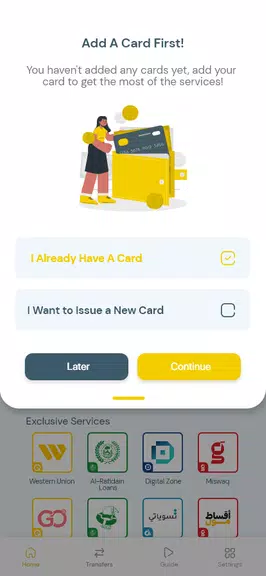
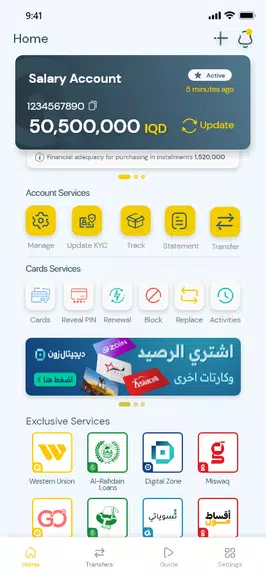
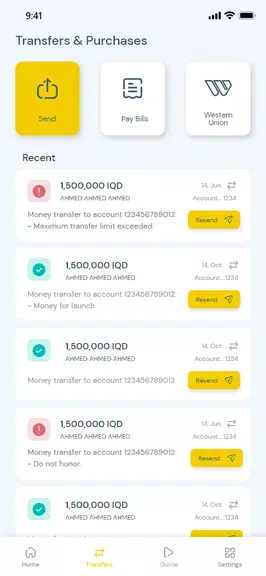
















Explore More
Connect deeper through meaningful conversations with our communication apps. Enjoy crystal-clear calls, video chats, messaging, and file sharing. Find the perfect emojis, GIFs, and stickers to express yourself. Keep the non-stop group banter organized in one place. Block unwanted interactions at the source. Meet new people worldwide through our global community features.

IZI: play, listen, watch, call

OnDjoss

Connecting - Friends Near Me

DATING SITES

TownSq Community

69ers

LR Store

What's Up





























