


Introduction
Cast TV is a lightweight casting app that turns your Android device into a media remote and transmitter for smart TVs and streaming sticks. It lets you mirror screens, send local videos, photos, and music to large displays, and manage playback with subtitles, playlists, and simple connectivity options.
Key features at a glance
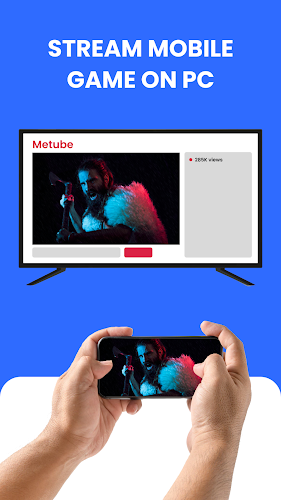
Cast TV organizes essential streaming tools into a compact, intuitive package. Users can cast local files, stream online content using URL links, and mirror their phone screen with minimal delay. The app also handles subtitle files, supports playlist creation, and includes basic remote controls so you can pause, seek, and adjust volume from your phone.
How the casting process works
The app discovers compatible devices on your network using standard protocols, then establishes a connection that transfers either the media link or the raw stream. For devices that support Chromecast or DLNA, Cast TV negotiates the best playback method automatically. When mirroring, it compresses and transmits your display in real time to preserve responsiveness while keeping bandwidth in check.
Interface and controls
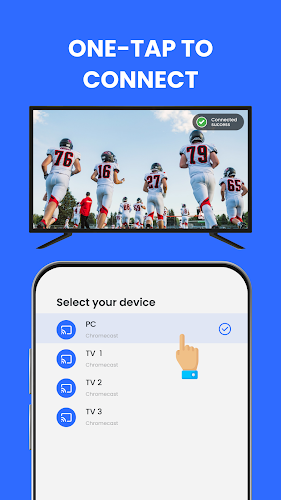
Cast TV presents a straightforward interface designed for quick access: a media browser for local files, a field to paste online links, and a device list for connecting to TVs and set-top boxes. Playback controls are accessible during casting, and gestures are implemented for fast seeking. The layout minimizes on-screen clutter so you can focus on watching rather than configuring settings.
Supported formats and compatibility
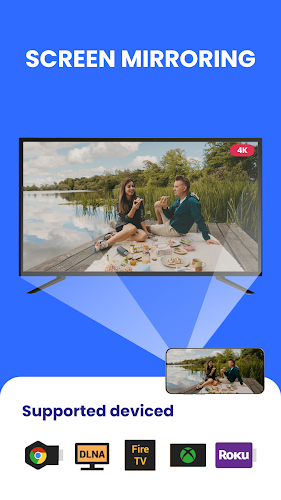
Compatibility is a priority. Cast TV works with common video and audio codecs, image formats, and subtitle files like SRT. It is compatible with Android phones and tablets and interoperates with most smart TVs, streaming sticks, and DLNA-enabled devices. If a device lacks native format support, the app attempts to transcode on the fly or falls back to sending a direct link for the receiver to handle decoding.
Performance tips for smoother streaming
To get the best results, connect both your Android device and the target display to the same high-speed Wi-Fi network and avoid congested channels. For large files, use a 5 GHz network when available to reduce buffering. Lowering the mirroring resolution in the app can also improve responsiveness on older devices. Cast TV includes options to adjust bitrate and resolution to match your network and hardware capabilities.
Privacy, permissions and security
Cast TV requests only the permissions needed to access local media, network discovery, and storage. Device discovery is limited to your local network, and the app does not publish your media externally. For added safety, use a secure Wi-Fi network and keep the app updated so it benefits from the latest protocol improvements and bug fixes.
Advanced workflow and customization
Beyond basic casting, power users can create custom playlists, manage subtitle timing, and save favorite devices for one-tap connections. There are options to automatically resume playback, switch audio tracks, and select preferred subtitle languages when available. These tools make Cast TV a useful hub for taking control of home media sessions.
Getting started quickly
To start, install the app, grant the required permissions, and ensure your TV or streaming stick is powered and on the same network. Open Cast TV, choose the media source, select a device, and tap play. If the receiver supports it, you can hand off playback completely so the screen on your phone can be used for other tasks while the TV continues playing the content.
Why choose this app
Cast TV balances a gentle learning curve with enough depth for advanced users. It focuses on practicality—stable device discovery, reliable playback, and sensible customization—without overwhelming menus. Whether you need a simple way to show vacation photos on a big screen or a more controlled setup for movie nights, this app streamlines the process and keeps media sharing straightforward.
- No virus
- No advertising
- User protection
Information
- File size: 33.02 M
- Language: English
- Latest Version: 4.8
- Requirements: Android
- Votes: 462
- Package ID: com.casttv.screencast.mirrorcast.mirroringtv
- Developer: Ana Media
Screenshots
















Explore More
Make your house a home with our suite of helpful home apps. Discover clever tools to organize closets, streamline chores, and simplify cooking. Take the stress out of cleaning and maintenance with handy checklists and schedules. Enhance security and control appliances and lighting with our smart home integrations. Design, visualize, and renovate like a pro using our 3D planning software.

Metro Micro

Tax Calculator India 2024-2025

ClassPass: Fitness, Spa, Salon

OnDjoss

Park4Me

Scary sound effects

Home Workouts - Lose Weight

Juice Recipes





























