


Introduction
Hola Launcher-Simple,Fast transforms your Android home screen with a clean, minimal interface that prioritizes speed and usability. Designed for users who want a lightweight launcher, Hola Launcher-Simple,Fast reduces clutter, speeds app access, and offers smooth transitions without sacrificing useful customization or performance.
What the Launcher Brings
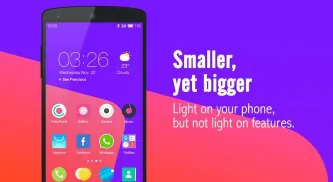
This launcher focuses on fast navigation and straightforward controls. The layout emphasizes clarity: a tidy app drawer, intuitive folders, and efficient search so you can reach apps in fewer taps. Instead of overwhelming you with endless options, the launcher includes essential tools that improve everyday phone use while keeping resource consumption low.
Key Features and Tools
- Fast App Drawer: A responsive drawer that sorts apps alphabetically and supports quick search and smart suggestions based on usage patterns.
- Minimal Home Screens: Clean desktop pages with easy widget placement, resize options, and simple swipe gestures for switching screens.
- Custom Shortcuts: Long-press actions and customizable icon shortcuts let you open contacts, start navigation, or launch tasks straight from the home screen.
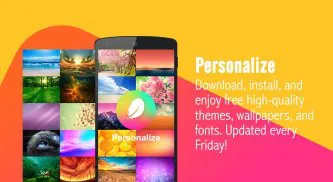
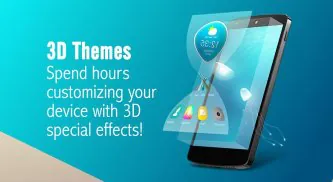
- Theme Support: Lightweight themes and icon packs let you change the visual style without adding heavy animations or lag.
- Gesture Controls: Swipe, pinch, and double-tap gestures allow you to open apps, pull the app drawer, or lock the device quickly.
- Battery-Friendly Design: Optimized background behavior and modest memory use reduce battery drain and keep the device running smoothly.
Customization and Visual Options
Customization in Hola Launcher-Simple,Fast is practical rather than flashy. You can tweak icon size, label visibility, grid layout, and transition speed. Available themes adjust color accents across the interface while remaining optimized for battery and performance. The launcher supports adaptive icons so third-party apps look consistent on your desktop.
Performance and Compatibility
Performance is a core selling point. The launcher is engineered to run well on both older hardware and the latest devices. App startup times are reduced thanks to efficient memory management and prioritized rendering. Compatibility extends across a wide range of Android versions, and the minimal codebase means fewer conflicts with other apps or system customization layers.
How to Install and Configure
Getting started takes only a few steps: install the APK or download from the store, set Hola Launcher-Simple,Fast as your default home app, then follow the setup guide to import app layouts and adjust basic settings. The initial configuration wizard walks you through permissions for notifications and access, and you can choose whether to import existing folders and widgets from your previous launcher.
Workflow Improvements
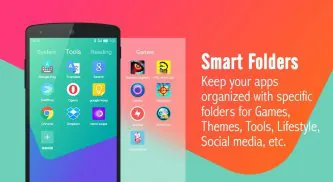
Everyday workflows benefit from small but effective tools. Quick folders let you group frequently used apps under one tap, while built-in search helps find apps and contacts without opening separate apps. Custom shortcut actions and gesture controls reduce friction for common tasks like calling a favorite contact, opening the camera, or toggling Do Not Disturb.
Security, Updates, and Support
Hola Launcher-Simple,Fast requests only necessary permissions and clearly explains each request during setup. Regular updates focus on performance tweaks and compatibility patches rather than adding bloat. Support resources include an in-app feedback channel and an online help page with FAQs and setup tips to resolve common issues quickly.
Tips to Maximize Efficiency
To get the most from the launcher, organize apps into a few high-use folders, enable gesture shortcuts for two or three core actions, and choose a moderate animation speed to keep transitions snappy. Users with older phones will see the largest improvement by disabling background effects and limiting widgets to those they use daily.
Why Choose This Launcher
Hola Launcher-Simple,Fast targets users who want a fast, unobtrusive home screen experience without sacrificing essential customization. It works well for people who prefer a focused layout, wish to reduce distractions, and need a lightweight launcher that preserves battery life and responsiveness. With a balanced mix of convenience features and performance-minded engineering, it is a practical choice for many Android users.
- No virus
- No advertising
- User protection
Information
- File size: 4.60 M
- Language: English
- Latest Version: 2.2.9
- Requirements: Android
- Votes: 104
- Package ID: com.hola.launcher
- Developer: Holaverse
Screenshots
















Explore More
Equip yourself with our all-in-one toolbox app for everyday tasks and projects. Instantly convert between units, calculate tips, scan documents, manage files, and more with handy productivity tools. Includes a level, compass, QR code reader, ruler, speedometer, decibel meter, and flashlight. Save frequently used tools to your customizable dashboard for one-tap access. Track billable hours, wages, budgets, and invoices. Annotate screenshots, magnify labels, and sign PDFs on the go.

Board Game Stats

MEXC Global: BTC, ETH, Gamefi

MERA PROXY PRO

Domino's Pizza Sri Lanka

Hatekhori Shongkha

Connecting - Friends Near Me

Cartola

Virink





























