
AZ Screen Recorder - Video Recorder, Livestream
Category: Media & Video Date:2026-10-15
Rating: 4.1
Introduction
AZ Screen Recorder - Video Recorder, Livestream is a versatile Android utility for capturing on-screen video, recording audio where the device permits, and broadcasting your screen to RTMP endpoints. AZ Screen Recorder - Video Recorder, Livestream simplifies capture for tutorials, gameplay recordings, app demos, and presentations by combining quick-start controls with deeper settings for bitrate, resolution, and audio routing so creators can focus on content rather than configuration.
Overview and visual approach
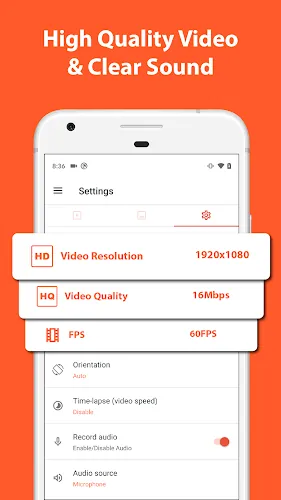
The app presents a clean, sectioned layout that separates video, audio, and stream settings so you can adjust parameters without digging through nested menus. Visual cues are practical: clearly labeled toggles for microphone and system audio, sliders and dropdowns for resolution and encoder selection, and an on-screen preview that reflects chosen frame rate. The interface emphasizes legibility and contrast so controls remain usable in varied lighting and during live sessions.
Recording controls and core mechanics
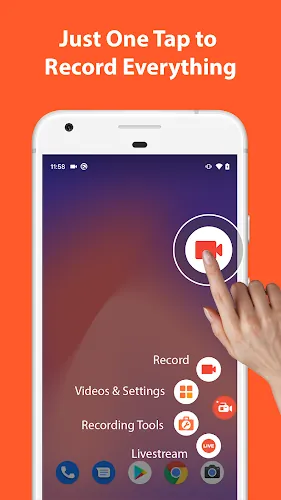
Recording is centered on a floating capture control that stays accessible above other apps; a single tap starts or stops recording while pause and resume reduce file fragmentation. A configurable countdown helps avoid accidental captures and an optional front-camera thumbnail or gesture overlay can be shown during recording. Before you hit record you choose frame rate, resolution, and bitrate; the app estimates file size and expected performance to help balance quality with storage and battery considerations.
Workflow progression and presets
To support gradual skill development and repeatable workflows the app offers preset profiles for common scenarios such as low-bandwidth livestreams, high-resolution tutorials, and compact clips for social sharing. Save and name profiles to switch quickly between settings for different projects. AZ Screen Recorder - Video Recorder, Livestream encourages a progression: start with default presets to learn the basics, then refine encoder types, bitrates, and audio sources as you gain confidence without disrupting previously saved templates.
Editing, export options, and replay value
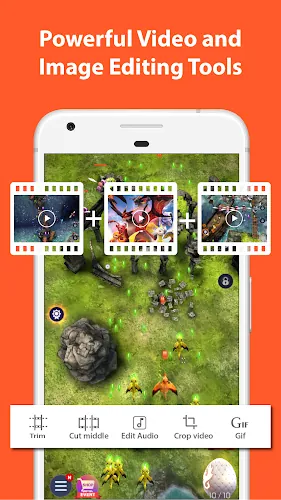
After capture a lightweight, integrated editor handles essential post-production tasks such as trimming, merging clips, overlaying background music, and inserting basic transitions. Non-destructive edits let you experiment without altering original footage until export. Export formats prioritize compatibility with MP4 for broad device and platform support and GIF for short animated previews, making it straightforward to prepare content for uploads, bug reports, or quick previews.
Customization, accessibility, and controls
Customization extends to overlays, touch indicators, and front-camera thumbnails that personalize instructional content and enhance audience connection. Accessibility features include clear labeling, adjustable interface scaling on many devices, and readable control sizes so icons and text remain legible. Audio routing choices allow recording of system sounds, microphone input, or both where the OS permits, which is useful for voice commentary, interviews, or capturing game audio with accurate sync.
Performance, offline use, and device considerations
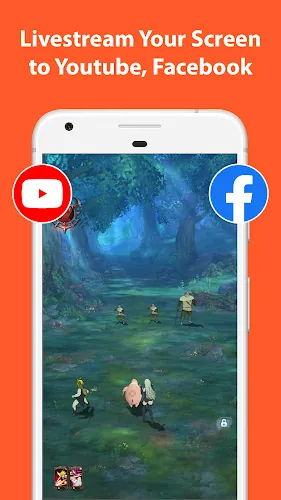
Performance depends on device hardware and chosen settings: hardware-accelerated encoding is available on supported devices to reduce CPU load, while higher bitrates and resolutions increase thermal and battery demands. Recording works offline for local app interactions and gameplay; livestream features require network connectivity and a configured stream key. The app reports estimated file size by bitrate and duration so you can plan storage, avoid thermal throttling, and choose lower-quality presets for long sessions.
Practical tips and common use cases
For reliable results test short clips to verify audio sync and video exposure before committing to long recordings. If you plan to broadcast, prepare your RTMP endpoint and run a private test to confirm bitrate and latency. Pairing AZ Screen Recorder - Video Recorder, Livestream with an external microphone improves voice clarity for tutorials and commentaries, and saving separate presets for different content types speeds up repetitive workflows. Typical users include educators producing lesson videos, content creators capturing mobile gameplay, and product teams preparing app demos or debugging recordings.
- No virus
- No advertising
- User protection
Information
- File size: 85.90 M
- Language: English
- Latest Version: 6.2.1
- Requirements: Android
- Votes: 466
- Package ID: com.hecorat.screenrecorder.free
- Developer: AZ Screen Recorder
Screenshots

















Explore More
Embark on an extraordinary musical journey with our sensational music app downloads! Immerse yourself in a symphony of melodies, beats, and rhythms that will ignite your soul. Discover an extensive collection of genres, from chart-topping hits to indie gems and everything in between. Create personalized playlists, explore curated recommendations, and enjoy high-quality audio streaming.

New Friday Night Funkin FNF Tips 2021
YAWT - Timer for Tabata, HIIT, Interval Training

Happy birthday video maker

Downtown Studio
89 FM The Radio Rock
Jukebox

Real Violin Solo

PolyBuzz