Introduction
IPTV Player is a lightweight Android application designed to stream live television and on-demand channels using M3U playlists and network streams. It combines a minimalist interface with robust playback options to give users quick access to hundreds of channels, smooth streaming, and basic playlist management in a compact package.
What the app does
At its core, IPTV Player turns your Android device into a flexible media viewer for IPTV links. It supports common playlist formats and protocols, letting you load channel lists from local storage, remote URLs, or network sources. The app focuses on reliable playback rather than frills, making it well suited for users who want speed and simplicity.
Primary capabilities
- Playlist support: Load M3U and similar lists from URLs or files.
- Live stream playback: Play UDP, HTTP, and HLS streams with low latency.
- Channel search: Quickly find channels within large playlists.
- Basic EPG: View program guides when an EPG source is provided.
How it works
The workflow is straightforward: import a playlist, pick a channel, and start watching. IPTV Player parses playlist entries and displays them in a clean list with optional grouping by category. When a stream is selected, the built-in player attempts direct playback and can hand off to external players if needed for better codec support or DRM-handling.
Stream handling and compatibility
Stream compatibility is a focal point. The app supports adaptive formats like HLS and common containers such as MPEG-TS. If a stream fails with the internal engine, users can launch third-party players installed on the device. This approach increases interoperability across a wide range of streams and devices.
Interface and performance
IPTV Player emphasizes speed: menus open quickly, channel switching is responsive, and buffering options are minimal but effective. The design is intentionally sparse to reduce clutter. Controls are placed for easy thumb access on phones, and the layout scales well to larger screens and Android TV boxes.
Playback options
Available playback settings allow users to tweak buffering size and enable hardware acceleration where supported. Subtitle and audio-track selection appear when streams include them. For users with slower connections, lower-latency settings and reduced buffer sizes can improve channel change responsiveness.
Organizing channels
Playlist management in IPTV Player covers the essentials. You can reorder entries, rename channels locally, and create simple favorites lists for fast access. While it does not include advanced database synchronization, the lightweight organizer is handy for quick edits and everyday use.
Tips for getting stable streams
- Use a reliable M3U source and verify URLs in a browser if playback fails.
- Enable hardware acceleration on compatible devices to reduce CPU load.
- When encountering codec issues, try opening the stream with a third-party media player.
- Group frequently watched channels into a favorites folder for faster navigation.
Security and privacy considerations
The app itself does not vendor content; it relies on user-supplied playlists. That means users should only load playlists from trusted providers and be mindful of local network permissions. The app requests minimal permissions, primarily for network access and storage when importing files.
Who will benefit
Users who prefer a no-nonsense client for IPTV streams will find IPTV Player useful. It’s especially suitable for people who manage their own playlists or use third-party providers and want a compact app that focuses on playback stability and basic organization.
Installation and setup pointers
Getting started requires granting network permission and importing a playlist via URL or local file. The initial setup wizard guides you through loading an M3U file and choosing a preferred player for fallback playback. Keep a backup of your playlist; the app lets you export lists for safekeeping.
IPTV Player strikes a balance between simplicity and essential functionality. Its pared-down approach keeps resource use low while offering the tools most users need to play and manage IPTV streams on Android devices.
- No virus
- No advertising
- User protection
Information
- File size: 2.96 M
- Language: English
- Latest Version: 3.8
- Requirements: Android
- Votes: 122
- Package ID: com.ysngvn.iptv
Screenshots
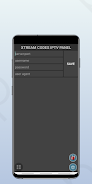


















Explore More
Equip yourself with our all-in-one toolbox app for everyday tasks and projects. Instantly convert between units, calculate tips, scan documents, manage files, and more with handy productivity tools. Includes a level, compass, QR code reader, ruler, speedometer, decibel meter, and flashlight. Save frequently used tools to your customizable dashboard for one-tap access. Track billable hours, wages, budgets, and invoices. Annotate screenshots, magnify labels, and sign PDFs on the go.

Board Game Stats

MEXC Global: BTC, ETH, Gamefi

Text Art - Write Text On Photo

MERA PROXY PRO

Domino's Pizza Sri Lanka

Hatekhori Shongkha

Halloween Photo Editor -Makeup

Connecting - Friends Near Me