


Introduction
Microsoft Bing Search is a versatile mobile search app that brings fast web results, visual search, and integrated AI helpers to your Android device. It combines traditional search, personalized feeds, and multimedia tools to make finding information, images, and local answers simple and efficient on the go.
Overview: a modern search experience
The app puts core search capabilities within a clean, single interface. Microsoft Bing Search blends keyword results with context-aware answers, image recognition, and voice input. It’s designed for users who want quick facts, visual matches, and suggestions tailored to their interests while minimizing clutter and taps.
Key capabilities at a glance
- Instant results: Fast page load and concise snippets let you scan answers without opening multiple sites.
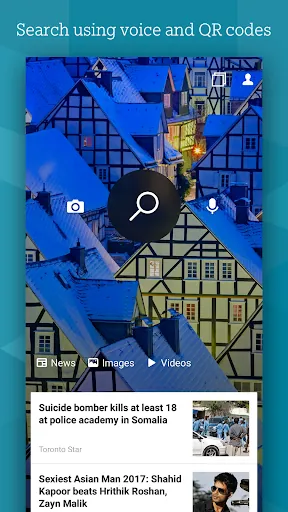
- Visual search: Point your camera or upload a photo to identify objects, landmarks, plants, and products.
- Voice search: Natural-language queries work well for hands-free lookups and directions.
- Actionable cards: Weather, flights, sports scores and timers appear as easy-to-read cards.
- Safe browsing tools: Privacy controls, tracking prevention, and easy access to settings help manage data exposure.
How the search works day-to-day
Typing a query returns a ranked list of web pages, quick facts, and related questions. If a topic benefits from images or video, those elements are surfaced inline. The app also integrates a conversational assistant for follow-up queries, enabling a back-and-forth flow without retyping full prompts. Search results adapt based on location and recent activity to deliver more relevant local options.
Interface and performance
The user interface favors clarity: large tappable targets, a dark mode, and compact result cards reduce visual noise. Microsoft Bing Search performs well on a range of devices, with memory-friendly caching and selective preloading to speed expected queries without draining battery. Animations are subtle and functional rather than decorative, which helps maintain responsiveness on older phones.
Personalization and productivity features
Personalization tools let you tune the app to your needs. A customizable feed surfaces news and topics you follow, while collections allow you to save links, images, and notes for later. Integration with translation, calculators, and converters streamlines everyday tasks. Sign in with your Microsoft account to sync preferences and saved content across desktop and mobile.
Useful integrations for everyday workflows
- Cross-device sync: Save a search on mobile and access it on desktop or tablet.
- Collections: Organize research, shopping comparisons, or travel planning into folders.
- Share and export: Quickly send links to messaging apps or export saved items for reference.
Tips for getting the most from searches
- Use natural questions instead of single keywords to get richer, conversational answers.
- Tap an entity card (a person, place, or product) to reveal related searches and timelines.
- Try visual search for shopping: snap a photo of an item to find similar products and price comparisons.
- Enable voice search and set language options for hands-free queries while driving or cooking.
- Pin frequently used tools, like the translator or currency converter, to the app home for quick access.
Privacy controls and settings
The app provides straightforward controls to clear history, pause personalized search, and adjust ad preferences. You can restrict location access and choose whether search activity syncs with your Microsoft account. These settings are grouped to make privacy adjustments quick and transparent.
Getting started with the app
Install the application from the official store, grant optional permissions for location or camera when prompted, and sign in if you want sync features. The onboarding screens walk through visual search and voice commands so you can start making queries immediately. For casual browsing, no account is required; for cross-device continuity, sign in with your Microsoft credentials.
Microsoft Bing Search aims to balance powerful capabilities with straightforward usability, making it useful for everyday information needs, quick visual lookups, and integrating web results into daily routines.
- No virus
- No advertising
- User protection
Information
- File size: 102.80 M
- Language: English
- Latest Version: 29.2.420906006
- Requirements: Android
- Votes: 434
- Package ID: com.microsoft.bing
- Developer: Microsoft Corporation
Screenshots

















Explore More
Make your house a home with our suite of helpful home apps. Discover clever tools to organize closets, streamline chores, and simplify cooking. Take the stress out of cleaning and maintenance with handy checklists and schedules. Enhance security and control appliances and lighting with our smart home integrations. Design, visualize, and renovate like a pro using our 3D planning software.

Metro Micro

Tax Calculator India 2024-2025

ClassPass: Fitness, Spa, Salon

OnDjoss

Park4Me

Scary sound effects

Home Workouts - Lose Weight

Juice Recipes





























