
Introduction
Orion TV delivers a polished mobile streaming experience that organizes live channels, on-demand shows, and personal playlists into a single app. Designed for fast browsing and flexible playback, Orion TV supports external players, customizable channel lists, and an electronic program guide for easy viewing and scheduling.
What this app does
Orion TV is built to bring broadcast-style navigation to Android devices. It aggregates IPTV-compatible streams, VOD libraries, and local media so users can switch between live programming and recorded content without leaving the interface. The app prioritizes responsiveness and low-latency playback on varied network conditions.
Core capabilities at a glance
- Live TV and VOD: Access channels and on-demand episodes from one unified library.
- Playlist support: Import M3U, XSPF, or remote playlists to customize available channels.
- External player integration: Use your preferred media player for advanced codecs and formats.
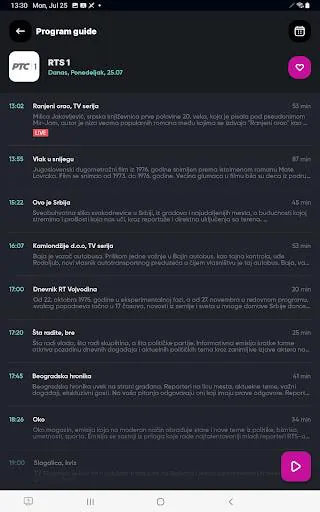
- Electronic Program Guide (EPG): Browse schedules, set reminders, and jump to upcoming broadcasts.
User interface and navigation
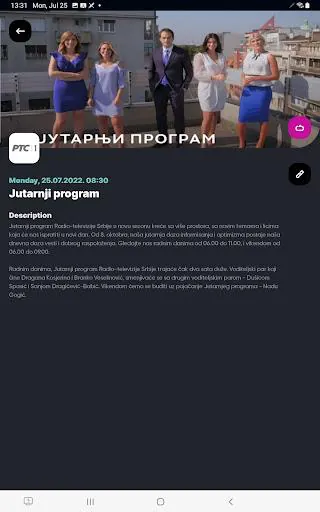
A clean layout keeps menus simple: a main channel list, a category filter, and a player overlay. Thumbnails and program descriptions load quickly, while swipe gestures and short menus reduce taps between sections. The interface is suitable for touch devices and easy to navigate with a remote on smart TV boxes.
Performance and compatibility
Orion TV focuses on smooth playback and low memory overhead. Buffering options let you balance startup speed against stability. The app offers adaptive stream selection when available and provides settings to change buffer size, hardware acceleration, and audio output to match different devices and networks.
Customization and account tools
Personalization is a strong point: rename channels, build favorites lists, and create folders for quick access. Account settings include parental controls to restrict categories or individual channels, plus the ability to lock the app with a PIN. Playlist management supports both local files and remote URLs for flexible setup.
Advanced features for power users
- Recording and catch-up: Schedule recordings from the EPG and play back stored streams when convenient.
- Subtitle and audio track selection: Switch languages or enable external subtitle files during playback.
- Chromecast and DLNA: Cast live channels or VOD to a TV for a larger viewing experience.
How to get started
Install the APK and grant necessary permissions to access storage and network features. Import a playlist or connect to a provider, then scan the EPG to populate program information. Basic setup takes only a few minutes and the app guides new users through playlist import and player selection.
Practical tips for new users
- Test different players: If streams stutter, try an external player with better codec support.
- Organize early: Create favorite folders to avoid hunting for frequently watched channels.
- Check network settings: Use Wi‑Fi or mobile data limits appropriately to avoid unexpected usage.
Why people choose it
Users appreciate Orion TV for its combination of flexibility and control. The app works well for people who manage multiple playlists or who want a living program guide without subscription locks. Regular updates and granular settings make it attractive for tech-savvy users and casual viewers alike.
Final usage notes
While Orion TV offers many advanced tools, it keeps common tasks straightforward so everyday viewing remains a simple experience. Whether you want a compact mobile player or a hub for multiple streaming sources, this app provides an adaptable platform with ample configuration options and reliable playback performance.
- No virus
- No advertising
- User protection
Information
- File size: 28.70 M
- Language: English
- Latest Version: 5.5.0
- Requirements: Android
- Votes: 157
- Package ID: rs.maketv.oriontv
- Developer: Make TV
Screenshots


















Explore More
Equip yourself with our all-in-one toolbox app for everyday tasks and projects. Instantly convert between units, calculate tips, scan documents, manage files, and more with handy productivity tools. Includes a level, compass, QR code reader, ruler, speedometer, decibel meter, and flashlight. Save frequently used tools to your customizable dashboard for one-tap access. Track billable hours, wages, budgets, and invoices. Annotate screenshots, magnify labels, and sign PDFs on the go.

Board Game Stats

MEXC Global: BTC, ETH, Gamefi

Text Art - Write Text On Photo

MERA PROXY PRO

Domino's Pizza Sri Lanka

Hatekhori Shongkha

Halloween Photo Editor -Makeup

Connecting - Friends Near Me