


Introduction
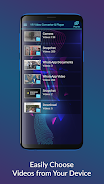
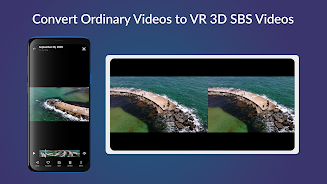
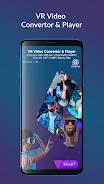
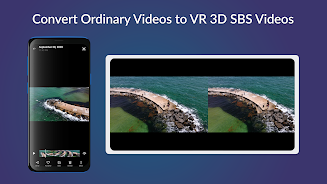
This innovative app VR Video Converter allows you to enjoy all your favorite videos in VR or 360-degree format on your smartphone or tablet. With a user-friendly interface and support for various video formats, including 4K resolution and subtitles, this VR player offers a truly immersive experience. Whether you're watching VR films, playing VR games, or reliving standard videos in VR mode, this app provides the ultimate gateway to immersive entertainment. Simply select a video from your gallery and dive into a world of virtual reality with VR Video Converter.
Features of VR Video Converter:
⭐ Immersive Virtual Reality Experience: The app allows you to enjoy VR videos and 360-degree content, providing a truly immersive experience that transports you to another world.
⭐ User-Friendly Interface: With a straightforward interface, the app is easy to navigate and adjust settings, ensuring a seamless viewing experience.
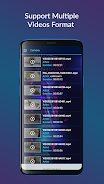
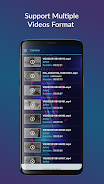
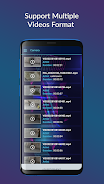
⭐ Support for Various Video Formats: The app supports a range of video formats, including animated subtitles and adjustable aspect ratios, catering to a variety of preferences.
⭐ Compact Size and Optimized Performance: Despite its advanced features, the app has a compact size that takes up minimal space on your device, ensuring quick refresh capabilities and smooth navigation.
FAQs:
⭐ How can I view 3D videos in VR mode with the app?
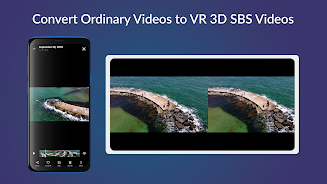
Simply select the video you want to view, tap on it, and the app will automatically convert it into VR mode or a 360-degree video.
⭐ Can I use the app with different types of VR headsets?
Yes, the app supports all types of headsets, including Google Cardboard and VR boxes, making it versatile and compatible with various devices.
⭐ Does the app allow for customization of technical elements like video resolution and frame rate?
Yes, you can modify technical elements such as video resolution, frequency, frame rate, and rotation channels to enhance your viewing experience.
Conclusion:
The VR Video Player offers a comprehensive solution for enjoying virtual reality and 3D videos, with a user-friendly interface, support for various video formats, and optimized performance. Whether you're eager to explore virtual worlds or immerse yourself in 360-degree content, this app provides an unparalleled experience that is sure to captivate and entertain. Simply install the app, choose your desired video, and dive into the immersive world of VR with ease. Upgrade your viewing experience today with the VR Video Player.
- No virus
- No advertising
- User protection
Information
- File size: 31.82 M
- Language: English
- Latest Version: 2.0.35
- Requirements: Android
- Votes: 185
- Package ID: com.appex.vr.sbs.video.converter.player
- Developer: AppexSoft
Screenshots
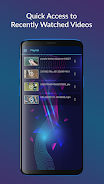
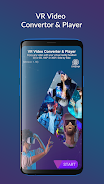
















Explore More
Discover a world of entertainment with our immersive apps. Access movies, TV shows, music, books, and more from your favorite platforms. Get recommendations personalized to your tastes to find hidden gems. Learn fascinating trivia, go behind-the-scenes, and connect with other fans. Try augmented and virtual reality demos from the hottest studios.

মোড়েলগঞ্জ টুডে নিউজ

Flashlight - Torch & Modes

Parallel

Faketalk

Sportingbet

Betboo

Buku Pintar Batu Permata

NRJ Energy Hits Radio FM App




















You May Also Like





Comment
-
Bad app. Just a bunch of ads. Less feature and option. Useless. Uninstall. Period2025-07-07 01:27:50
-
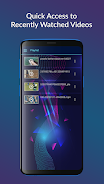
i like this app. my only wish is that it will play all videos in playlist (or folder) automatically without me having to take out my phone just to play the next video.2025-07-06 18:53:17
-
I don't write reviews usaully, but this app is so bad and dumb like who created it. Too many ads everywhere, the app is so simple there is no options, even it doesn't support 360 videos. Shame on you dev !2025-07-06 14:41:33
-
The app is good but their is no option you can choose your language or subtitles during watching a movie.2025-07-05 10:28:58
-
Doesn't show up as an option in file explorer, or have any way to play videos other than the few it discovers2025-07-05 04:30:29
-
Excellent ads viewer, very invasive ! Other than that, nothing better than other - non invasive- apps, so: uninstalled.2025-07-04 21:06:30
