Introduction
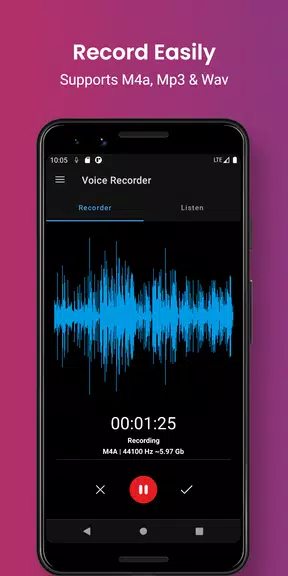
With a user-friendly interface and a wide range of features, this voice recording app is a must-have for anyone who needs to quickly and easily capture audio. Not only can you record important conversations, notes, and more, but you can also save your files to your SD card for easy access. Smart voice recorder - editor even allows you to categorize your recordings and mark favorites for easy organization. Plus, with additional features such as cloud upload and an audio editor, this app truly has everything you need to make recording and managing audio files a breeze. Get started today and see just how convenient and efficient this app can be for all your recording needs.
Features of Smart voice recorder - editor:
> User-Friendly Interface:
Smart voice recorder - editor provides a simple and easy-to-use interface, making it convenient for users to quickly start recording important conversations, meetings, notes, songs, and more with just a single click.
> Pro Features:
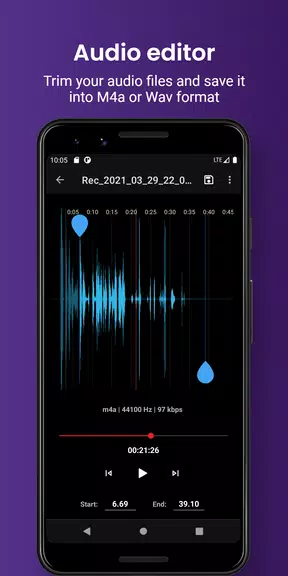
With this app, users can enjoy professional features such as audio cutting, SD-card recordings, MP3 recordings, cloud upload, and much more, enhancing the functionality and versatility of the voice recorder.
> Customization Options:
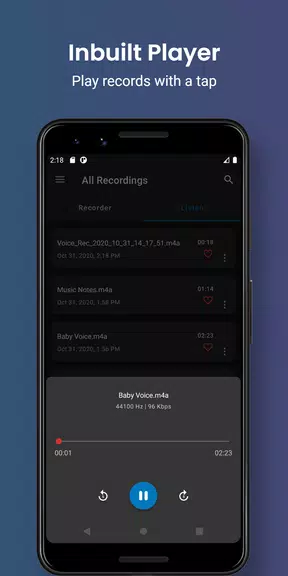
Users can save their recordings to their desired location, whether it's on the internal memory or SD card, and categorize them into custom folders for easy access and organization. Additionally, they can mark favorite recordings and create custom categories like voice notes, meetings, lectures, and music.
Playing Tips for Smart voice recorder - editor:
> Utilize the audio editor feature to trim and cut unwanted portions of your recordings, ensuring only the essential parts are saved and easily accessible.
> Take advantage of the cloud upload option by signing in with your Google account, allowing you to securely store and access your recordings on your cloud drive from anywhere.
> Enable background recording to continue capturing audio even when using other applications or when the display is off, ensuring you don't miss any important information.
Conclusion:
Smart voice recorder - editor is the perfect solution for recording and managing audio files on your Android device. With its user-friendly interface, pro features, customization options, and playing tips, this app offers a convenient and efficient way to capture and organize important audio recordings. Download Smart voice recorder - editor today to experience seamless voice recording and editing capabilities.
- No virus
- No advertising
- User protection
Information
- File size: 8.70 M
- Language: English
- Latest Version: 24.09.15
- Requirements: Android
- Votes: 410
- Package ID: com.prasanna957.soundrecorder2
- Developer: Freemium apps
Screenshots
















Explore More
Embark on an extraordinary musical journey with our sensational music app downloads! Immerse yourself in a symphony of melodies, beats, and rhythms that will ignite your soul. Discover an extensive collection of genres, from chart-topping hits to indie gems and everything in between. Create personalized playlists, explore curated recommendations, and enjoy high-quality audio streaming.

New Friday Night Funkin FNF Tips 2021

YAWT - Timer for Tabata, HIIT, Interval Training

Happy birthday video maker

AZ Screen Recorder - Video Recorder, Livestream

Downtown Studio

89 FM The Radio Rock
Jukebox

Real Violin Solo