Introduction
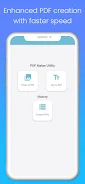
PDF Maker by OrangePalm is a powerful and easy-to-use productivity app designed to help users create PDF files directly on their smartphones or tablets. With just a few taps, you can convert images and documents into professional-quality PDF files anytime, anywhere.
The app focuses on simplicity and efficiency, offering essential tools such as password protection, image compression, and built-in editing options. Whether for work, study, or personal use, PDF Maker provides a smooth and reliable PDF creation experience.
Easy Image and Document Conversion
PDF Maker allows users to convert images into PDF documents with full control over layout and presentation. You can adjust image size, position, rotation, and order to create clean and well-structured PDF files.
Before conversion, images can be edited or cropped to ensure the final document looks polished and professional.
Secure and Flexible PDF Management
The app includes password protection features that allow users to secure PDF files and prevent unauthorized access. This is especially useful for handling sensitive documents or private information.
PDF Maker also supports image compression and margin adjustments, helping reduce file size while maintaining document quality.
Key Features of PDF Maker
Image to PDF Conversion: Convert images into PDF documents with options to resize, rotate, and position images precisely.
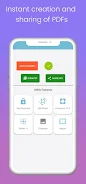
Password Protection: Protect PDF files with passwords to enhance document security.
Document Editing: Edit images, adjust margins, and compress files before converting them into PDFs.
Save and Continue: Save your work and resume editing later, with all documents stored for future access.
Sharing Options: Open, share, print, or send PDF files directly from the app for easy collaboration.
Usage Tips
Select your images or documents and customize the layout before converting them into a PDF file.
Use password protection when creating PDFs that contain sensitive or confidential information.
Experiment with editing tools such as resizing images and adjusting margins to create clean, professional documents.
Final Thoughts
PDF Maker by OrangePalm offers a reliable and user-friendly solution for creating PDF files on mobile devices. With its combination of editing tools, security features, and flexible sharing options, the app simplifies the entire PDF creation process.
Download PDF Maker today and enjoy fast, secure, and efficient PDF conversion to boost your productivity.
- No virus
- No advertising
- User protection
Information
- File size: 20.94 M
- Language: English
- Latest Version: 5.6.2
- Requirements: Android
- Votes: 155
- Package ID: opofficial.pdfmaker
Screenshots

















Explore More
Equip yourself with our all-in-one toolbox app for everyday tasks and projects. Instantly convert between units, calculate tips, scan documents, manage files, and more with handy productivity tools. Includes a level, compass, QR code reader, ruler, speedometer, decibel meter, and flashlight. Save frequently used tools to your customizable dashboard for one-tap access. Track billable hours, wages, budgets, and invoices. Annotate screenshots, magnify labels, and sign PDFs on the go.

MEXC Global: BTC, ETH, Gamefi

Text Art - Write Text On Photo

MERA PROXY PRO

Domino's Pizza Sri Lanka

Halloween Photo Editor -Makeup

Connecting - Friends Near Me

Cartola

HFonts - font & emoji manager