Introduction
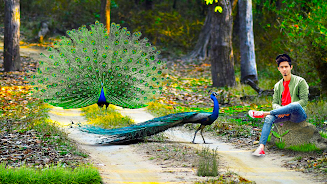
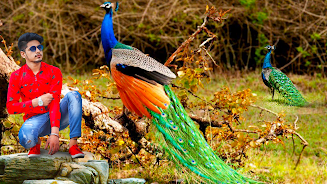
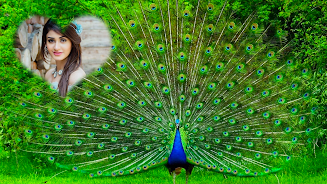
Peacock Photo Frames & Editor is a photo editing tool that helps you place portraits into vibrant peacock-themed frames, remove or replace backgrounds, add stickers and text, and prepare images for sharing or device wallpapers. The app includes simple crop and erase controls, an automatic background remover, and a collection of peacock-themed scenes so you can transform selfies, family photos, or nature shots into colorful decorative compositions in just a few taps.
Key Features
Peacock Photo Frames & Editor offers precise crop and manual background erasing with adjustable eraser size, zoom controls, undo, redo, and repair tools. An auto eraser removes a selected color area in one touch to speed up background removal. You can replace backgrounds with a single color or transparent option, apply blur effects, or choose from built-in peacock motifs and images from your gallery. The app also lets you add stickers and face decorations with resizing, rotation, flip, and opacity controls, insert custom text, set the final image as wallpaper, and share saved pictures across social networks.
Advantages
Peacock Photo Frames & Editor's interface is designed for quick edits, so users can create polished peacock-themed photos without a steep learning curve. Precise manual tools combined with the automatic eraser provide flexibility for both careful and fast background removal. Built-in stickers, text tools, blur effects, and wallpaper export streamline the editing-to-sharing workflow for greetings, social posts, and decorative wallpapers.
Disadvantages
The app is specialized around peacock imagery, so users seeking a wide variety of non-peacock themes may find the selection limited. Manual background erasing still requires careful zooming and adjustments for complex edges despite undo and repair tools. If you need advanced professional retouching or an extensive filter library, this app may feel basic for power users.
- No virus
- No advertising
- User protection
Information
- File size: 64.00 M
- Language: English
- Latest Version: 1.0.42
- Requirements: Android
- Votes: 172
- Package ID: com.Benzyllabs.Peacock.photoeditor
- Developer: Benzyl Labs
Screenshots























Explore More
Equip yourself with our all-in-one toolbox app for everyday tasks and projects. Instantly convert between units, calculate tips, scan documents, manage files, and more with handy productivity tools. Includes a level, compass, QR code reader, ruler, speedometer, decibel meter, and flashlight. Save frequently used tools to your customizable dashboard for one-tap access. Track billable hours, wages, budgets, and invoices. Annotate screenshots, magnify labels, and sign PDFs on the go.

myJersey

Training Feel

7 Bussid Private Bus Mod

1win

Iwan fals Paling Lengkap

CZUR

The Doylo

Radio You FM 106.9