
Introduction
الوتس الازرق -WhatsPlus is a lightweight messaging app designed to make staying connected simple, private and fast. It offers instant chats, secure login with email and password, and easy photo and video sharing so you can communicate with friends and family without delays, while encrypted password storage and contact management help maintain a safe environment.
Key Features
الوتس الازرق -WhatsPlus provides secure instant messaging with rapid delivery and real-time notifications. Send and receive high-quality photos and videos within chats without losing detail. Secure account access uses email and password with encrypted storage to protect credentials. Manage contacts easily, search for friends with filters, and block users who abuse or harass you. Control notifications and personalize alerts, and enjoy a lightweight design with regular updates to improve performance and compatibility across Android devices.
Advantages
Strong privacy focus: the app follows a clear privacy policy and does not share personal data with third parties without permission. Quick setup lets you create an account in seconds and customize your username and profile picture. The user-friendly interface is suitable for many ages and includes settings to help keep content appropriate. Full control over conversations and contacts is provided, including blocking tools and private server-based handling of messages.
Disadvantages
The app includes in-app advertisements and requires an active internet connection to send and receive messages and media. Conversations are handled on the app's servers, which some users may prefer to review depending on their privacy preferences. If you want a straightforward chat tool with strong privacy controls and a smooth experience, الوتس الازرق -WhatsPlus is built for that purpose.
- No virus
- No advertising
- User protection
Information
- File size: 45.00 M
- Language: English
- Latest Version: 15
- Requirements: Android
- Votes: 152
- Package ID: com.ejabatech.vinebre
- Developer: EJaba Tech
Screenshots
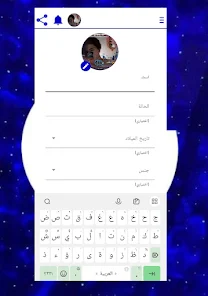


















Explore More
Equip yourself with our all-in-one toolbox app for everyday tasks and projects. Instantly convert between units, calculate tips, scan documents, manage files, and more with handy productivity tools. Includes a level, compass, QR code reader, ruler, speedometer, decibel meter, and flashlight. Save frequently used tools to your customizable dashboard for one-tap access. Track billable hours, wages, budgets, and invoices. Annotate screenshots, magnify labels, and sign PDFs on the go.

MEXC Global: BTC, ETH, Gamefi

MERA PROXY PRO

Domino's Pizza Sri Lanka

Hatekhori Shongkha

Connecting - Friends Near Me

Cartola

Virink

RegenRadar