Introduction
Link Controle Mobile is a dedicated mobile application to manage the working hours of drivers affiliated with Link Monitoring, designed to simplify time tracking, reduce administrative overhead, and keep driver records accurate and accessible from the field. The app centralizes shift data so supervisors can quickly review totals and approve or query records, while drivers can register their hours using a straightforward interface that fits daily routines and reduces reliance on paper logs.
Key features and core functions
Link Controle Mobile consolidates driver time entries into a single, searchable record set for each vehicle or employee. The app supports quick mobile time registration so drivers can start and stop shifts, add short notes for exceptional events, and correct entries when permitted by policy. Supervisors receive tools to validate records, view aggregated hours over custom periods, and flag discrepancies for follow-up. Records are organized to support payroll preparation and compliance reporting, and the app includes export-ready summaries to simplify administrative handoffs.
How the app works: controls and interaction model
The interface focuses on common mobile gestures and simple controls: large tap targets for starting or ending a shift, clear timestamps for each entry, and inline comments where drivers or supervisors can annotate an event. Role-based screens present relevant controls—drivers see a compact registration view while supervisors can access review queues and period summaries. Setup screens allow administrators to define workday parameters and approval workflows without requiring technical expertise.
Progression and record management
Progression in Link Controle Mobile is expressed through evolving records rather than gamified levels: daily logs accumulate into weekly and monthly summaries, enabling supervisors to monitor trends and resolve recurring issues. An audit trail preserves approval histories and edits so organizations can trace how a record changed over time. This progression model helps fleets move from reactive corrections to proactive scheduling and payroll forecasting as historical data grows.
Visual style and layout
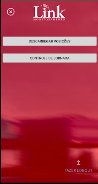
The visual design emphasizes clarity and legibility for use in varied lighting and motion conditions. High-contrast text, straightforward iconography, and prioritized information blocks make it easy to read current shift status at a glance. The layout adapts to different screen sizes so the same app works on standard smartphones and larger tablets used in dispatch centers, with minimal clutter and quick access to the most common actions.
Customization and configuration
Administrators can tailor settings to match operational needs: define shift types, set rounding rules for time entries, configure approval requirements, and choose which fields appear on driver screens. Notifications and reminder settings help drivers and supervisors maintain timely submissions. Customization keeps the app flexible for different fleet sizes and regulatory environments without forcing unnecessary complexity onto everyday users.
Offline use, synchronization, and data export
Recognizing that vehicles may operate where connectivity is intermittent, the app caches time entries locally and synchronizes with central records when a connection is available. This ensures drivers can continue logging hours offline and that supervisors receive consolidated updates as soon as data syncs. For payroll and compliance, Link Controle Mobile produces export-ready summaries in common formats so administrative teams can import data into payroll tools or archive records for audits.
User experience, accessibility, and training
The onboarding flow is designed for quick adoption: short guided tours and contextual help explain key tasks without overwhelming users. Accessibility options include adjustable font sizes, clear contrast modes, and simple navigation for users who benefit from larger touch targets. The app encourages consistent usage by reducing steps for common tasks and by providing feedback when entries are successfully recorded or when a supervisor has requested clarification.
Validation, alerts, and operational controls
To support compliance and reduce errors, Link Controle Mobile includes validation checks that catch missing or overlapping entries and alert supervisors to potential anomalies. Administrators can configure thresholds for automated alerts and require additional justification for out-of-range hours. These controls help maintain data quality while keeping manual intervention focused where it is most needed.
Limitations and intended audience
Link Controle Mobile is purpose-built for driver working hour management within organizations associated with Link Monitoring; it is not a general workforce management platform. Its scope centers on time tracking, supervisory review, and data export for payroll or compliance, so organizations seeking broader HR, inventory, or routing features should consider complementary tools alongside this focused solution.
Overall, Link Controle Mobile offers a compact, reliable way to move driver hour tracking out of paper logs and into an organized digital workflow, improving accuracy, easing payroll preparation, and providing supervisors with the oversight they need while keeping day-to-day controls simple for drivers in the field.
- No virus
- No advertising
- User protection
Information
- File size: 10.20 M
- Language: English
- Latest Version: 2.3.1
- Requirements: Android
- Votes: 291
- Package ID: com.mjdev.linkmonitor.diariodebordo
- Developer: Link Monitoramento
Screenshots


















Explore More
Discover and share the hottest events around with our intuitive apps. Find local concerts, festivals, shows, and more based on your unique interests. Create customizable calendars of upcoming events to coordinate schedules with friends. Purchase tickets seamlessly from our integrated platforms. Check real-time transit schedules to plan your trip. Access maps, directions, and parking information for any venue.

Mana Masters Codex

Astekbet Casino

Aeon Trespass App

Riftbound Scoreboard

Riftbound Companion

LifePad

IperBingo

888bets moçambique Apk