Introduction
Bonix AI brings the world's leading artificial intelligence models into a single, easy-to-use app so you can access advanced tools without juggling multiple services. The app combines chat assistants, a creative studio, writing tools, practice modules, and learning courses in one interface, making it useful for students, creators, and professionals who need a compact AI toolkit. With Bonix AI you can tackle coding and tutoring conversations, generate images, video and audio, draft emails and presentations, and practice interviews or SQL — all from the same place when you want faster, more integrated AI assistance.
Key Features
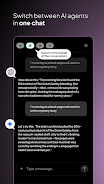
⭐ Unified access to multiple top AI models in one app, so you can switch tasks without changing services.
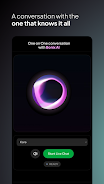
⭐ Chat and assistants for unlimited conversations focused on coding help, tutoring, brainstorming, and creative writing.
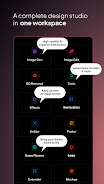
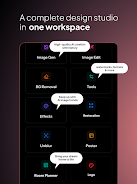
⭐ AI Studio that produces high-quality images, cinematic-style videos, and generated music or voice tracks.
⭐ AI Writer tools to draft emails, articles, ad copy, and to assemble presentations and spreadsheets quickly.
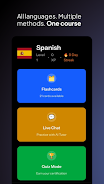
⭐ Practice Hub and learning modules with mock interviews, SQL exercises, language flashcards, structured courses, and quizzes.
Advantages
✅ Bonix AI is designed for a wide audience — students, creators, and professionals — offering tools that fit different workflows.
✅ A single, consistent interface across phone, tablet, and computer keeps your work synchronized and easy to manage.
✅ Consolidates powerful AI capabilities so you don’t need separate apps for chat, content creation, and practice tools.
✅ Speeds up routine tasks like drafting copy, building presentations, and generating multimedia assets.
Disadvantages
❎ Output quality can vary depending on the task and may require careful editing or fact-checking.
❎ Many features rely on a stable internet connection, which limits offline use.
❎ Creative or complex results sometimes need iterative refinement rather than a single automatic pass.
- No virus
- No advertising
- User protection
Information
- File size: 14.00 M
- Language: English
- Latest Version: 1.0.35
- Requirements: Android
- Votes: 398
- Package ID: ai.bonix.app
- Developer: Tech Astrophil
Screenshots
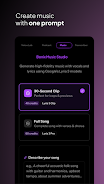
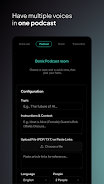
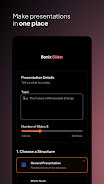

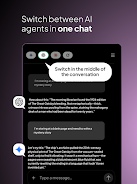
















Explore More
Enjoy your favorite media anywhere with our sleek new all-in-one multimedia app! Stream video, music, and podcasts online or offline, downloaded directly to your device. Customize playlists and get smart recommendations based on your tastes. Adjust audio settings and enable bass boost for the ultimate listening experience. Easily cast and share to other devices. With a gorgeous, intuitive interface, media controls at your fingertips, and no distracting ads, this is the ultimate personal media hub.

Messe Frankfurt Monitor

Vocami Mobile App

Concorde Auriga

Musings of a Bipolar Hot Mess

Revista Novedades

PSRA

Rádio Plantão de Notícias RP

Buku Ende HKBP