Introduction
Alarde is a writing-focused social app that gives readers and writers a calm, focused space to publish short stories, essays, and reflective fragments while building an audience. Alarde centers on simple publishing tools, visual prompts and a step-by-step career system designed to help creators develop a routine, receive constructive feedback and gradually expand visibility within the community. The app favors slow, thoughtful exchange over fast social noise, making it a good fit for people who want to practice craft, find inspiration and present work in a visually pleasing environment.
Key features and what to expect
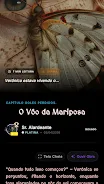
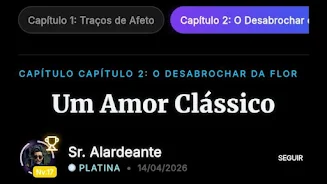
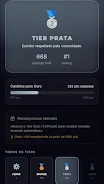
The core of the experience is a concise editor for composing pieces, a gallery for visual prompts and a community feed where readers can leave considered comments. Writing tools include basic formatting controls, autosave for drafts and the ability to schedule a post for later publication. Visual prompts appear alongside writing prompts to stimulate ideas and help you pair imagery with text. The career system gives clear milestones and content visibility improvements as you consistently publish and participate in feedback cycles, while profile customization helps you curate how your work is presented to new readers.
How the app works: controls and progression
Publication and navigation are kept intentionally simple. The editor uses standard toolbar controls for bold, italics, lists and quoting, and supports keyboard shortcuts when you use a hardware keyboard. Common gestures let you swipe between drafts, tap to expand a piece for full reading, and long-press to save a draft offline. Progression through the career system depends on steady activity: publishing, receiving and giving feedback, and completing creative prompts. Instead of opaque scores, milestones are explained in plain language so you know which behaviors help increase visibility in community highlights.
Writing tools, offline use and replay value
Alarde is designed for repeated practice. Autosave and offline draft support mean you can write on the go without worrying about connectivity; drafts sync automatically when you reconnect. The app encourages replay value by cycling prompts, offering occasional timed exercises and allowing you to revisit past pieces to edit or republish. Versioning of drafts is handled simply: you can create a new revision from an old draft or duplicate a piece to experiment with different approaches while keeping the original intact.
Visual style and customization
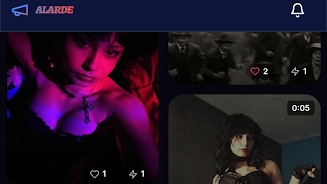
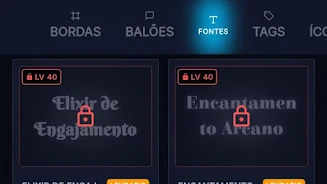
The interface favors a minimal, readable layout with generous margins and thoughtful typography so text remains the focus. The integrated art gallery displays contributor artwork and visual prompts in a tiled view that complements written work without overwhelming it. Profiles are fully customizable so you can choose a header, short bio and the tone of your public presentation. Customization extends to display options too; choose between compact and relaxed reading modes depending on whether you prefer scanning feeds or immersive full-screen reading.
Community, feedback and moderation
Community interactions emphasize constructive critique and thoughtful conversation rather than quick reactions. Readers can bookmark, leave line-level comments when enabled, or send private notes encouraging deeper dialogue. Content moderation and reporting tools help keep the atmosphere supportive, and community guidelines are presented up front so contributors understand expectations. Alarde's design favors slower exchanges that reward consistent participation and measured feedback over viral dynamics.
Accessibility and user experience
Accessibility features include adjustable font sizes, high-contrast theme options and screen reader compatibility for core navigation and reading functions. The app keeps notifications lightweight so you can focus on writing without distraction; you control which kinds of updates you receive. The onboarding experience explains editor controls, the career path and how visual prompts work, helping new users find a comfortable publishing rhythm.
Limitations and target audience
Alarde is intentionally niche: it caters primarily to writers and readers who prefer quiet, creative exchange rather than broad multimedia social networking. If you want a platform with heavy multimedia broadcasting or fast-paced viral features, this app may feel limited. Growth and visibility rely on sustained community engagement within genres, so outcomes vary by activity level and the consistency of contributions.
Why try it
For writers seeking a low-noise environment to practice craft, experiment with prompts, and build a small but attentive audience, Alarde offers a steady workflow, sensible editing tools and a community that values thoughtful feedback. By combining an unobtrusive visual gallery, offline drafting and a transparent progression path, the app makes it easier to focus on the work of writing and gradual creative development.
- No virus
- No advertising
- User protection
Information
- File size: 380.06 M
- Language: English
- Latest Version: 1.2.13
- Requirements: Android
- Votes: 256
- Package ID: com.alarde.app
- Developer: AlardeApp
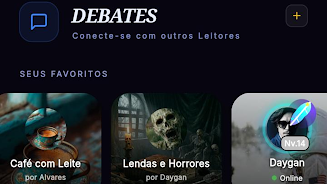
Screenshots




















Explore More
Discover your next great read with our innovative book apps. Access millions of ebooks, audiobooks, and comics on any device. Get personalized recommendations from our advanced algorithms so you always have your next great story lined up. Track your reading habits and browse curated lists for inspiration. Join online book clubs to connect with fellow bibliophiles. Listen to samples and download seamlessly with our integrated stores.

首爾要去哪

PaGasty

Kaif Education

Sivas Taksi Uygulaması

MBA Luxury Center

Pars IPTV

IZI Recarga EV

Plural