
Introduction
Koala Swift Pass Ignite is a compact scheduling and operations utility designed to keep daily sessions organized and visible at a glance. It lets teams set precise start and end times for each session, group operational units by subject, location and instructor, and surface upcoming events in a live terminal-style header so users can react quickly. Users who need a clear visual progression of shifts, a log-style schedule for temporal management, and weekly efficiency summaries will find Koala Swift Pass Ignite useful for reducing confusion and speeding up session setup.
Key Features
⭐ Koala Swift Pass Ignite tracks daily session schedules with precise start and end times for accurate planning.
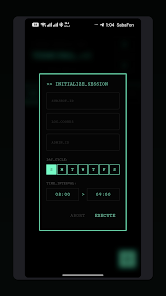
⭐ Categorize operational units by subject, location and instructor to keep assignments organized.
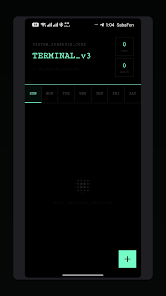
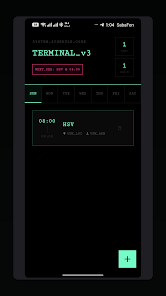
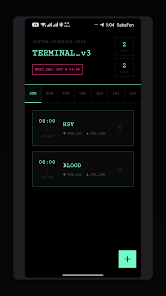
⭐ Monitor upcoming events with a real-time terminal diagnostic header that highlights immediate priorities.
⭐ Visualize daily status through an interactive shift progression indicator that clarifies current and upcoming activity.
⭐ Access a log-style schedule view for sequential, time-ordered management of sessions.
⭐ Deploy new sessions quickly using an integrated initialization system and review weekly efficiency metrics like total hours and subject counts.
Advantages
✅ Koala Swift Pass Ignite improves schedule accuracy by enforcing precise start/end times and clear session boundaries.
✅ The categorization by subject, location and instructor simplifies allocation and reduces administrative overhead.
✅ Real-time header and interactive progression visuals increase situational awareness for on-shift staff.
✅ Built-in initialization and weekly metrics speed up deployment while providing concise performance summaries.
Disadvantages
❎ The app focuses on session scheduling and monitoring rather than broader learning-management or content delivery features.
❎ Teams may face a short learning curve to configure categories and get the most out of the diagnostic header and progression tools.
- No virus
- No advertising
- User protection
Information
- File size: 16.00 M
- Language: English
- Latest Version: 29.29.29
- Requirements: Android
- Votes: 200
- Package ID: com.koala.swift.pass.ignite
- Developer: De Gifted Brain Tutors
Screenshots
















Explore More
Equip yourself with our all-in-one toolbox app for everyday tasks and projects. Instantly convert between units, calculate tips, scan documents, manage files, and more with handy productivity tools. Includes a level, compass, QR code reader, ruler, speedometer, decibel meter, and flashlight. Save frequently used tools to your customizable dashboard for one-tap access. Track billable hours, wages, budgets, and invoices. Annotate screenshots, magnify labels, and sign PDFs on the go.
View more