
Introduction
Lark Use Taupe Easy, Lark Use Taupe Easy and Lark Use Taupe Easy is a compact journaling and knowledge-management tool that turns notes into a high-performance knowledge terminal for fast capture, lightweight storage and quick retrieval on Android devices.
Overview
Lark Use Taupe Easy focuses on minimalism and speed: the interface reduces friction when you record an idea, log progress or save a fact, and the core system prioritizes searchability and straightforward organization over complex feature bloat. The app is intentionally small — a download of roughly 16 MB — and targets devices running Android 7.0 and above, making it a practical choice for midrange phones and tablets where storage and responsiveness matter.
Key features
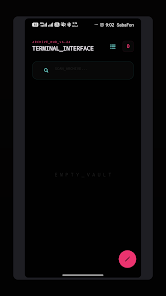
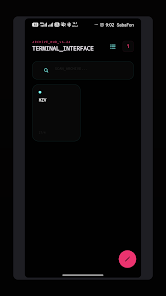
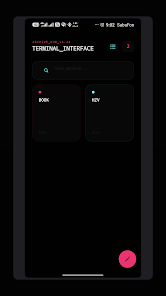
The app converts everyday notes into a searchable knowledge terminal by combining fast capture with durable indexing. Quick-entry fields let you jot down thoughts without moving through multiple menus, while a full-text search surface helps you retrieve entries by keyword. Organization is deliberately simple: you can group related notes into collections or stacks and use basic labels or folders to keep content discoverable. Lightweight storage and efficient indexing keep the app responsive even as your archive grows.
How it works — controls and workflow
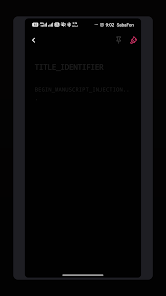
Interaction is optimized for touch-first Android use. Capture is immediate from the main screen with a single tap; long-press and contextual menus provide options to edit, pin or archive entries. The app accepts typed input from on-screen keyboards and supports external keyboards where available, with sensible cursor navigation and selection behavior. Search is front-and-center so most retrieval workflows only take a couple of taps. The overall flow encourages a capture-then-organize rhythm that helps users build a useful knowledge base without interrupting daily activity.
Progression and organization
Rather than levels or gamified progression, Lark Use Taupe Easy encourages gradual growth of a personal information system. Users progress by adding entries, refining labels, and consolidating notes into structured collections. Over time the searchable archive becomes more valuable, enabling faster answers to recurring questions and providing a repository for long-term projects. Simple archival and pinning options let you surface important notes while moving less-relevant items into an archive for future reference.
Visual style and customization
The visual design is intentionally muted and practical, with a neutral taupe-inspired palette and uncluttered screens that emphasize content over chrome. This restrained aesthetic reduces visual noise and helps reading and scanning. Customization is focused and practical: adjust font size and density to suit your reading preference, switch between compact and expanded list views, and choose a light or subdued background so the app fits comfortably into daily use without demanding frequent visual adjustments.
Replay value and daily use
Replay value for a note app is measured by how often users return to consult or revise their archive. Lark Use Taupe Easy supports frequent engagement through fast capture, immediate search results and the ability to pin or surface items that matter right now. Whether you use it for journaling, tracking ideas, or keeping quick factual notes, the app rewards regular use by making retrieval faster over time as entries accumulate.
Accessibility and offline capability
The app respects Android accessibility settings, including system font scaling and screen-reader compatibility, so it can adapt to a wide range of needs. Designed with local-first storage, Lark Use Taupe Easy works offline for capture and retrieval, ensuring your notes remain available without a network connection and keeping data usage minimal for users on metered plans.
Advantages and limitations
Advantages include a compact install size that conserves device storage, a focused feature set that minimizes learning time, and a performance-oriented search and retrieval system that speeds everyday workflows. Limitations are straightforward: the app requires Android 7.0 or later, so very old devices are not supported, and the listing shows modest download figures to date, which may reflect a smaller user base compared with mainstream alternatives.
Developer and version details
Offered by Google Commerce Ltd, the developer listing identifies an established publisher. Current version 29.29.29 was released Apr 30, 2026 and updated May 1, 2026; the package requires Android 7.0 and up and the approximate download size is 16 MB. Content rating is PEGI 3 and the listing indicates broad compatibility with recent and midrange devices including examples like Xiaomi 24129PN74C and HONOR ELI-NX9.
- No virus
- No advertising
- User protection
Information
- File size: 16.00 M
- Language: English
- Latest Version: 29.29.29
- Requirements: Android
- Votes: 303
- Package ID: com.lark.use.taupe.easy
- Developer: De Gifted Brain Tutors
Screenshots
















Explore More
Explore an immersive world of entertainment with our media software. Watch, listen, and engage with your favorite shows, music, movies, and more. Access exclusive content, personalized recommendations, and innovative formats. Enhance your experience with our suite of cutting-edge applications. Discover hidden gems tailored to your unique tastes. Create, share, and connect over personalized playlists, reviews, and forums.

Best Phone Ringtones

اذكار الصباح والمساء-أذكارمسلم

Kids Learning games 4 toddlers

Free Fire help 2019

Glider Typing

CellSwipe

Pocket Golf

Dhol - The Indian Drum