
Introduction
Concrete Calculator helps contractors and sales representatives produce fast, accurate concrete estimates by combining simple inputs with location-aware pricing logic. The app guides users from measurement to a finished, professional quote in seconds, and integrates signature capture and job submission so sales teams can hand work off to a fulfillment partner without juggling crews. This description explains how the tool works, what to expect from the interface, and practical considerations for contractors who use it on jobs large and small.
Key Features
Concrete Calculator offers instant, address-based pricing that calculates material, labor, and delivery estimates automatically from the job location. Users can enter project dimensions for common slab options such as 4-inch and 6-inch depths and receive volume and cost calculations immediately. The app includes automatic frost-wall depth lookups by city and county to help define foundation requirements, and it produces clean PDF or email-ready quotes with signature capture and direct submission to the provider for scheduling and installation.
How It Works and Controls
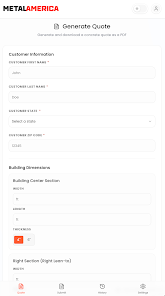
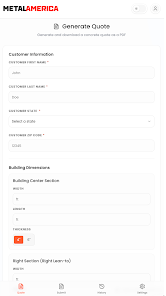
The input controls are designed for field use: simple numeric fields for length, width, and depth, an address search that auto-populates local pricing factors, and dropdowns for common slab options and finish types. Tap-and-type controls minimize typing while a preview area shows calculated cubic yards, material quantities, and preliminary cost breakdowns before a quote is finalized. The workflow emphasizes speed and accuracy so reps can create a complete estimate during a site visit.
Workflow, Progression, and Job Flow
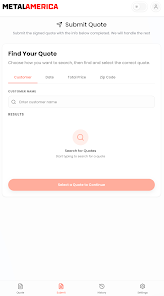
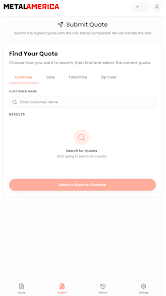
The app’s progression is linear and practical: enter job details, review calculated quantities and cost, collect a customer signature, and submit the closed quote. After submission the provider implements a fulfillment workflow that includes scheduling, foundation drawings if required, site checks, and full concrete installation. This handoff lets sales teams move quickly from lead to booked job and reduces time spent coordinating field crews, while providing a predictable progression for each project.
Visual Style and User Experience
The visual design favors clarity over decoration, with a readable layout and clearly labeled fields that work well on phones and tablets. Calculation results and price breakdowns are presented in readable sections so sales reps can explain each line item to customers. The quote output is formatted for print or email and includes the job address, itemized costs, and signature records to support record-keeping and permits when necessary.
Project Types and Customization
While the app targets standard slab work, it supports customization of common options such as slab thickness, slab area, and basic finish selections. Users can save frequently used configurations for repeat jobs and adjust local markup or labor rates if allowed by their account settings. These options make the app useful for residential driveways, patios, and small commercial slabs without adding complexity for standard estimates.
Accuracy, Validation, and Challenge Systems
Accurate quotes depend on correct dimension and location inputs, so the app includes validation checks for unrealistic dimensions and prompts to confirm address details. Frost-wall depth calculation reduces the risk of under-specifying foundations, but users should verify unusual site conditions or complex structural requirements separately. The app flags entries that fall outside typical ranges so sales reps can review potential issues before finalizing a quote.
Accessibility and Offline Use
The interface is optimized for touch and supports readable font sizes and contrast for outdoor use. Basic quoting can be prepared offline using cached price factors and local configuration, and the app will sync submissions once a network connection is available. That offline capability makes the tool practical for job sites with limited connectivity while keeping records intact until upload.
Replay Value and Practical Benefits
Because quoting is a frequent task, the app’s value increases with repeated use: saved templates, address-based pricing, and quick signature capture streamline routine estimates and reduce administrative time. The combination of speed and consistent output gives sales teams a reason to rely on the app daily for lead conversion and tracking of sold work through the fulfillment process.
Limitations and Considerations
Users should note that Concrete Calculator focuses on typical slab scenarios and may not cover specialized pours, complex formwork, or structural concrete design. The quality of results is tied to input accuracy and to the provider’s local fulfillment processes; contractors who prefer to direct crews themselves may find the standard handoff approach limiting. Always confirm site-specific requirements and compliance with local codes independently when necessary.
Developer and Version Information
Offered by Colin Knutson, the app is regularly updated to reflect local pricing adjustments and code-related depth lookups. The listing records a recent update on Apr 8, 2026, and the content rating is Everyone. Recorded downloads indicate initial adoption, and future updates will continue to improve accuracy and usability based on user feedback.
- No virus
- No advertising
- User protection
Information
- File size: 57.00 M
- Language: English
- Latest Version: 1.1.0
- Requirements: Android
- Votes: 181
- Package ID: com.metalamerica.concretequote
- Developer: Colin Knutson
Screenshots
















Explore More
Discover your next great read with our innovative book apps. Access millions of ebooks, audiobooks, and comics on any device. Get personalized recommendations from our advanced algorithms so you always have your next great story lined up. Track your reading habits and browse curated lists for inspiration. Join online book clubs to connect with fellow bibliophiles. Listen to samples and download seamlessly with our integrated stores.

MEXC Global: BTC, ETH, Gamefi

Bloomberg Connects

Metro Micro

IZI: play, listen, watch, call

ClassPass: Fitness, Spa, Salon

Kyrgyz Russian Translation

Park4Me

Juice Recipes