
Introduction
一木记账 is a versatile personal finance app designed for people who want a practical way to record expenses, manage assets and monitor debts without clutter. From fast daily entries to deeper month-to-month analysis, this app combines voice memos, templates and recurring records with credit account tracking and calendar views so you can balance simple day-to-day logging with richer financial oversight. The interface focuses on accurate calculations, timely reminders and a minimal, ad-free layout that keeps the experience focused on your money rather than distractions.
Key Features
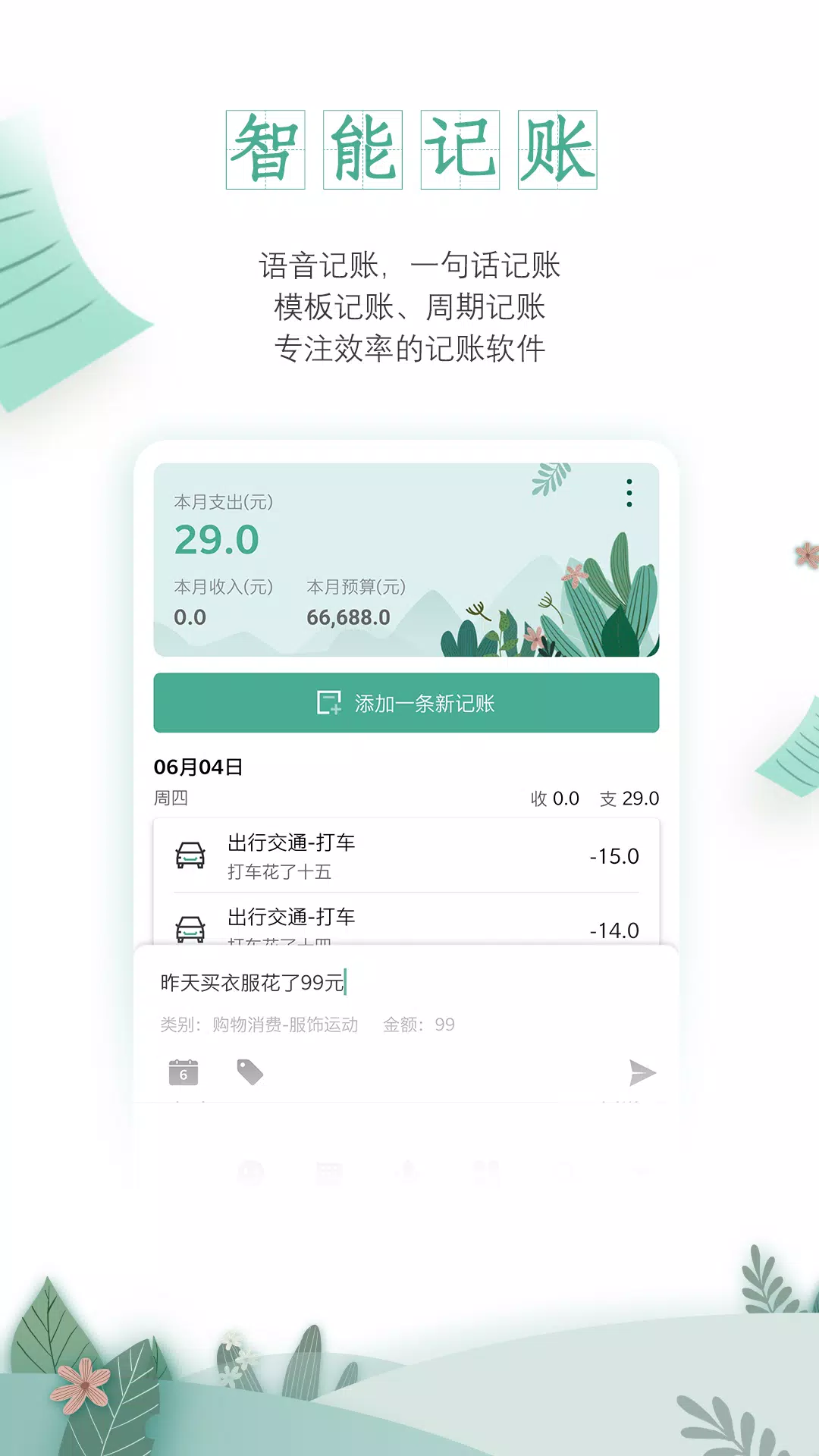
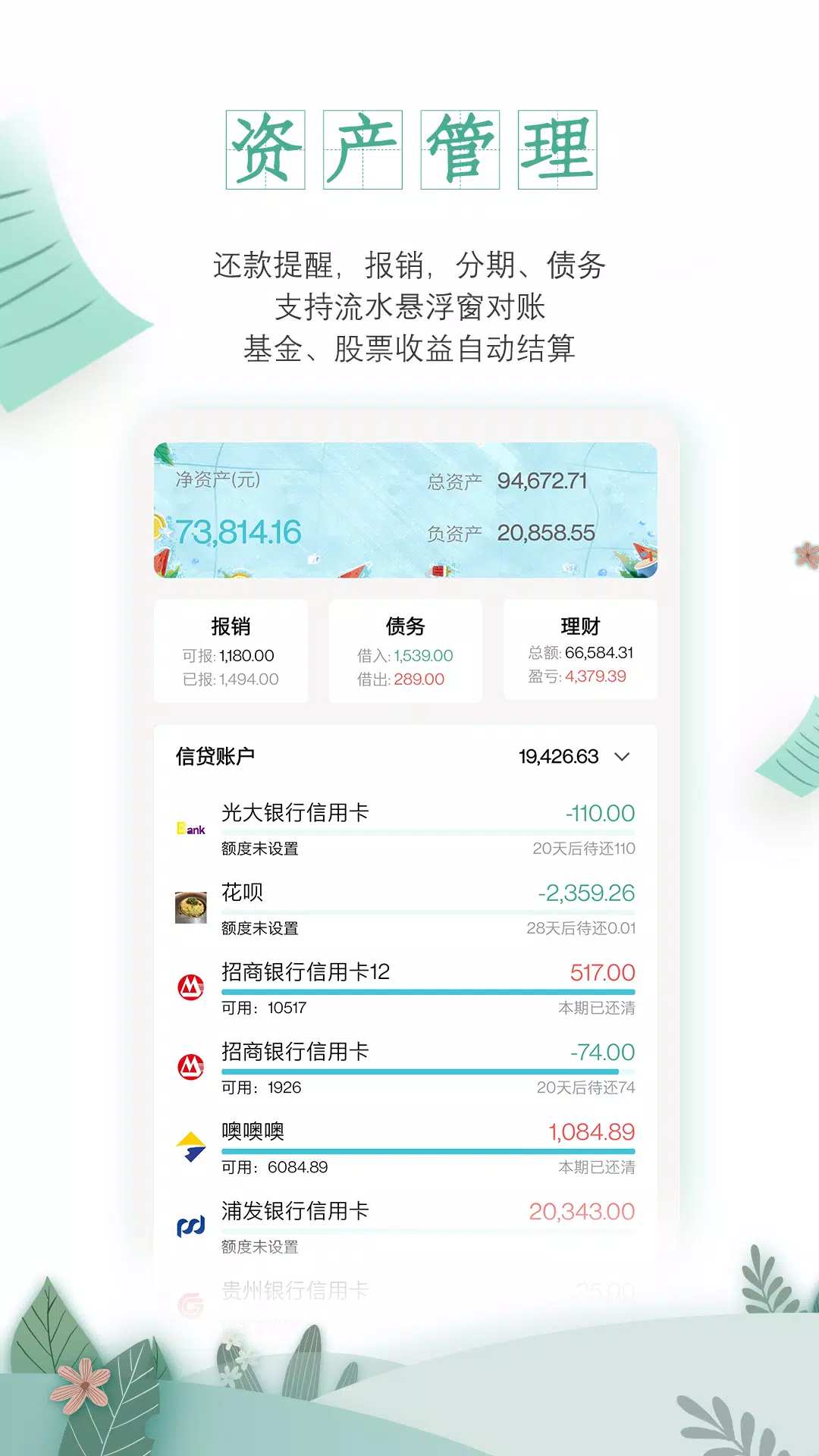
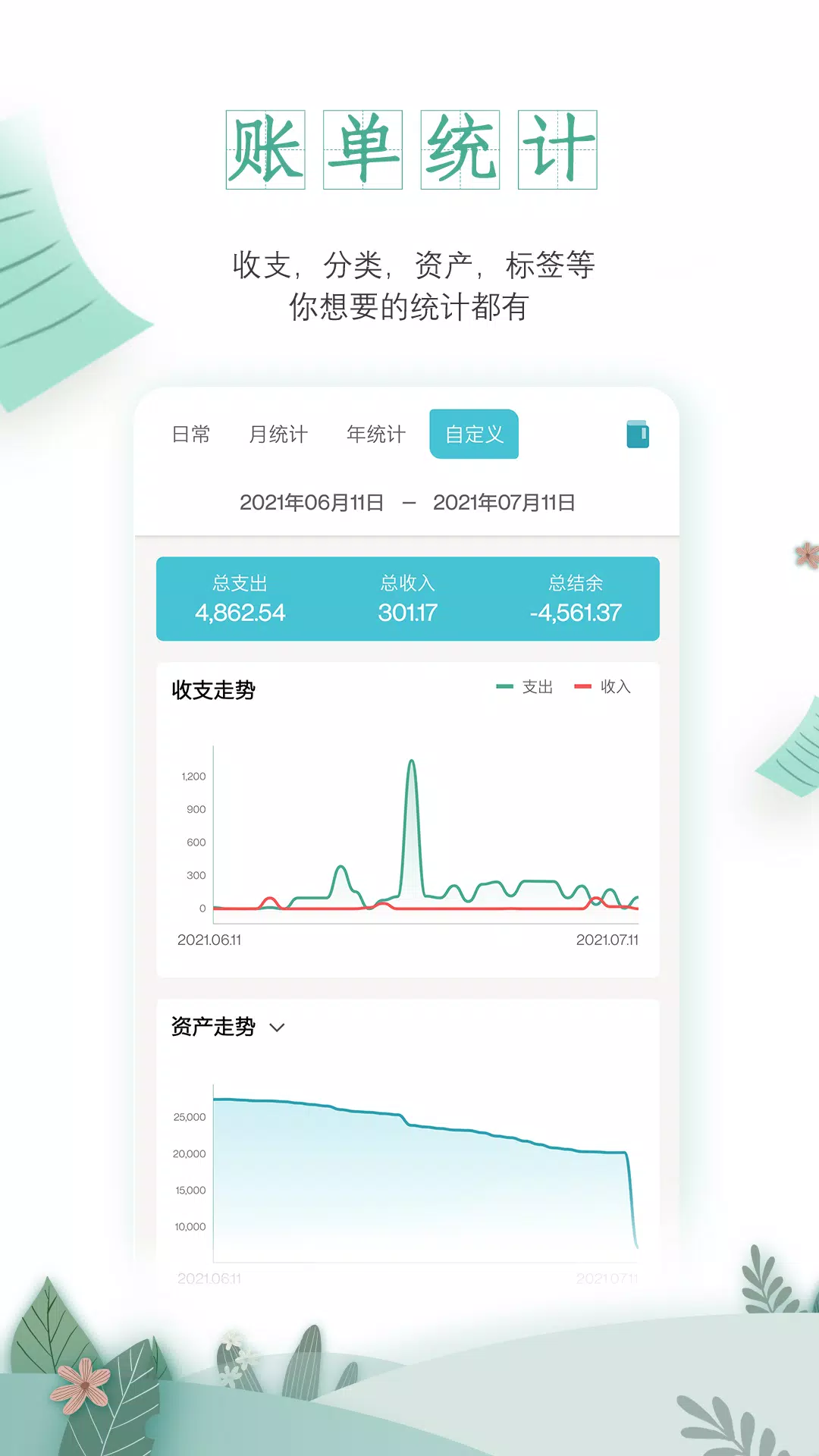
Core functionality centers on multiple input methods that let you capture transactions in the way that fits your routine. Use quick text entry for a fast single-line entry, speak a voice memo that converts to a record, apply one of the included templates for common spending patterns, or schedule recurring records for rent and subscriptions. Credit and installment accounts are tracked with repayment schedules and alerts so outstanding balances and upcoming payments appear clearly in both list and calendar views. Statistics include categorized summaries, charts and tag-based filters so you can slice data by month, category or custom period to see where money is going.
User Controls and Quick Entry
Entry controls are intentionally simple: a compact input panel, customizable categories and desktop shortcuts speed up the act of recording so bookkeeping becomes a habit rather than a chore. The app supports swipe and tap gestures for editing and deleting entries, and templates can be saved for repeated use so common transactions take one or two taps. For people who prefer hands-free input, voice notes reduce friction; transcription and quick review let you confirm details before save. These control options reduce repetitive typing and make it easy to keep records current throughout the day.
Progression, Budgets and Analytics
Instead of gamified points, progression in 一木记账 is measured by improving financial clarity: set budgets, track progress against those targets and watch trends change over weeks and months. Budget blocks, monthly comparisons and projected cashflow from scheduled transactions help you plan ahead. The analytics module offers both summary views and drill-downs so you can follow long-term patterns, identify recurring overspending and adjust labels or categories to refine future reports. Regular reminders and summarized alerts help you stay on track without overwhelming notifications.
Import, Backup and Collaboration
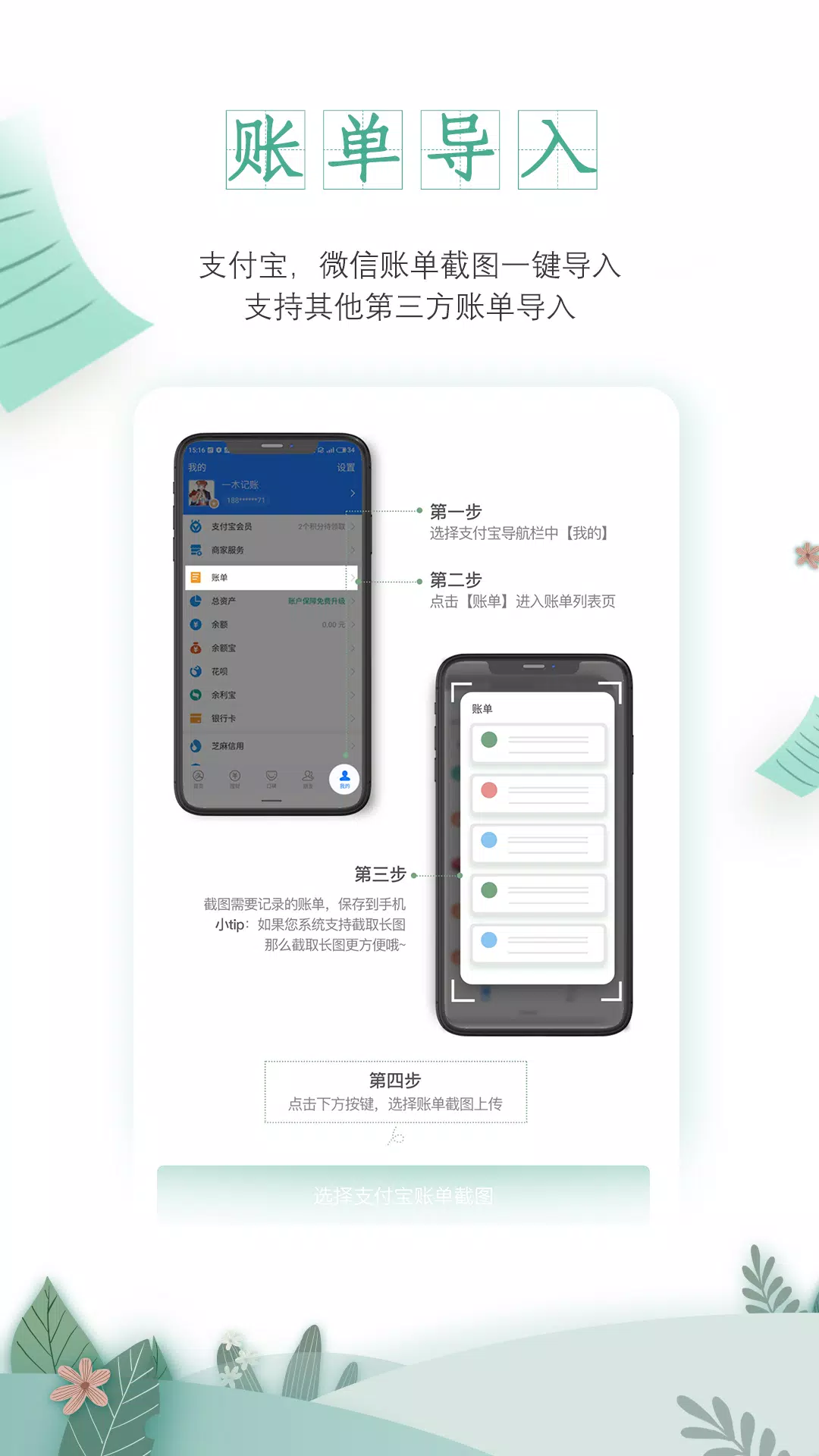
If you maintain records outside the app, 一木记账 can bring those in via screenshot recognition and Excel file import to consolidate histories in one place. Imported data may require light cleanup to align categories, but the import tools include mapping aids to speed that process. For backup and safe syncing, the app supports WebDAV-based cloud storage so you retain control of where your data is stored. Collaborative bookkeeping features allow shared household accounts or joint ledgers to be synchronized via the same cloud setup, enabling multiple contributors to keep a single, consistent set of records without relying on proprietary servers.
Visual Design, Accessibility and Offline Use
Design choices prioritize readability: clear typography, color-coded categories and an intuitive calendar layout make it easier to scan balances and upcoming payments. The app includes theming options and label customization so you can tailor the look and organization to your needs, and accessibility settings like larger text and screen-reader friendliness improve usability for more people. 一木记账 works offline for daily recording and local review, only requiring network access for imports or cloud backup, which means you can manage finances uninterrupted when you are traveling or have limited connectivity.
Setup Considerations and Limitations
Advanced features such as installment tracking and cloud configuration can require an initial setup session and a short learning curve to match the app to your account structure. Imported spreadsheets or screenshot captures may need some manual adjustment to fit existing categories or tags. These trade-offs are common in apps that offer both quick-entry simplicity and deeper accounting controls; spending a little time on setup yields cleaner reports and more accurate reminders over the long term.
- No virus
- No advertising
- User protection
Information
- File size: 28.60 M
- Language: English
- Latest Version: 6.0.0
- Requirements: Android
- Votes: 406
- Package ID: com.wangc.bill
- Developer: 青鲤环保科技(杭州)有限责任公司
Screenshots

















Explore More
Make your house a home with our selection of innovative apps. Discover programs to simplify cleaning, organize closets, and manage home maintenance. Take the hassle out of chores and keep your space running smoothly. Design, visualize, and renovate like a pro using our augmented reality and 3D modeling tools. Enhance security and monitor your property 24/7 with our connected home tech.

Scary sound effects

カウシェ

Baby songs free Nursery rhymes

Kaspersky Password Manager

Kidcare – Parental Control App

OTT Navigator IPTV

MTS Link

Origin Energy Gas Internet LPG