
Introduction
Genuine-ID is a streamlined mobile identity verification app that helps individuals and businesses confirm documents quickly and securely. It combines document scanning, biometric checks, and secure storage to reduce fraud and speed onboarding. The app focuses on clear workflows and cross-device compatibility for modern verification needs.
Key features at a glance
Genuine-ID provides a compact toolkit for identity verification without overwhelming users. Core capabilities include optical character recognition for passports and IDs, face match and liveness detection, encrypted document storage, and exportable verification reports. The interface prioritizes fast capture and clear feedback so operators can complete checks with minimal training.
How verification works
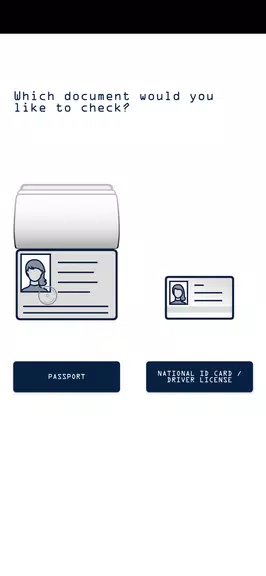
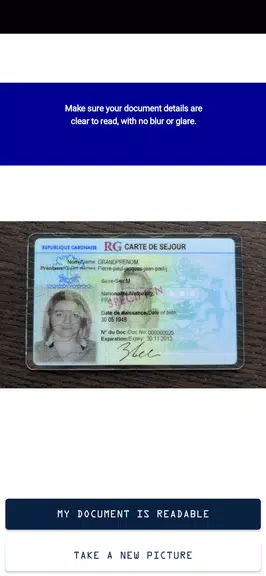
The verification process is divided into intuitive steps: document capture, data extraction, facial comparison, and result assessment. When a user scans an ID, built-in OCR extracts text fields while automatic image checks flag poor lighting or blur. A short selfie is then analyzed against the captured document photo using biometric matching. Each step presents actionable guidance to reduce retries and false rejections.
Integrations and business workflow
Genuine-ID is designed to fit into existing systems. It supports API-based integration for automated onboarding, as well as manual export options for compliance teams. Businesses can route verified records into CRM platforms or secure databases, and set up custom verification rules to meet regional regulatory requirements. Batch processing is available for high-volume operations.
Security and privacy
Security is central to the app's design. All captured images and extracted data are encrypted at rest and in transit. Access controls allow administrators to restrict who can view sensitive files, and audit logs trace every verification attempt for accountability. The app also includes configurable retention policies to purge data after a defined period, helping companies maintain privacy compliance.
Performance and device compatibility
Genuine-ID performs reliably across a broad range of Android devices, from entry-level phones to flagship models. The app optimizes processing by offloading heavy biometric checks to secure cloud services when available, while offering on-device processing for offline scenarios. Image capture uses adaptive exposure and focus algorithms to handle low-light conditions and varied camera hardware.
User experience and interface
The user interface is clean and task-focused. Prompts guide users through each capture with visual overlays and short text tips, reducing operator error. Verification results are presented clearly, showing confidence scores and suggested next steps. For administrators, a compact dashboard provides batch status, pending verifications, and export options without clutter.
Customization and policy controls
Administrators can tailor Genuine-ID to organizational needs by adjusting verification thresholds, enabling or disabling biometric checks, and adding region-specific ID templates. Custom fields can be collected during onboarding, and result workflows can trigger alerts or manual review queues for suspicious submissions. This flexibility makes the solution adaptable across industries such as finance, mobility, and e-commerce.
Offline mode and connectivity handling
For field operations where connectivity is intermittent, the app supports an offline mode that securely caches captures and performs basic verification locally. Once the device reconnects, queued items are synchronized with the backend. The sync process prioritizes data integrity and resumes gracefully after interrupted uploads.
Getting started with Genuine-ID
To begin using the app, install it from a trusted source and register an administrator account. Configure your organizational settings, upload required document templates, and test a few verifications to tune thresholds. Training materials and in-app tips shorten the onboarding curve so teams can adopt the tool quickly.
Why teams choose this solution
Organizations adopt Genuine-ID for its balance of accuracy, speed, and operational control. It reduces manual review time, lowers fraud risk, and integrates into existing workflows without heavy development overhead. Whether used for customer onboarding or secure access control, the app offers a practical combination of features that scale with business needs.
Final notes on adoption
When evaluating identity verification options, consider throughput requirements, regulatory obligations, and device diversity. Genuine-ID delivers a modular approach that supports both small teams and enterprise deployments, while keeping user privacy and security top of mind.
- No virus
- No advertising
- User protection
Information
- File size: 48.20 M
- Language: English
- Latest Version: 4_0_1_24108
- Requirements: Android
- Votes: 317
- Package ID: com.jenidsolutions.genuineid
- Developer: jenID Solutions GmbH
Screenshots


















Explore More
Take control of your money with our powerful finance apps. Track spending, create budgets, and set savings goals using our easy-to-use tools. Invest wisely by accessing real-time market data and analyst reports. Manage portfolios and optimize taxes for greater returns. Apply for loans, credit cards, and insurance with our partners for personalized rates. Securely link accounts for a consolidated view of your finances.

Tax Calculator India 2024-2025

Carbonate HR

Kaspersky Password Manager

V3 Mobile Plus

Credit Card Reader

KB Pay

easypaisa - Payments Made Easy

Freelancer