Introduction
Go App is a compact productivity application that streamlines daily routines with a clean interface, fast synchronization, and modular tools for notes, tasks, and quick reminders. It combines lightweight performance with customizable widgets and smart sorting to keep projects and personal tasks visible without clutter or steep learning curves.
Quick overview
Designed for people who juggle multiple responsibilities, Go App offers a balanced set of utilities that cover planning, short-term reminders, and lightweight collaboration. The app focuses on speed and clarity: launch times are short, navigation prioritizes context, and common actions are accessible within two taps.
Core tools and capabilities
At its center, Go App provides a task manager, note pads, and an events timeline that syncs across devices. Each tool supports tagging, search, and basic version history so you can rollback changes or recover deleted items. Integration points include native calendar imports, optional cloud backups, and share sheets for sending items to other apps.
How the workflow fits into your day
Workflows are modular. Create quick tasks on the go, pin high-priority notes to the home screen, or build a lightweight project that groups tasks and references. The inbox concept catches incoming items, while a simple swipe-based triage moves them into focused lists, archives, or flagged categories. Teams can use shared lists for small cooperative tasks without a heavy project management overhead.
User interface and performance
The UI emphasizes legibility. Typography is consistent, with clear contrast between primary and secondary actions. Navigation uses a bottom bar for five main sections and context menus for item actions. Performance is tuned for mid-range devices: animations remain responsive, and memory usage is conservative to preserve battery life during long days.
Customization options
Customization balances simplicity and flexibility. Choose compact or comfortable list spacing, toggle compact widgets, and pick color accents to match your workflow. Theme options include light, dark, and an adaptive mode that follows system settings. For power users, configurable quick actions speed up repetitive tasks like adding a checklist item or starting a timer.
Collaboration and sharing
Sharing in Go App keeps things minimal but functional. Shared lists allow collaborators to add and complete tasks, with basic permission controls to prevent accidental edits. You can export notes as plain text or PDF, or share a snapshot of a task list through standard Android intents. Real-time editing is intentionally limited to reduce synchronization complexity and preserve battery and data usage.
Installation and setup
Installation is straightforward: download, grant optional permissions for calendar and storage access, and follow a short onboarding that helps import existing tasks or calendars. Initial sync options include local-only storage or encrypted cloud sync. The onboarding also offers a quick tour of gestures and tips so new users get value immediately.
Practical tips for new users
- Start small: Add three daily tasks to test the notification cadence and widget behavior.
- Use tags: Tags help filter mixed lists without creating too many separate projects.
- Pin critical items: Use the pin feature for top-priority reminders you want visible at a glance.
Advanced users will appreciate the ability to combine tags with search queries to surface specific workflows, while casual users can rely on defaults that require minimal configuration.
Why people pick this app
People choose Go App for its pragmatic balance: it gives enough structure to manage multiple commitments without the overhead of a full-featured project suite. The app’s focus on speed, offline-first behavior, and simple collaboration makes it a solid option for freelancers, students, and small teams who need dependable tools without distraction.
Updates are frequent and targeted, prioritizing bug fixes and small quality-of-life improvements. Whether you need a reliable daily planner or a compact place to keep persistent notes, Go App provides a straightforward, efficient environment that adapts to varied routines.
- No virus
- No advertising
- User protection
Information
- File size: 49.05 M
- Language: English
- Latest Version: 1.0.14
- Requirements: Android
- Votes: 356
- Package ID: com.goapp.usuario
- Developer: Luis Brito P
Screenshots
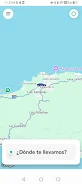

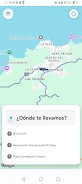

















Explore More
Make your house a home with our suite of helpful home apps. Discover clever tools to organize closets, streamline chores, and simplify cooking. Take the stress out of cleaning and maintenance with handy checklists and schedules. Enhance security and control appliances and lighting with our smart home integrations. Design, visualize, and renovate like a pro using our 3D planning software.

All Recovery - Photos & Videos

Tax Calculator India 2024-2025

OnDjoss

Park4Me

Scary sound effects

Home Workouts - Lose Weight

Juice Recipes

HFonts - font & emoji manager