


Introduction
CHESS TIMER 2.0 is a compact, reliable stopwatch app designed for chess players and other board game enthusiasts. It provides customizable time controls, intuitive touch controls, and match history tracking, making it a useful tool for clubs, tournaments, and casual play who need precise, easy-to-use timing features.
Overview of the app
CHESS TIMER 2.0 focuses on timing accuracy and simplicity. The interface puts the clock front and center while hiding complexity behind a few taps. Rather than cluttering the screen with unnecessary options, this app balances quick access to settings with a large, easy-to-read display that performs well on both phones and tablets.
Key features that matter
- Multiple time controls: Supports classical, rapid, blitz, and custom countdowns so you can set matches to official formats or personal preferences.
- Increment and delay: Add Fischer or Bronstein increments and several delay modes to mimic tournament rules precisely.
- Touch and tilt activation: Fast start/stop with tap controls; optional tilt-to-switch for hands-free operation in casual settings.
- Match history: Save results, review move times, and export logs for coaching or analysis.
- Sound and vibration: Configurable alerts to match noisy club rooms or silent tournament halls.
User interface and interaction
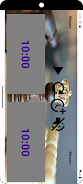
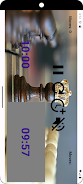
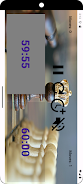
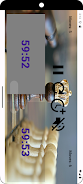
The design emphasizes contrast and legibility: large digits, clear player labels, and high-contrast colors for active timers. Buttons are sized to reduce accidental presses during tense moments. CHESS TIMER 2.0 also offers a portrait and landscape layout that adapts to your device orientation without losing functionality.
How it works in practice
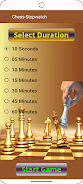
Starting a match requires only a few steps. Select a preset or create a custom time control, choose increment or delay, and tap start. Each player's timer is linked to a single interaction method so the changeover is predictable. For rated or coached play, the app records timestamps so you can later analyze time usage across phases of the game.
Customization options
Customization is extensive but intentionally scoped. You can save frequently used time profiles, assign names for players, and adjust alert volume and vibration patterns. Theme options include light and dark modes to reduce eye strain under different lighting conditions. CHESS TIMER 2.0 stores settings per-device and lets you quickly duplicate profiles when running back-to-back matches.
Performance and reliability
Timing accuracy is critical for this category of app, and CHESS TIMER 2.0 handles the basic job well. The clock continues to run in the background, and the app minimizes battery consumption by limiting screen updates when appropriate. During testing on mid-range devices, switches were responsive and the recorded logs matched expected elapsed times within a small margin.
Practical tips for users
- Save separate profiles for online practice and over-the-board tournaments to avoid configuration mistakes.
- Enable vibration-only alerts for quiet environments like libraries or tournament halls.
- Use exportable match logs to review time management with a coach or training partner.
Why clubs and casual players pick this tool
Clubs appreciate the app’s ability to handle many common tournament formats without extra setup time. Casual players like the quick presets and the ease of swapping controls between games. The combination of a clean UI, reliable timing options, and a compact feature set makes CHESS TIMER 2.0 a practical choice for anyone who needs a dedicated chess clock on their mobile device.
Getting started
Install from your device’s app store, grant optional permissions for notifications, and run the built-in tutorial to learn switching gestures. Within minutes you can be timing practice sessions or formal games. CHESS TIMER 2.0 keeps the learning curve short while still offering tools that grow with your needs.
- No virus
- No advertising
- User protection
Information
- File size: 22.00 M
- Language: English
- Latest Version: 1.0.37
- Requirements: Android
- Votes: 278
- Package ID: com.blupikhd.blupikhd.blupikhd
- Developer: Blupikhd Media LLP
Screenshots
















Explore More
Equip yourself with our all-in-one toolbox app for everyday tasks and projects. Instantly convert between units, calculate tips, scan documents, manage files, and more with handy productivity tools. Includes a level, compass, QR code reader, ruler, speedometer, decibel meter, and flashlight. Save frequently used tools to your customizable dashboard for one-tap access. Track billable hours, wages, budgets, and invoices. Annotate screenshots, magnify labels, and sign PDFs on the go.

Board Game Stats

MEXC Global: BTC, ETH, Gamefi

Text Art - Write Text On Photo

Domino's Pizza Sri Lanka

Hatekhori Shongkha

Halloween Photo Editor -Makeup

Connecting - Friends Near Me

Cartola





























