Introduction
U.S. Bank Mobile Banking puts secure financial management in your pocket, offering account monitoring, mobile check deposits, bill pay, money transfers, card controls, transaction alerts, and budgeting tools, while supporting biometric login and quick payment options to simplify daily banking tasks and monitor spending on the go.
Core features and everyday tools
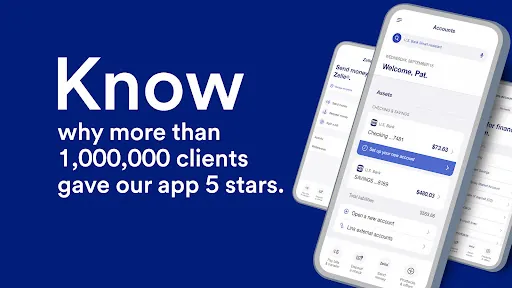
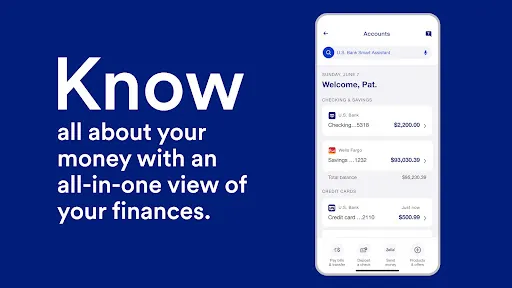
The app bundles essential banking capabilities into a clean interface. You can view balances and recent transactions for checking, savings, credit cards, and loans. Mobile check deposit uses your device camera to capture checks and process deposits without visiting a branch. Bill Pay schedules one-time or recurring payments, and person-to-person transfers let you send money to friends and family instantly.
Additional conveniences include eStatements, customizable notifications, ATM and branch locators, and card controls to set spending limits or temporarily lock a lost card. The design keeps frequent tasks accessible from the home dashboard so routine actions take just a few taps.
Security and account protection
U.S. Bank Mobile Banking enforces multi-layered security standards to protect sensitive information. Features include biometric authentication (fingerprint or face unlock), two-factor verification, and encrypted communications between the app and bank servers. Real-time alerts notify you of unusual activity, helping you respond quickly if necessary.
Privacy options let you manage visibility of account balances and mask transaction details on-screen. If a device is lost, remote device deregistration prevents unauthorized access until you authenticate again through the bank.
Managing payments and transfers
Sending money and paying bills is streamlined for speed and accuracy. The app supports Zelle integration for transfers to other U.S. users heading to bank accounts quickly, and you can schedule payments or save frequent payees to a list. For transfers between your own accounts, same-day moves are typically supported, with clear timelines shown during the flow to avoid surprises.
Bill Pay history preserves receipts and confirmation numbers so you can review payments later and reconcile your monthly expenses more easily.
Tools for budgeting and insights
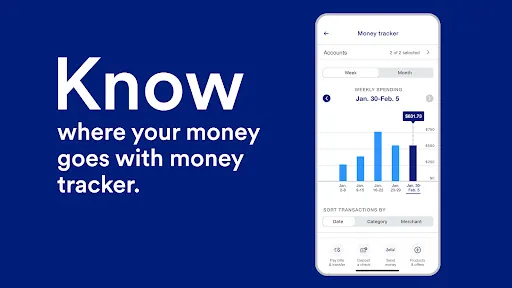
Built-in insights help you understand spending patterns and manage finances proactively. Categorized transactions show where money goes each month, and visual summaries highlight trends like rising utility costs or irregular income. You can set budget targets, track progress, and receive nudges when you approach limits.
Notifications can be tailored for low balances, upcoming bills, or large purchases, which makes it simpler to avoid overdrafts and plan ahead for recurring expenses.
Performance and compatibility
The app is optimized for modern Android devices and runs smoothly across a range of screen sizes. It uses minimal background data for routine updates and allows users to set data refresh intervals, which is helpful for conserving bandwidth. Updates are rolled out regularly to improve performance, add features, and address security patches.
U.S. Bank Mobile Banking integrates with native Android features like contact lists for payments and system-level sharing for receipts, providing cohesive interoperability with other apps on your device.
Setup and getting started
New users can register for mobile access using online credentials or by creating an account directly in the app. The onboarding process walks you through linking accounts, enabling biometric access, and setting personal preferences for notifications and quick actions. Existing customers can link additional accounts and enroll for eStatements without visiting a branch.
Customer support options are accessible from within the app, including secure messaging, FAQs, and direct call links to assistance teams, reducing friction when you need help.
Who benefits most
This app is suited to people who want convenient, on-the-go control of daily finances, from routine bill payments to tracking long-term budgets. It is also useful for professionals who manage multiple accounts or household finances and need reliable alerts and transfer capabilities.
- Pros: Fast deposits, robust security, helpful budgeting tools.
- Cons: Feature availability can vary by account type and region; occasional updates require reauthentication.
U.S. Bank Mobile Banking aims to combine useful automation with clear controls so you can focus on financial decisions rather than administrative tasks. Frequent updates and depth of features make it a practical tool for modern personal banking.
- No virus
- No advertising
- User protection
Information
- File size: 1.60 M
- Language: English
- Latest Version: 1.5.26
- Requirements: Android
- Votes: 207
- Package ID: com.usbank.mobilebanking
- Developer: U.S. Bank Mobile
Screenshots

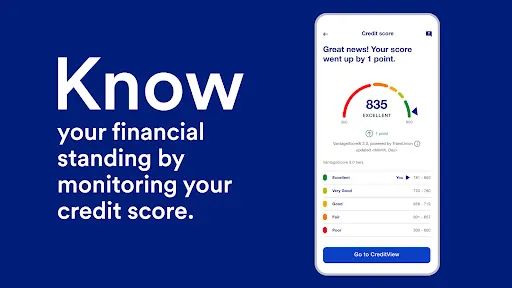
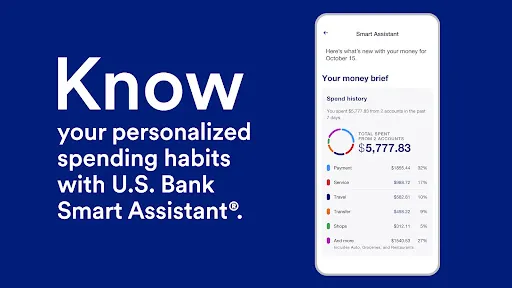
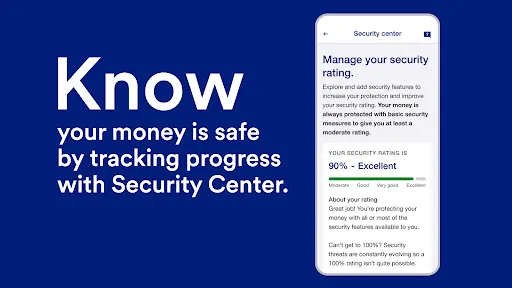
















Explore More
Make your house a home with our selection of innovative apps. Discover programs to simplify cleaning, organize closets, and manage home maintenance. Take the hassle out of chores and keep your space running smoothly. Design, visualize, and renovate like a pro using our augmented reality and 3D modeling tools. Enhance security and monitor your property 24/7 with our connected home tech.

Scary sound effects

カウシェ

Baby songs free Nursery rhymes

Kaspersky Password Manager

Kidcare – Parental Control App

OTT Navigator IPTV

MTS Link

Origin Energy Gas Internet LPG