


Introduction
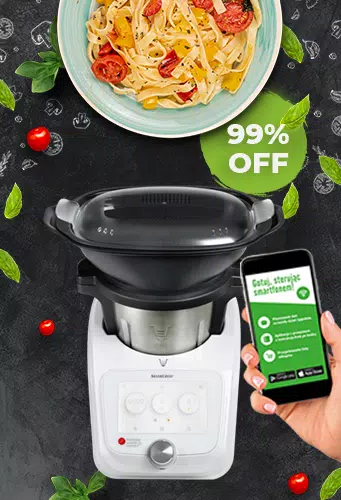
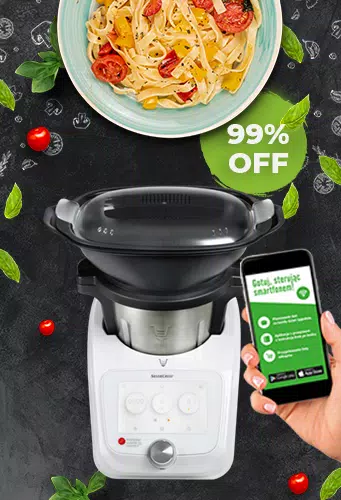
Silvercrest robot brings mobile control and smart scheduling to your household robotics in a compact, user-friendly app. It centralizes mapping, cleaning modes, and maintenance alerts while enabling remote control, firmware updates, and multi-user access — ideal for quickly managing daily chores and monitoring robot status from anywhere.
Overview and purpose
The Silvercrest robot app connects your hardware to a modern smartphone interface. Designed for homeowners who want hands-off maintenance, it transforms simple vacuuming or mopping tasks into a managed routine. The app focuses on reliability, clear status feedback, and granular control over what the robot does and when.
What the app does best
- Mapping and navigation: Create, edit, and save floor plans so the robot cleans efficiently without repeating areas.
- Scheduling: Set recurring cleaning sessions by room, day, and time to automate chores.
- Remote control: Start, pause, and direct the robot manually from anywhere with your phone.
- Maintenance alerts: Receive notifications for filter changes, brush replacements, and low battery warnings.
Tools and systems under the hood
Silvercrest robot integrates core tools that improve day-to-day use. Real-time maps give visual confirmation of progress and let you create no-go zones. The app also supports firmware updates delivered over-the-air, ensuring your robot benefits from performance and navigation improvements without manual intervention.
Interface and performance
The interface is minimal and fast-loading. Icons are labeled clearly and menus avoid nested complexity, so you can launch a spot clean or review battery stats within two taps. Performance is steady on both Wi-Fi and cellular connections; live map updates may lag slightly on slow networks, but commands generally execute promptly.
Customization and control
Customization is a highlight. You can define cleaning intensities for specific rooms, schedule deeper cleans on weekends, and link the robot to voice assistants. Multi-user profiles let family members add their phones while preserving security and access controls.
- Zone cleaning: Mark areas for targeted cleaning or exclusion.
- Power modes: Choose between quiet, normal, and turbo settings depending on noise tolerance and floor type.
- User permissions: Grant or restrict control to other household members.
Practical workflow tips
To get the most from Silvercrest robot, create and test your home map during an initial run. Adjust virtual barriers after the first cleaning to reduce interruptions. Schedule lighter cleanings during weekdays and a deep clean for weekends to balance battery use and cleanliness.
Diagnostics and maintenance
The app provides straightforward diagnostic screens. You can check motor runtime, brush wear, and suction performance. When the robot encounters an obstacle, the app logs the incident with a timestamp and suggested fixes. These features help reduce downtime and keep your robot operating efficiently.
Connectivity and privacy
Silvercrest robot supports secure Wi-Fi connections and requires account authentication for remote access. It offers basic privacy settings to disable sharing of maps or anonymized logs. If you prioritize local control, check for settings that limit cloud data upload.
Tips for new users
- Start with a full home map: Run a single comprehensive cleaning so the app can generate an accurate floor plan.
- Use scheduled spot cleaning: For areas that require frequent attention, set small, frequent jobs instead of full runs.
- Keep firmware current: Install updates during low-activity hours to avoid disruption.
- Clear pathways: Remove cables and small objects from floors to minimize jams and error messages.
People choose the Silvercrest robot app for its balance of clean design and practical functionality. It’s not overloaded with unnecessary features but does provide the essential control tools for managing a household robot reliably. Whether you want scheduled automation or hands-on remote steering, the app is a convenient hub for everyday maintenance.
Getting started
Installation is straightforward: download the app, create an account, connect to your robot’s Wi-Fi, and follow the guided setup. The onboarding sequence explains map creation and scheduling so you can begin regular automated cleaning within minutes. Keep the robot charged and the app updated to maintain smooth performance.
- No virus
- No advertising
- User protection
Information
- File size: 14.80 M
- Language: English
- Latest Version: 1.0
- Requirements: Android
- Votes: 463
- Package ID: com.ar.silvercrest
- Developer: Julia Ten
Screenshots






















Explore More
Make your house a home with our selection of innovative apps. Discover programs to simplify cleaning, organize closets, and manage home maintenance. Take the hassle out of chores and keep your space running smoothly. Design, visualize, and renovate like a pro using our augmented reality and 3D modeling tools. Enhance security and monitor your property 24/7 with our connected home tech.

Scary sound effects

カウシェ

Baby songs free Nursery rhymes

Kaspersky Password Manager

Kidcare – Parental Control App

OTT Navigator IPTV

MTS Link

Origin Energy Gas Internet LPG





























