


Introduction
CCTV RUSH HOUR is a property inspection utility designed for busy inspection windows; CCTV RUSH HOUR helps managers capture and organize camera evidence, and CCTV RUSH HOUR ties time-stamped photos to rooms and defects so nothing is missed during move-ins, move-outs, or interim checks.
Overview
CCTV RUSH HOUR streamlines the process of matching CCTV footage and on-site photos to inspection workflows. The app centralizes visual records for multiple addresses, attaches timestamps to each room entry and defect report, and presents a clear activity log so teams can reduce paperwork and speed up decision making. It is intended for property managers, site supervisors, and maintenance teams who need consistent, auditable records while inspections are actively underway.
How it works
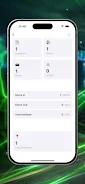
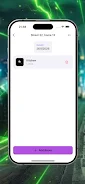
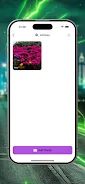
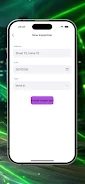
The app is built around quick capture and tagging. During an inspection a user opens CCTV RUSH HOUR, selects or creates a property and room, then captures a photo or imports a still from a CCTV feed if available. Each capture is automatically time-stamped and linked to the selected room. Defects can be logged with short notes and prioritized for follow-up. The chronological dashboard groups entries by address and inspection session so managers can review the sequence of activity at a glance.
Controls and user flow
Navigation is touch-driven and optimized for fast on-the-go use: swipe or tap to move between rooms, pinch to zoom on images, and long-press to edit tags or notes. A simple create-select-capture cycle reduces the number of taps required to record an item. The interface favors large targets and clear status indicators so teams can work efficiently even on smaller phones or under time pressure.
Progression and inspection structure
Inspections in CCTV RUSH HOUR follow a logical progression that mirrors common property workflows: session start, room-to-room walkthroughs, defect tagging, and session close. Teams can use checkpoint sequences to ensure every required room is covered and mark stages as complete. This structure supports staged handovers, staged audits, and repeated inspections over time, making it easier to track condition changes across move-in and move-out cycles.
Visual style and layout
The app uses a clean, information-first visual design focused on legibility. Photos are presented alongside concise metadata — timestamp, room, and short notes — to reduce visual clutter. The dashboard provides chronological and address-based views so users can prioritize recent activity or jump to a specific property. High-contrast text and scalable thumbnails help maintain clarity in bright or dim working environments.
Customization and templates
CCTV RUSH HOUR supports customizable room tags and defect categories so teams can match the app to their inspection standards. Templates let users predefine common room lists and checkpoint orders for recurring inspection types. Reusable templates reduce setup time and improve consistency between inspectors, increasing the reliability of records gathered during peak inspection hours.
Replay value and repeat inspections
The app is designed for repeated use rather than single sessions: saved sessions and templates make re-running standardized inspections straightforward. Time-stamped histories allow teams to compare current and past sessions to spot trends or recurring issues. This repetition adds value for property managers who operate regular cycles of move-ins, move-outs, and scheduled maintenance checks.
Accessibility and offline capability
Accessibility considerations include adjustable text sizes and simple navigation to accommodate different users. CCTV RUSH HOUR is built to be resilient in the field: users can capture photos and tags offline and continue work where connectivity is limited. Recorded entries retain timestamps and session associations until the device can sync or transfer logs as part of existing management workflows.
Data handling and privacy
The app focuses on high-quality, time-stamped records that are easy to review during audits and handovers. Recorded images and notes are organized per property and session to simplify retrieval. Administrators should follow their organization’s policies for storage, retention, and sharing of CCTV and inspection materials to protect tenant and site privacy.
Limitations and considerations
CCTV RUSH HOUR relies on the availability and quality of camera feeds and on-site photography; poor camera input or limited lighting will impact the detail available in records. Some manual work is required — room tagging and concise notes are still necessary to ensure context. The app is optimized for inspection workflows and may not replace broader continuous surveillance systems or advanced video analytics.
Who benefits
Property managers, maintenance teams, and site supervisors will find CCTV RUSH HOUR useful when inspections are time-sensitive and documentation must be clear, consistent, and auditable. By combining quick capture, structured checklists, and time-stamped logs, the app supports faster inspections, better handovers, and clearer accountability across busy inspection periods.
- No virus
- No advertising
- User protection
Information
- File size: 20.94 M
- Language: English
- Latest Version: 1.0.0
- Requirements: Android
- Votes: 421
- Package ID: com.cccttvvvrushhh.hourrurr
- Developer: BerDi
Screenshots




















Explore More
Photography - the art of capturing images through the use of light. With the advent of digital photography, it has never been easier to capture and share your photos with the world. But with so many different camera apps available, it can be difficult to know which one is right for you. That's where we come in. We've tested and reviewed the best photography apps for Android and iOS, so you can be sure you're getting the best possible experience.

Open Camera

Beautiful Birds
TOK CAM - Analog Camera

Virtual Light - ZambelisLights

Sotaone FPV

Decathlon Vital Sport

ASIAIR

Vignesh Thangamaligai





























