Introduction
Open Camera is a free, open-source camera application for Android that delivers manual controls, advanced shooting modes, and a flexible interface for both casual and serious photographers. It brings pro-level features like exposure, ISO, focus controls, and HDR into a lightweight, ad-free package with broad device support and frequent updates.
What Open Camera Offers
Open Camera focuses on giving you control without clutter. The app includes manual exposure, ISO and white balance adjustments, RAW (DNG) capture on supported devices, and configurable on-screen controls. Users can enable features such as histogram display, level indicators, and face detection to improve composition and technical quality.
User Interface and Workflow
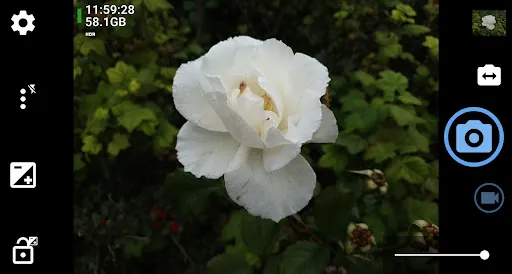
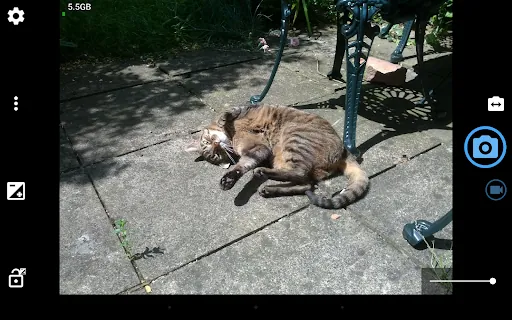
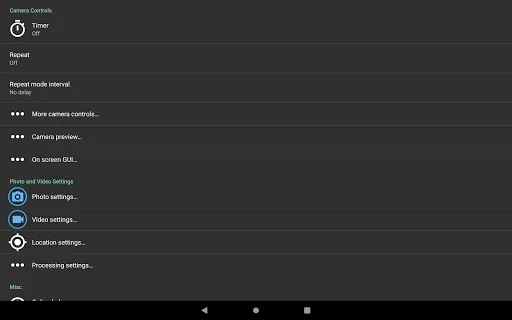
The interface prioritizes efficiency: most settings are reachable through a compact toolbar and slide-out menus. You can customize the layout to keep frequently used controls front and center, while less-used options stay tucked away. For quick adjustments, gestures and volume-key mapping let you change focus, zoom, or shutter action without opening menus.
Advanced Shooting Modes
Open Camera includes a variety of shooting modes to match different scenarios. There are single-shot and burst capture options, timed selfie and intervalometer for time-lapses, and an HDR mode that merges multiple exposures for improved dynamic range. For long-exposure shots, you can lock exposure and use a remote trigger or timer to reduce motion blur.
Manual Controls and Camera Calibration
For photographers who want hands-on control, Open Camera provides manual focus, adjustable shutter speed, and ISO settings when supported by the hardware. The app also allows custom white balance presets and fine-tuning of exposure compensation. Calibration tools such as the live histogram and on-screen level help ensure accurate exposure and straight horizons.
Tools for Creative Results
Built-in features support creative experimentation: RAW capture preserves maximum image data for post-processing, while white balance and color temperature controls let you craft a specific look in-camera. The app offers JPEG quality settings, different aspect ratios, and optional grid overlays to assist with framing and the rule of thirds.
Connectivity and Remote Use
Open Camera supports remote operation via Bluetooth or wired headphones for shutter release, and it can integrate with external GPS to embed location metadata in photos. For users who shoot from a distance, the app’s remote trigger and self-timer make it easy to capture group photos and long exposures without physical interaction with the device.
Performance and Compatibility
Designed to be lightweight, the app runs smoothly on a wide range of devices and Android versions. Performance depends on the phone’s camera HAL implementation and hardware capabilities; where full manual controls are supported by the device, Open Camera exposes them. Because it’s open-source, the application receives frequent updates and community-driven improvements focused on reliability and new device support.
Privacy and Permissions
Open Camera requests only the permissions necessary for camera operation and storage access. Being open-source means the code is publicly inspectable, which helps users and developers verify privacy and behavior. The app does not include ads, reducing background data usage and keeping the experience focused on photography.
Tips for Getting the Best Results
- Enable RAW capture when you plan to edit images later—RAW preserves more detail and color information.
- Use the histogram to check exposure and avoid blown highlights or blocked shadows.
- Lock focus and exposure for consistent shots during bursts or time-lapse sequences.
- Map volume keys to zoom or shutter to make shooting more ergonomic.
- Experiment with HDR and bracketing for scenes with high contrast.
Getting Started
After installing the app, grant camera and storage permissions, then explore the basic shooting modes. Spend a few minutes tailoring the toolbar and button mappings to match your routine. If you want detailed control, look for device-specific options under the settings menu to enable RAW, manual shutter speeds, and other pro features.
Open Camera combines practicality with advanced options, offering a compelling alternative to stock camera apps. With customizable controls, support for professional formats, and a community-driven development model, it’s a strong choice for users who want more control from their Android camera without additional costs.
- No virus
- No advertising
- User protection
Information
- File size: 4.68 M
- Language: English
- Latest Version: 1.52
- Requirements: Android
- Votes: 152
- Package ID: net.sourceforge.opencamera
- Developer: Mark Harman
Screenshots

















Explore More
Equip yourself with our all-in-one toolbox app for everyday tasks and projects. Instantly convert between units, calculate tips, scan documents, manage files, and more with handy productivity tools. Includes a level, compass, QR code reader, ruler, speedometer, decibel meter, and flashlight. Save frequently used tools to your customizable dashboard for one-tap access. Track billable hours, wages, budgets, and invoices. Annotate screenshots, magnify labels, and sign PDFs on the go.

MEXC Global: BTC, ETH, Gamefi

Text Art - Write Text On Photo

MERA PROXY PRO

Domino's Pizza Sri Lanka

Hatekhori Shongkha

Halloween Photo Editor -Makeup

Connecting - Friends Near Me

Cartola