Introduction
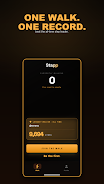
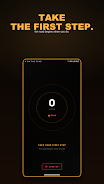
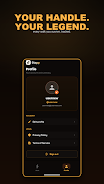
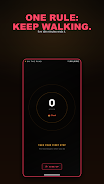
Stapp is a modern productivity app that organizes tasks, schedules, and habits into a single intuitive interface. Designed for daily planning and team coordination, Stapp blends reminders, calendar synchronization, and smart suggestions to keep projects on track while minimizing setup and friction.
Core features that streamline your day
At its heart, Stapp focuses on task management and time efficiency. You get a clear task list with priorities, subtasks, due dates and recurring schedules. Native calendar sync ensures events and deadlines appear where you already work, while flexible reminders and snooze options prevent important items from slipping through the cracks.
- Smart Tasks: Create prioritized entries with custom tags and dependencies.
- Calendar Integration: Two-way sync with Google Calendar and popular calendar apps.
- Reminders & Notifications: Configurable alerts, location-based reminders, and snooze controls.
- Widgets: Home screen widgets show upcoming tasks and quick-add buttons.
How Stapp fits into your workflow
Stapp is designed for both single users and small teams. Use it to break projects into manageable steps, assign tasks to collaborators, and set milestones that map to calendar dates. The app's suggestion engine recommends optimal due dates and grouping based on your usage patterns, which helps reduce decision fatigue and keeps momentum going on longer projects.
Interface and customization
The interface is intentionally minimal so that adding and checking off items feels fast. You can switch between list, board, and timeline views to match different planning styles. Themes and font-size controls let you tune the display for readability, and custom templates speed up repetitive project setups.
- Multiple Views: List for quick edits, board for planning, timeline for deadlines.
- Templates: Save reusable task groupings for recurring workflows.
- Appearance: Light and dark themes plus adjustable density settings.
Collaboration and synchronization
For teams, Stapp supports shared projects, comments on tasks, and real-time updates. Permissions let you control who can edit versus view, and activity logs make it easy to track progress. The cloud sync is designed to be fast and reliable, keeping devices aligned without manual exporting.
Performance and compatibility
Stapp is optimized to run smoothly on a wide range of Android devices. Lightweight background sync minimizes battery impact, while offline mode keeps your data editable without a network connection. When connectivity returns, changes merge automatically and conflicts are surfaced clearly for resolution.
Privacy, security, and backup
Built with respect for user data, Stapp offers optional passcode and biometric locks for the app, encrypted backups, and clear permission requests. You control whether your projects are stored on private cloud space or locally on your device. Regular automatic backups and export options help ensure your information is recoverable and portable.
Getting started with Stapp
Getting set up takes just a few minutes. Create an account, connect a calendar if desired, and import any existing tasks from popular formats. The first-run walkthrough helps you build a sample project so you can experience the key features immediately. Templates and suggested workflows speed adoption for common scenarios like weekly planning, sprint tracking, or event organization.
Advanced tips and productivity hacks
Power users will appreciate keyboard shortcuts, quick-add gestures, and the ability to create automation rules. Try combining tags and filters to build dynamic views such as "Today with High Priority" or "Waiting on Response." Use timeline mode to identify bottlenecks and rebalance workloads across teammates.
Why people choose Stapp
Users pick Stapp for its balance of simplicity and depth. The app removes friction from daily planning while offering the advanced tools needed for complex projects. Whether you need to manage personal errands or coordinate cross-functional work, Stapp scales to your needs without cluttering the interface.
Final notes
Stapp receives regular updates that add integrations, polish performance, and expand automation capabilities. If you value a unified planner that adapts to how you work, Stapp provides a practical, privacy-aware solution to keep tasks moving forward and calendars aligned.
- No virus
- No advertising
- User protection
Information
- File size: 28.43 M
- Language: English
- Latest Version: 7.1.3
- Requirements: Android
- Votes: 376
- Package ID: com.stapp.app
- Developer: Thakers Co
Screenshots


















Explore More
Make your house a home with our suite of helpful home apps. Discover clever tools to organize closets, streamline chores, and simplify cooking. Take the stress out of cleaning and maintenance with handy checklists and schedules. Enhance security and control appliances and lighting with our smart home integrations. Design, visualize, and renovate like a pro using our 3D planning software.

All Recovery - Photos & Videos

Tax Calculator India 2024-2025

OnDjoss

Park4Me

Scary sound effects

Home Workouts - Lose Weight

Juice Recipes

HFonts - font & emoji manager