
Introduction
Unity is a comprehensive real-time development platform that empowers creators to build interactive 2D, 3D, AR, and VR experiences across multiple platforms. It combines a visual editor, scripting tools, asset management, and a flexible component system to speed up development for studios and solo developers alike.
What the platform delivers
As a development environment, Unity targets creators who need rapid iteration and cross-platform deployment. The engine supports game production, architectural visualization, simulations, and immersive experiences. It balances an approachable graphical interface with deep scriptability, making it suitable for prototyping and full-scale releases.
Core strengths
- Multi-platform output: Export projects to desktop, mobile, consoles, AR/VR headsets, and web with minimal platform-specific changes.
- Editor-driven workflow: Drag-and-drop scene composition, live previews, and play-mode testing speed up iteration.
- Extensive asset ecosystem: Built-in packages and third-party assets accelerate development and reduce custom work.
Editor and workflow in practice
The Unity editor organizes projects into scenes, assets, and components. Developers place objects in a scene view, attach components for behavior, and edit properties through an inspector panel. The integrated play mode lets you test functionality immediately inside the editor, shortening the feedback loop compared with manual builds.
Its component-based model enforces a modular approach: small, reusable pieces of functionality are composed rather than monolithic classes. That structure simplifies debugging and collaboration across teams of artists, designers, and programmers.
Graphics and performance options
Rendering quality scales from lightweight mobile pipelines to high-fidelity desktop visuals. Built-in render pipelines and the option to customize shaders give projects a predictable performance-to-visuals trade-off. Profiling tools and frame analyzers help identify bottlenecks, and platform-specific optimizations assist in hitting target framerates.
Systems and tools included
- Scripting: C# is the primary language, supported with modern IDE integrations for code completion and debugging.
- Animation: Timeline and Animator tools manage state machines, cutscenes, and complex character movement.
- Physics: Collision, rigidbodies, and configurable constraints power interactive environments.
- UI Toolkit: Create responsive interfaces for touch, controller, and mouse input.
Customization and extendibility
Developers can extend the editor with custom tools, inspectors, and menu items to match studio pipelines. Scriptable Render Pipelines enable tailored rendering features while shader graphs provide visual shader authoring. The Asset Store supplies plugins, editor extensions, and ready-made content to plug into specific needs without starting from scratch.
Collaboration and version control
Built-in integrations and recommended workflows support team collaboration. Projects can be connected to common version control systems and cloud services for asset syncing. Pipeline-friendly features reduce friction when multiple contributors iterate simultaneously.
User experience and learning path
Learning the platform requires familiarity with basic programming concepts and a willingness to explore the editor’s numerous windows and settings. New users benefit from step-by-step tutorials and sample projects that demonstrate workflows for animation, physics, and UI. For rapid onboarding, focus on creating small playable prototypes to learn the core loop.
- Tip: Start with the 2D or 3D template and build a minimal scene to practice scene assembly and scripting.
- Tip: Use the profiler regularly to keep performance in check as features are added.
Practical considerations
Project size, target platforms, and team expertise influence how you configure the editor and pipelines. Smaller teams often rely on packaged solutions to reduce maintenance, while larger studios invest in custom tools to fit production demands. Licensing and build distribution policies should be reviewed early in production planning.
How to begin
Download the installer, choose the modules for your target platforms, and import a sample project to experiment. Follow a short tutorial to create a simple interactive scene, then incrementally add features. Regularly consult documentation and community forums when tackling platform-specific challenges.
Unity offers a versatile foundation for creating interactive applications. Its combination of editor tooling, scripting flexibility, and platform reach makes it a pragmatic choice for teams aiming to ship polished, cross-platform experiences efficiently.
- No virus
- No advertising
- User protection
Information
- File size: 70.51 M
- Language: English
- Latest Version: 90
- Requirements: Android
- Votes: 488
- Package ID: com.unityapp
- Developer: UnitySeguros
Screenshots
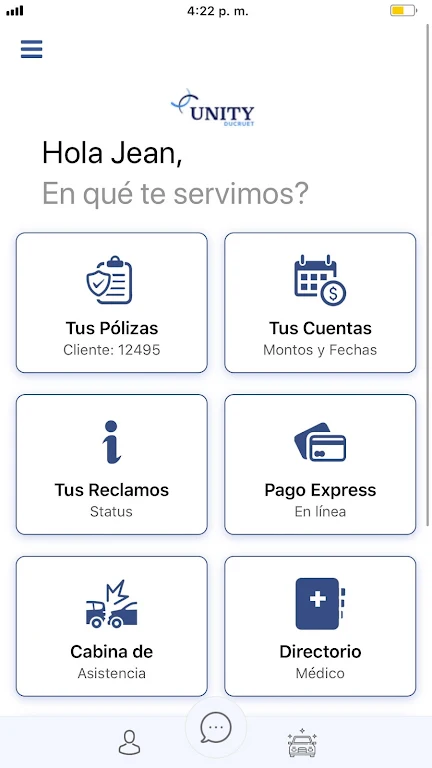



















Explore More
Equip yourself with our all-in-one toolbox app for everyday tasks and projects. Instantly convert between units, calculate tips, scan documents, manage files, and more with handy productivity tools. Includes a level, compass, QR code reader, ruler, speedometer, decibel meter, and flashlight. Save frequently used tools to your customizable dashboard for one-tap access. Track billable hours, wages, budgets, and invoices. Annotate screenshots, magnify labels, and sign PDFs on the go.

Board Game Stats

MEXC Global: BTC, ETH, Gamefi

Text Art - Write Text On Photo

MERA PROXY PRO

Domino's Pizza Sri Lanka

Hatekhori Shongkha

Halloween Photo Editor -Makeup

Cartola