

Introduction
Opera Mini browser beta is a lightweight Android web browser designed for fast browsing, data savings, and reliable performance on constrained connections. The beta explores experimental tools like improved ad blocking, streamlined navigation, and enhanced data compression to deliver quicker page loads and better responsiveness on a variety of devices.
Key features and tools
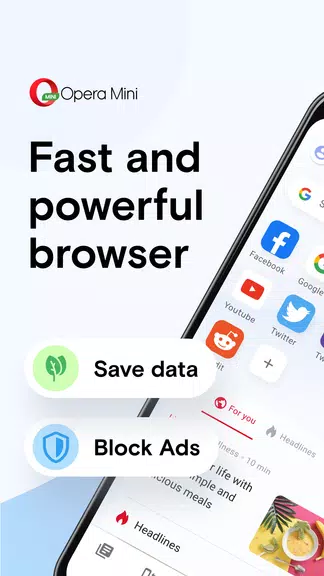
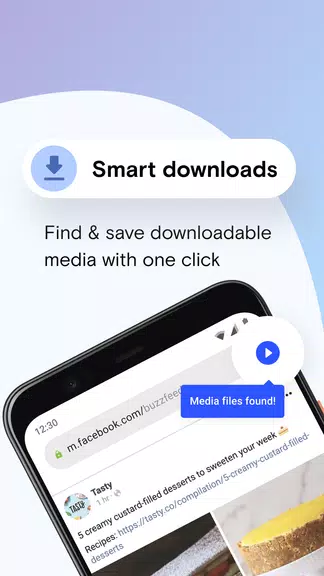
The Opera Mini browser beta focuses on practical features that reduce data use and speed up everyday tasks. A prominent data saver compresses pages before they reach your phone, lowering bandwidth consumption for images, scripts, and media. An integrated ad blocker helps pages render faster and removes many intrusive ads, while a redesigned download manager organizes files and supports pause/resume for large downloads.
- Data compression: Reduce mobile data usage and load pages faster on slow networks.
- Ad blocking: Built-in filtering that improves readability and performance.
- Video and media optimization: Adaptive streaming and a lightweight player for low-bandwidth viewing.
- Tab management: Quick switching, grouping, and closing of tabs to keep browsing tidy.
User interface and navigation
The beta refines the interface to make common actions accessible with fewer taps. Speed Dial remains the central hub for favorite sites and is now more customizable, with options to edit, reorder, and add folders. Gesture support and an easy-access menu let you open private tabs, clear recent browsing data, or switch to a reader-friendly view without digging through settings.
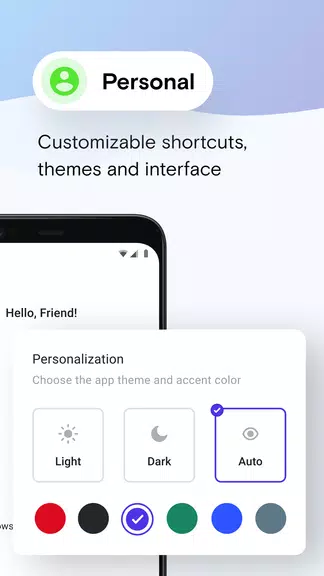
Dark mode and theme adjustments are included to reduce eye strain and align the look of the browser with your device. The start page aggregates trending content and suggestions but can be tailored or disabled to prioritize privacy and minimalism.
Performance and compatibility
Designed for a wide range of Android hardware, the Opera Mini browser beta emphasizes low memory use and efficient battery consumption. The data-saving engine reduces network overhead, which helps pages load more quickly on 2G/3G and spotty 4G connections. Background resource management minimizes CPU spikes while maintaining smooth scrolling and responsive touch input.
Compatibility extends to many Android versions and device types, from entry-level smartphones to mid-range handsets. The beta build may include experimental optimizations that target specific devices, so performance can vary depending on system configuration and installed apps.
Privacy, security, and control
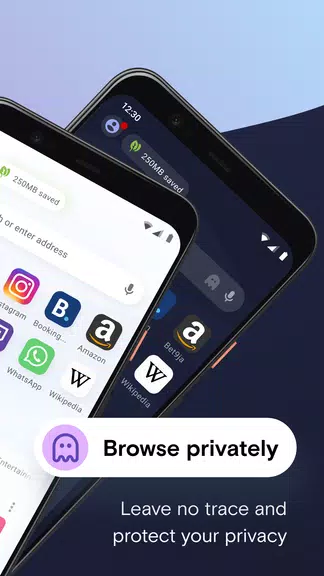
Privacy controls in the Opera Mini browser beta are straightforward and user-focused. Private or incognito tabs prevent local history from being stored and make it simple to manage saved data. Built-in tracker blocking reduces cross-site tracking, and the browser favors secure connections by default when available.
Permissions are presented clearly when a site requests access to location, camera, or microphone, giving you explicit control over what information a page can reach. The beta also tests additional privacy toggles so early adopters can provide feedback on features like cookie handling and site isolation.
Getting started and customization tips
Installing the Opera Mini browser beta is similar to any Android app installation. After opening the app, import bookmarks from other browsers or set up Speed Dial shortcuts for frequently visited sites. To maximize savings, enable the data compression option in settings and customize the ad blocker to balance content visibility with performance gains.
- Enable data saver for reduced data usage and faster loads.
- Use private tabs for sensitive browsing sessions.
- Customize Speed Dial and remove clutter from the start page.
- Adjust image quality and video settings to match your connection.
Who should try the beta?
The Opera Mini browser beta is well suited to people who need efficient browsing on limited data or older hardware, and to users who enjoy trying new features before they roll out to the stable release. If you rely on mobile networks with variable performance or want a compact browser that prioritizes speed and data economy, the beta offers a useful preview of upcoming improvements.
Feedback from beta testers helps shape feature behavior and stability, so participation can influence future releases. Keep in mind beta builds may change frequently and include experimental elements that are refined over time.
- No virus
- No advertising
- User protection
Information
- File size: 30.20 M
- Language: English
- Latest Version: 85.0.2254.74500
- Requirements: Android
- Votes: 161
- Package ID: com.opera.mini.native.beta
- Developer: Opera
Screenshots
















Explore More
Equip yourself with our all-in-one toolbox app for everyday tasks and projects. Instantly convert between units, calculate tips, scan documents, manage files, and more with handy productivity tools. Includes a level, compass, QR code reader, ruler, speedometer, decibel meter, and flashlight. Save frequently used tools to your customizable dashboard for one-tap access. Track billable hours, wages, budgets, and invoices. Annotate screenshots, magnify labels, and sign PDFs on the go.

Board Game Stats

MEXC Global: BTC, ETH, Gamefi

Text Art - Write Text On Photo

Domino's Pizza Sri Lanka

Hatekhori Shongkha

Halloween Photo Editor -Makeup

Connecting - Friends Near Me

Cartola





























