


Introduction
Vector Ink: SVG, Illustrator is a mobile-first vector editor that brings accurate path tools, layered composition, and SVG export to Android devices. It targets designers and illustrators who need pen-based node editing, snapping guides, and scalable output so they can produce icons, UI assets, and illustrations without switching to a desktop.
What the app does
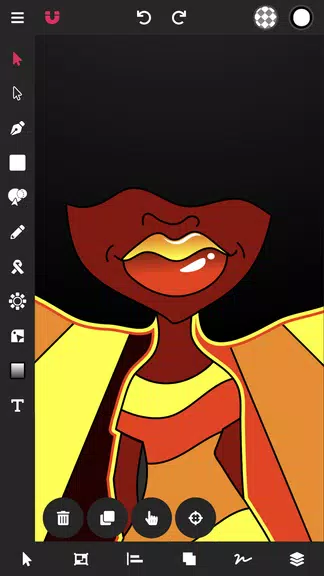
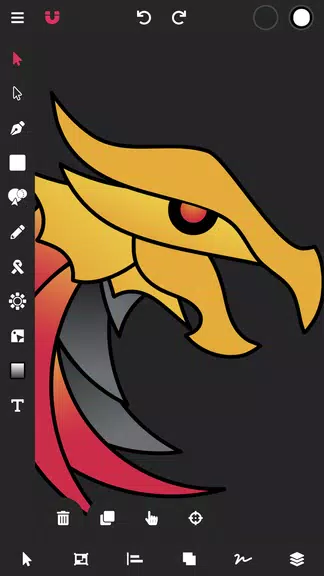
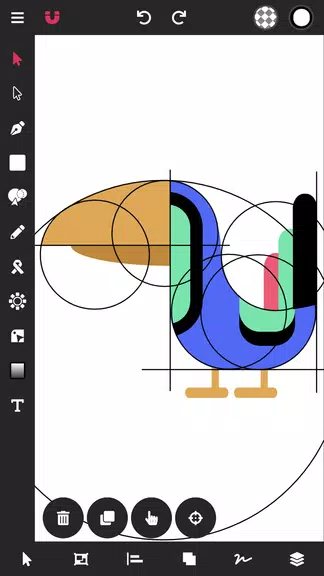
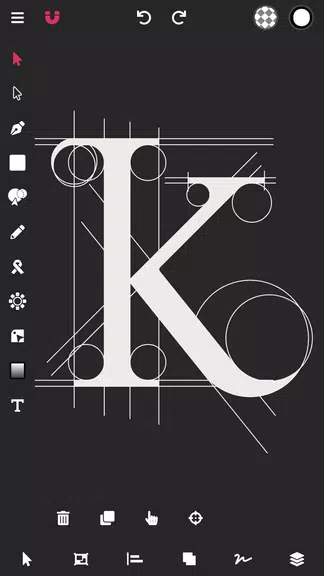
At its core, Vector Ink: SVG, Illustrator focuses on vector creation and precise editing rather than bitmap painting. You get Bézier curve controls, boolean shape operations, and a layers panel that resembles desktop vector software. The app is built to handle icon design, logo work, and interface mockups while keeping files compact and fully exportable as clean SVGs.
Primary tools explained
- Pen and Node Editing: Create paths with anchor points, drag handles to shape curves, and fine-tune nodes with snap-to-grid and magnet guides.
- Shapes and Booleans: Add rectangles, circles, and polygons, then combine, subtract, intersect, or exclude shapes to form complex vectors.
- Layers and Groups: Organize elements into layers, rename and lock them, and toggle visibility for focused editing sessions.
- Text and Styling: Insert text objects, adjust fonts and kerning, and apply fills, strokes, and gradient fills for polished results.
- Export Options: Export as SVG for web and development workflows, or as PNG at multiple scales for app assets.
How the interface supports a smooth workflow
The interface balances precision and mobility. Tool icons are organized along a dock with context-sensitive panels that appear only when needed. A minimalist inspector provides numeric inputs for coordinates, stroke widths, and opacity for repeatable results. Gestures—pinch to zoom, two-finger pan, and long-press for quick tool toggles—make detailed adjustments comfortable on touchscreens.
Performance and file handling
Vector Ink: SVG, Illustrator keeps file sizes lean by storing vector math rather than bitmaps. That approach means projects remain small even when complex. The app leverages hardware acceleration for smooth zooming and panning, and handles dozens of layers without lag on modern devices. Autosave and undo history protect work during extended sessions.
Compatibility and export workflow
Export formats are developer-friendly. SVG export produces clean markup suitable for web and Android vector drawables. Raster exports include multiple scale factors so you can generate @1x, @2x, and @3x PNGs in one pass. You can share via cloud services or save projects locally in a compact project format for later editing.
Practical tips for new users
- Start with shapes: Block out your composition using simple shapes before switching to the pen tool for refinements.
- Use snapping: Enable grid and object snapping when working on iconography to keep alignments consistent.
- Group frequently: Group related elements to move and scale them as a unit without breaking the design.
- Keep layers named: Clear layer names speed up navigation when a project grows.
- Export presets: Create export presets for common size requirements and reuse them across projects.
User experience highlights
Users praise the direct manipulation of paths and the clean SVG output that integrates with front-end and mobile development pipelines. The learning curve is modest for people familiar with vector concepts, and the app surfaces advanced options progressively so beginners are not overwhelmed. Haptic feedback and smooth gestures make lengthy sessions less fatiguing.
Who should consider it
Graphic designers, UI/UX professionals, and hobbyists who need on-device vector tools will find the app useful. Vector Ink: SVG, Illustrator is particularly attractive for developers who need crisp SVG assets and for designers who want to sketch vector concepts away from the desktop. It’s suitable as a companion to desktop tools or as a primary editor for lightweight tasks.
Final notes on productivity
Adopting a vector-first mobile editor can speed up ideation and small deliverables. With an emphasis on precision controls, export flexibility, and an interface optimized for touch, Vector Ink: SVG, Illustrator fits into modern workflows where designers switch between devices. Try building a simple icon set to evaluate how the app integrates with your existing pipeline and to establish a set of export presets that save time on future projects.
- No virus
- No advertising
- User protection
Information
- File size: 16.80 M
- Language: English
- Latest Version: 1.0.3
- Requirements: Android
- Votes: 388
- Package ID: com.app.vectorink
- Developer: Vector Ink LLC
Screenshots
















Explore More
Equip yourself with our all-in-one toolbox app for everyday tasks and projects. Instantly convert between units, calculate tips, scan documents, manage files, and more with handy productivity tools. Includes a level, compass, QR code reader, ruler, speedometer, decibel meter, and flashlight. Save frequently used tools to your customizable dashboard for one-tap access. Track billable hours, wages, budgets, and invoices. Annotate screenshots, magnify labels, and sign PDFs on the go.

Board Game Stats

MEXC Global: BTC, ETH, Gamefi

MERA PROXY PRO

Domino's Pizza Sri Lanka

Hatekhori Shongkha

Connecting - Friends Near Me

Cartola

Virink





























