Introduction
Rookie Cam by JellyBus is a polished mobile photography app designed for people who want pro-grade capture and editing without a steep learning curve. The interface puts manual exposure, white balance, and real-time previews within easy reach while guiding users through a structured editing workflow so you can capture, refine, and export consistent results for social sharing or print.
Overview and intended users
This editor targets enthusiasts, hobbyists, and content creators who appreciate both one-tap presets and hands-on adjustments. A minimal toolbar keeps frequently used tools accessible and context-sensitive panels slide up only when needed, so the app stays useful for quick snapshots and deeper sessions alike. Non-destructive edits preserve the original file and a visible history panel lets you step back through changes, making it easy to experiment without losing earlier versions or your original image.
Capture controls and camera mechanics
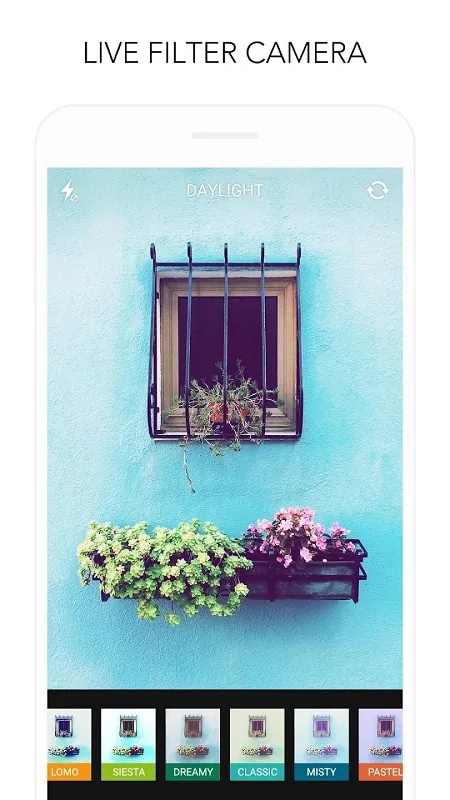
The capture viewfinder is responsive and shows live updates for exposure, contrast, and color adjustments so you see the result before you tap the shutter. Controls include exposure compensation, manual-like sliders for ISO and simulated shutter behavior, and focus tools that appear when you need them. Helpful visual aids such as grid overlays, a horizon level, and highlight clipping indicators support better composition and accurate exposure in challenging lighting. These mechanics are tuned to reduce trial-and-error when light is changing during a shoot.
Editing tools and workflow
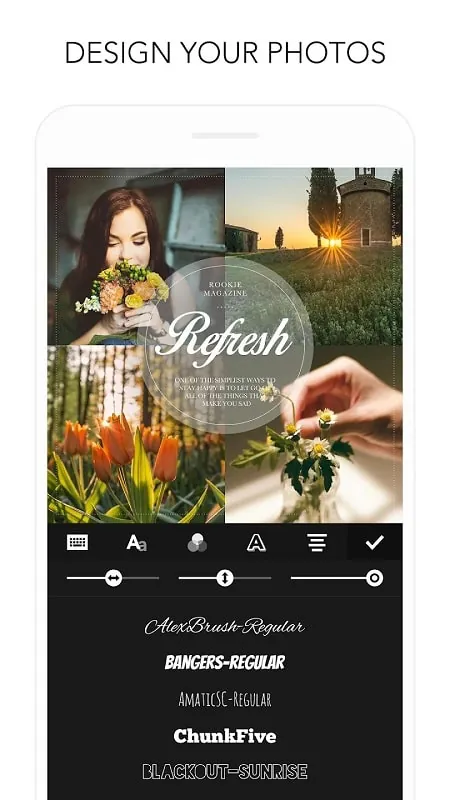
The editing toolbox covers essential corrections and creative grading with familiar controls for contrast, highlights, shadows, clarity, and vibrance. Local work is supported through selective brushes that let you retouch areas without affecting the whole image, while curves and HSL controls give you precise tone and color channel adjustments for nuanced color work. Edits are non-destructive and can be saved as custom presets, and the app makes it simple to compare before and after views, toggle individual layers, and jump to specific states using the history panel so your workflow remains iterative and reversible.
Presets, overlays, and customization
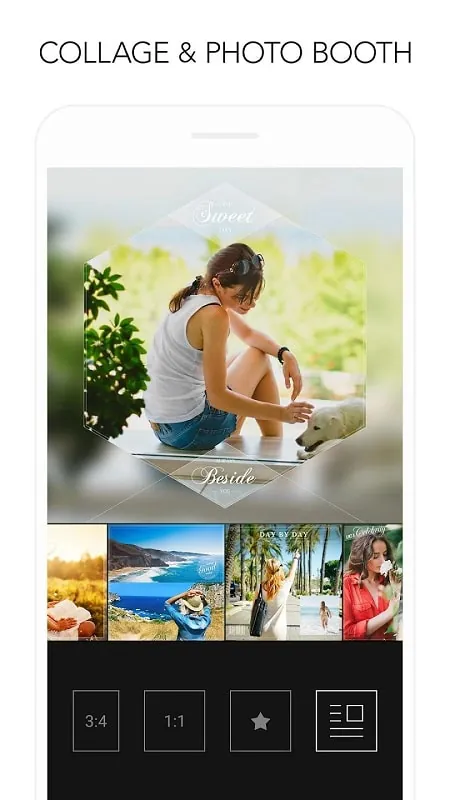
Rookie Cam by JellyBus ships with a broad set of presets tailored for travel, portrait, street, and film-inspired looks; each preset is adjustable so you can fine-tune intensity, color shifts, and grain to match your taste. Overlays such as light leaks, film grain, and matte borders can be layered and blended to add texture and mood. You can save favorite combinations into a personal library and apply them across a set of photos to maintain a consistent visual style; this makes it easier to build a recognizable look for a portfolio or social feed without redoing the same steps every time.
Batch processing, export options, and offline use
When you work through a multi-image shoot, batch editing tools let you synchronize adjustments or apply a saved preset across many files, then export in common formats including JPEG and PNG. Export controls include quality sliders and resolution presets suited for screens or high-resolution printing. Core capture and editing features work offline so you can shoot and refine images without a constant connection, while standard Android share intents handle cloud upload or sharing when you choose to back up or publish your work.
Performance, accessibility, and productivity
The app is optimized for a wide range of Android hardware and scales performance to match available resources. Memory management and in-app caching reduce lag when working with large files, and power-conscious optimizations help limit battery drain during longer sessions. Accessibility features include large, easy-to-hit controls and clear visual hierarchy, and support for gestures and external keyboards speeds repetitive tasks on compatible devices. In-app tutorials and tips explain how manual controls interact so photographers can develop skills progressively and gain confidence shooting in more challenging conditions.
Visual style, learning curve, and long-term use
Visually the app favors neutral defaults that make color grading predictable while presets offer creative starting points. Over time the combination of live capture controls, repeatable presets, and non-destructive edits encourages efficient, repeatable workflows that reward experimentation and steady skill improvement. Whether you are refining portraits, documenting travel, or exploring film-like color, Rookie Cam by JellyBus is structured to be useful from a first install and remain valuable as your photographic style and technical abilities grow.
- No virus
- No advertising
- User protection
Information
- File size: 74.30 M
- Language: English
- Latest Version: 1.8
- Requirements: Android
- Votes: 331
- Package ID: com.jellybus.rookie
- Developer: JellyBus Inc.
Screenshots
















Explore More
Make travel planning effortless with our all-in-one trip companion app! Get insider tips from locals on top attractions, hidden gems, restaurants, and accommodations at your destination. Book flights, rental cars, and hotels at the lowest prices. Access maps offline; track bookings, itineraries, and reservations; create shared group trips; and auto-translate menus, signs, and conversations abroad. Our clever algorithms surface personalized recommendations everywhere you go.

Photo Editor Background Change

ADO Boletos de Autobús

Guide Lego Ninjago Tournament

Clock

اخبار العرب

Fake Live Location | GPS

Temptation: True Romance Story

Spottly