
Introduction
Snapdish is a mobile app that helps users capture, organize, and share food photos while discovering recipes and meal ideas. It blends a visual recipe library with social features, letting cooks document dishes, browse inspiration, and save step-by-step instructions for everyday cooking and special occasions.
What the app does
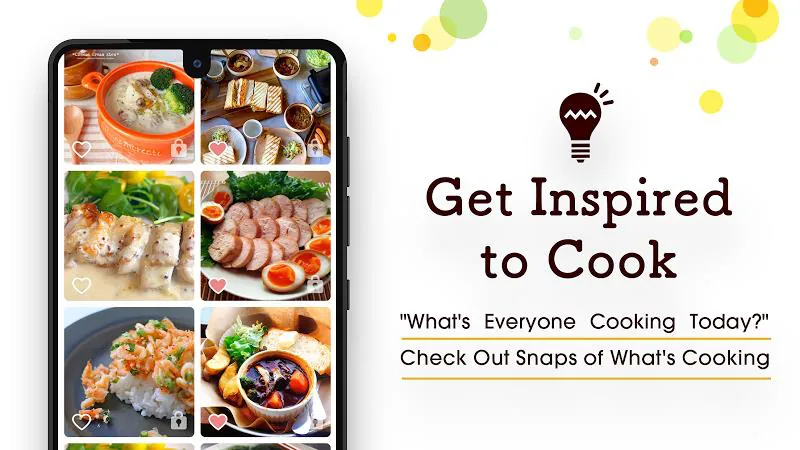
At its core, Snapdish acts as a visual cookbook and a small social network for people who love food. You can photograph meals, tag ingredients, and attach short notes or full recipes. The app indexes these entries so you can search by ingredient, cuisine, or mood. It also surfaces content from other users, making it easy to find trending dishes and seasonal ideas.
Key tools and capabilities
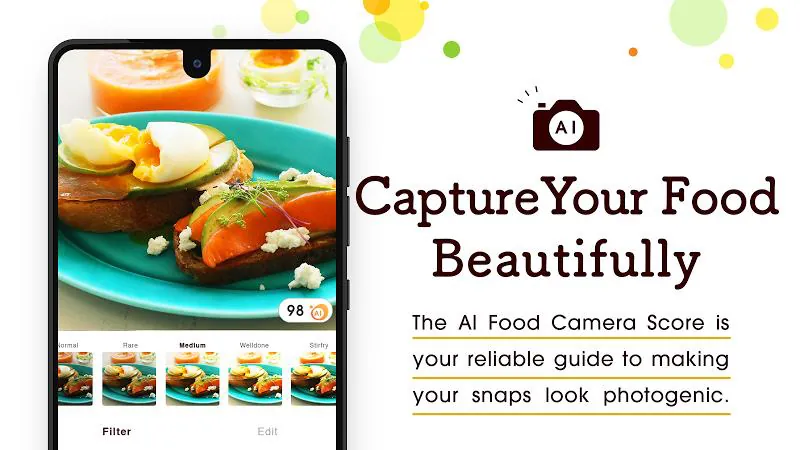
Snapdish packs practical features designed for quick capture and later retrieval. The camera workflow includes auto-enhance and basic crop tools, while tagging supports multiple ingredients and cooking methods. A built-in recipe editor lets you format steps, add prep times, and list portions. Offline draft saving means you won't lose notes when connection drops, and cloud sync keeps your collection available across devices.
How it works in daily use
Using Snapdish begins with photographing a dish or importing an image from your gallery. After capture, add a title, ingredient tags, and optional preparation steps. If you prefer, save just the photo and add details later — the app queues drafts for quick completion. Once published, entries appear in your profile and in community feeds if you choose to share them publicly. Private albums are available for personal meal planning or secret recipes.
User interface and performance
The interface emphasizes visual browsing: large thumbnails, clean type, and minimal clutter make flipping through recipes pleasant. Navigation is tab-based, separating your kitchen, community, and saved collections. Performance is typically smooth; image-heavy screens can be slower on older devices, but configurable image quality helps balance speed and storage. Notifications are focused on comments and follows rather than constant alerts.
Customization and organization options
Snapdish offers several ways to organize content. Create folders for meal types, tag favorites for quick access, and use search filters that combine ingredients, difficulty, and time. Recipe cards can be customized with photos and personal notes, allowing you to convert a community find into your own version. For meal planning, the app supports basic grocery lists generated from recipe ingredients.
Social features and discovery
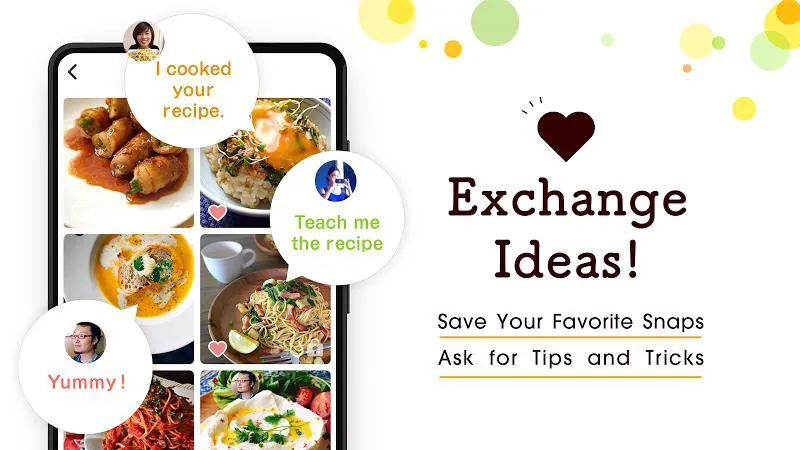
Sharing is optional but rewarding. When you publish a recipe, others can like, comment, and save it to their collections. Follow users whose taste aligns with yours to build a personalized feed of new ideas. The discovery algorithm tends to prioritize recent posts and highly saved recipes, helping engage with trending flavors and local specialties.
Who benefits most
Home cooks, food bloggers, and visual planners find the most value in Snapdish. Beginners appreciate the step-by-step structure and searchable ingredient tags, while hobbyists like the blend of social interaction and private archiving. Professionals who need polished recipe cards might find some formatting limits, but the app remains useful for quick documentation and inspiration capture.
Practical tips for new users
- Start with a few organized folders: Create categories like weeknight dinners or dessert experiments to avoid clutter.
- Tag consistently: Use the same ingredient names to improve search results later.
- Use private drafts: Save unfinished recipes and complete them when you have time.
- Optimize image settings: Lower quality when storage is tight, higher when you want share-ready photos.
Installing and getting started
Installation is straightforward through standard app stores. After granting optional camera and storage permissions, take a test photo and save a simple recipe to learn the flow. Explore community feeds to follow creators and collect ideas you can adapt. Regular backups ensure your archive remains safe as the app evolves.
Snapdish balances utility and inspiration, offering a streamlined way to document meals while tapping into a community of fellow cooks. Whether you’re organizing family recipes or hunting for midweek dinner ideas, the app provides flexible tools to make food discovery and documentation part of your routine.
- No virus
- No advertising
- User protection
Information
- File size: 15.49 M
- Language: English
- Latest Version: 6.6.2
- Requirements: Android
- Votes: 263
- Package ID: com.vuzz.snapdish
- Developer: Snapdish, Inc.
Screenshots

















Explore More
Make your house a home with our suite of helpful home apps. Discover clever tools to organize closets, streamline chores, and simplify cooking. Take the stress out of cleaning and maintenance with handy checklists and schedules. Enhance security and control appliances and lighting with our smart home integrations. Design, visualize, and renovate like a pro using our 3D planning software.

All Recovery - Photos & Videos

Tax Calculator India 2024-2025

OnDjoss

Park4Me

Scary sound effects

Home Workouts - Lose Weight

Juice Recipes

HFonts - font & emoji manager