


Introduction
Speech Services by Google provides core speech-to-text and voice synthesis functions for Android apps, enabling reliable dictation, voice feedback, and accessibility features across the system. It runs in the background to support other apps with offline recognition, improved pronunciation, and language resources without requiring extra setup.
Overview: what it does for your device
Designed as a system-level utility, Speech Services by Google supplies the building blocks that apps use to convert spoken words to text and to speak text back aloud. Instead of being a standalone app for end users, it acts as a shared service that improves voice typing, screen readers, and language-learning tools. Performance is focused on accuracy, low-latency responses, and broad language coverage.
Essential capabilities
- Speech recognition: Real-time transcription for voice input, dictation, and voice commands.
- Text-to-speech: Natural-sounding voices for reading content aloud and accessibility support.
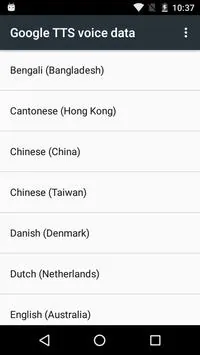
- Offline support: Downloadable language packs so core features work without an internet connection.
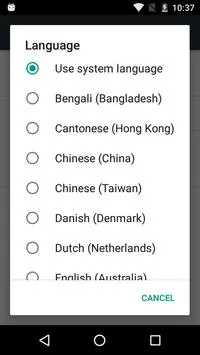
- Multi-language: Wide array of languages and dialects for global use.
How it integrates with apps
Rather than replacing app-specific logic, Speech Services by Google provides APIs and resources that developers call from within their apps. When you press a microphone icon in a messaging app or enable voice typing in a keyboard, the app routes audio to the service for recognition. Similarly, accessibility tools request synthesized audio to read text aloud, and speech parameters such as pitch and speed can be adjusted programmatically.
Behind the scenes
The service uses on-device machine learning models for many tasks, falling back to cloud processing when higher accuracy or updated models are available. This hybrid approach balances privacy and accuracy: local processing reduces data sent externally, while optional cloud features can improve results when permitted by the user.
Interface, performance, and resource use
Because Speech Services by Google is not a conventional app you open, there is limited user interface beyond settings and language downloads. It’s optimized to remain lightweight, quickly responding to input and minimizing battery and memory impact. When offline language files are installed, processing speeds increase and latency drops, which matters most during prolonged dictation or real-time conversation modes.
Customization and developer controls
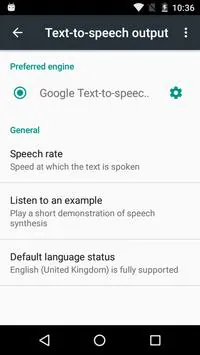
Developers can control voice parameters like rate and pitch for text-to-speech, choose voice variants, and specify recognition hints to improve accuracy for domain-specific vocabulary. For end users, settings permit choosing preferred speech engines, managing downloaded languages, and turning on or off personalized speech models that learn from user input.
Practical tips for everyday use
- Install offline language packs if you frequently use voice features without reliable internet.
- Keep the service updated through Google Play to benefit from model improvements and new voices.
- Use recognition hints in developer apps when working with technical or uncommon terms to improve transcription accuracy.
- Adjust text-to-speech speed and pitch in accessibility settings to find a comfortable listening pace.
Who benefits most
Speech Services by Google is especially valuable for people who rely on voice input to type faster, for those using accessibility tools such as screen readers, and for app developers who need a robust, cross-device speech engine without building their own. It supports learning apps, navigation, hands-free control, and any scenario where spoken interaction increases productivity or inclusivity.
Getting started and maintenance
Enabling speech features typically involves granting microphone and related permissions to the calling app, then selecting Speech Services by Google as the preferred engine in system settings if alternatives are installed. Periodic updates ensure the latest language models and voices are available. For trouble-shooting, clearing cache or reinstalling updates often resolves recognition issues.
Overall, Speech Services by Google functions as a silent but essential layer for voice interactions on Android, improving communication, accessibility, and hands-free control in a wide range of applications.
- No virus
- No advertising
- User protection
Information
- File size: 68.61 M
- Language: English
- Latest Version: 1.0
- Requirements: Android
- Votes: 298
- Package ID: com.google.android.tts
- Developer: Google LLC
Screenshots
















Explore More
Equip yourself with our all-in-one toolbox app for everyday tasks and projects. Instantly convert between units, calculate tips, scan documents, manage files, and more with handy productivity tools. Includes a level, compass, QR code reader, ruler, speedometer, decibel meter, and flashlight. Save frequently used tools to your customizable dashboard for one-tap access. Track billable hours, wages, budgets, and invoices. Annotate screenshots, magnify labels, and sign PDFs on the go.

Board Game Stats

Text Art - Write Text On Photo

MERA PROXY PRO

Domino's Pizza Sri Lanka

Hatekhori Shongkha

Halloween Photo Editor -Makeup

Connecting - Friends Near Me

HFonts - font & emoji manager





























