


Introduction
DU Speed Booster is a lightweight Android utility designed to improve device responsiveness, clear background tasks, and reclaim storage space with minimal fuss. This editor review explains how DU Speed Booster organizes maintenance tasks into a single interface so you can boost performance without digging into complex settings or developer menus.
Overview
The focus here is practical: what the app delivers day to day and how it fits into a routine for users with a mix of apps and media. DU Speed Booster acts as a multitool for routine device hygiene rather than a one-trick cleaner. Behind a simple dashboard it groups cache clearing, memory optimization, storage analysis, and app management so both beginners and experienced users can quickly identify opportunities to free space and reduce lag.
Core functionality and controls
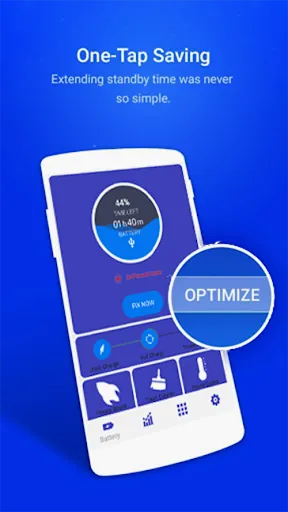
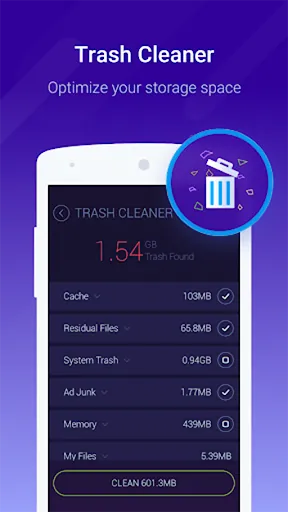
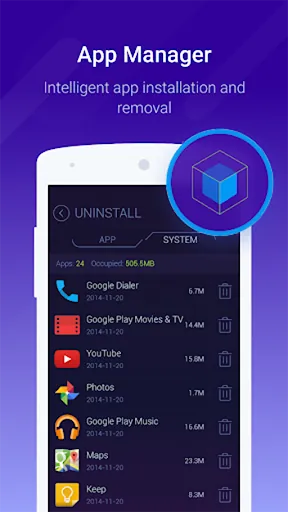
One-tap optimization is central to the experience, enabling a rapid scan and suggested actions in a single tap while leaving final confirmations in the user’s hands. The junk detection uses heuristics to find cache and temporary files, and the storage analyzer surfaces large files and seldom-used items so you can decide what to remove. App management tools are accessible from the same workspace, allowing batch uninstalls and the option to move apps to an SD card when the device supports it. Battery management features highlight apps that draw power and offer sleep suggestions to extend runtime between charges.
How it works and progression
After installation the app performs an initial scan and presents a prioritized list of issues affecting speed and storage. Subsequent runs let you track improvements over time: a history of optimizations and a simple progression of freed storage and memory makes it easy to see the cumulative benefit of regular maintenance. All actions use standard Android permission flows and public APIs; DU Speed Booster requests access, shows what it will change, and asks for confirmation before deleting files or force-stopping processes, so users retain control at every step.
Interface, visual style and accessibility
The visual design emphasizes clarity with large buttons, readable metrics, and a central gauge or speedometer that displays real-time memory use and an estimate of potential gains. Menus are grouped by task into sections such as Clean, Boost, Manage and Tools so navigation is predictable. Controls are primarily single-tap buttons and clear toggles; the layout supports one-handed operation on larger phones. Accessibility considerations include high-contrast labels, sizable target areas for taps, and concise explanations for each action so users who rely on screen readers or limited dexterity can still use key features without confusion.
Customization, offline operation and replay value
Customization options include scheduled cleaning, exclusion lists for apps that must always run, threshold settings for automatic routines, and notification controls. These choices let you tailor the aggressiveness of maintenance to match your usage pattern, whether you prefer daily automatic optimizations or manual, occasional deep cleans. The app runs offline for all core functions, scanning and analyzing local files and running diagnostics without needing an internet connection, which helps with privacy and makes it suitable for travel or limited connectivity situations. Regularly using the optimizer provides ongoing benefits, creating replay value in the sense of repeated maintenance sessions that cumulatively free space and maintain speed.
Practical tips and safety
Run the one-tap optimizer during idle times or overnight, review suggested deletions before confirming to avoid removing files tied to active apps, and use the whitelist for messaging or fitness apps that must stay active in the background. Schedule cleaning while charging to avoid interrupting use and check the storage analyzer before clearing large media items. The app does not modify system files or attempt intrusive changes, and prompts clearly explain each permission request so non-technical users can make informed decisions.
Installation and getting started
Install from a trusted source, follow the first-run wizard to grant the requested permissions, and allow storage access for a complete scan. The initial analysis typically takes a minute or two depending on device storage. DU Speed Booster keeps the experience compact and guided, balancing automation with user confirmation so routine maintenance is straightforward for a wide range of Android users while preserving control and privacy.
- No virus
- No advertising
- User protection
Information
- File size: 15.06 M
- Language: English
- Latest Version: 3.1.7.1
- Requirements: Android
- Votes: 353
- Package ID: com.dianxinos.optimizer.duplay
- Developer: LimeSky1
Screenshots
















Explore More
Reach your fitness goals and maximize workouts with our revolutionary exercise apps. Track progress, log workouts, and analyze performance using our intuitive tracking tools. Follow customized training plans tailored to your level and interests. Learn new exercises and techniques with our video instructional library. Monitor heart rate, calories burned, and other metrics to optimize your routine.

ClassPass: Fitness, Spa, Salon

Home Workouts - Lose Weight

Half Marathon Trainer 13.1 21K

DWP Fitness - Diet & Workout

Pedometer - Step Tracker

Health Connect (Beta)

Huawei Wear

Huawei Health





























