Introduction
Hypic Photo Editor is a powerful and intuitive photo editing app designed to help users transform their photos into stunning works of art. Offering a wide range of tools and features, this app allows you to enhance your images, apply filters, adjust brightness and contrast, and add creative effects with ease. Whether you're a beginner or an experienced photographer, Hypic Photo Editor provides all the tools you need to take your photos to the next level. With its user-friendly interface and variety of editing options, it’s the perfect companion for anyone looking to create beautiful, eye-catching photos right from their smartphone.
Features of Hypic Photo Editor:
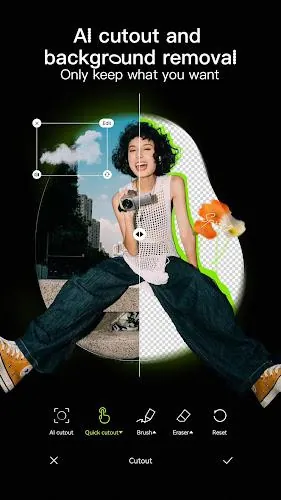
- Advanced Editing Tools: Hypic provides a full suite of tools for editing photos, including crop, rotate, sharpen, blur, and more, allowing you to fine-tune your images.
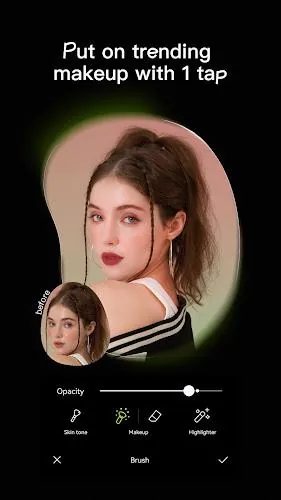
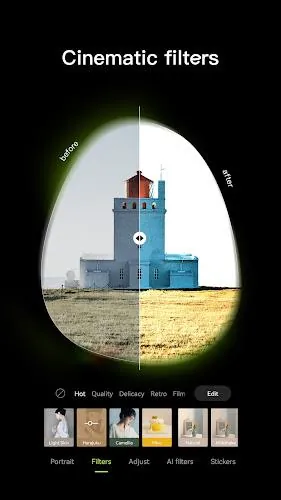
- Creative Filters and Effects: Apply a variety of artistic filters and effects to give your photos a unique look, from vintage styles to modern, trendy aesthetics.
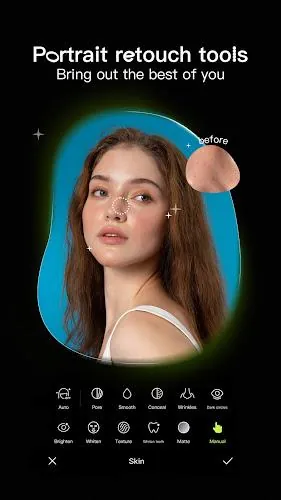
- Retouching Features: Perfect your portraits with tools for smoothing skin, brightening eyes, whitening teeth, and more, helping you achieve a flawless finish.
- Text and Sticker Options: Add text overlays, emojis, and fun stickers to your images, making it easy to personalize and share your photos with friends.
- Intuitive Interface: The app’s easy-to-use interface ensures that even first-time users can start editing their photos right away with minimal effort.
Playing Tips for Hypic Photo Editor:
- Experiment with Layers: Don’t just stick to one effect—try layering multiple filters and effects to create a truly unique look that fits your personal style.
- Use the Brightness/Contrast Adjustments: Fine-tune the lighting of your photos by adjusting brightness, contrast, and saturation to create more vibrant or moody effects.
- Play Around with Text Overlays: Add personalized messages, quotes, or your own creative text to make your photos stand out when sharing on social media.
- Focus on Small Details: Use the retouching tools to focus on small details like skin texture or eyes, especially in portrait shots, to make your photos more polished.
- Save Multiple Versions: Save different versions of your edited photos as you go along, so you can compare and choose the one that looks the best.
Conclusion:
Hypic Photo Editor is an incredibly versatile app that gives you the power to edit and enhance your photos with ease. Offering a wide range of tools, filters, and effects, it provides everything you need to create professional-looking photos from your phone. Whether you're editing portraits, landscapes, or adding creative touches for social media, Hypic makes it simple and fun. Its intuitive interface and powerful features make it a must-have for anyone looking to take their photo editing skills to the next level. With Hypic, your photos will always look their best.
- No virus
- No advertising
- User protection
Information
- File size: 67.80 M
- Language: English
- Latest Version: 4.7.0
- Requirements: Android
- Votes: 355
- Package ID: com.xt.retouchoversea
- Developer: Bytedance Pte. Ltd.
Screenshots
















Explore More
Equip yourself with our all-in-one toolbox app for everyday tasks and projects. Instantly convert between units, calculate tips, scan documents, manage files, and more with handy productivity tools. Includes a level, compass, QR code reader, ruler, speedometer, decibel meter, and flashlight. Save frequently used tools to your customizable dashboard for one-tap access. Track billable hours, wages, budgets, and invoices. Annotate screenshots, magnify labels, and sign PDFs on the go.

Nghe Nhạc Vàng - Nhạc Trữ Tình

Beat Jam - Music Maker Pad

وهشام سماتي- عشقنا راه في خطر

Mazetools Soniface Pro

Oldies But Goldies Radio App

Enrique Iglesias - El Perdón

Stream on Screen for Price Tag

荐片播放器