
Introduction
RenoJira helps contractor bosses take control of job finances and on-site operations by combining expense tracking, receipt capture, task management, and file organization into a single mobile app. Designed for small to mid-sized contractor teams, RenoJira makes it straightforward to log costs and quotes, monitor client payments and subcontractor payouts, attach permits and site photos to projects, and store receipt images for tax deductions — all available even when you’re offline. If you want a practical, contractor-focused tool that reduces paperwork and makes true job profit visible at a glance, this app is worth considering.
Key Features
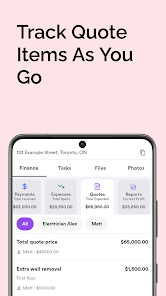
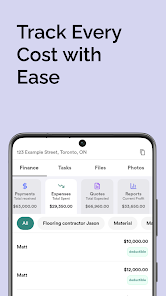
⭐ Track expenses & quotes: Log costs, add client pricing, and manage subcontractor details with RenoJira.
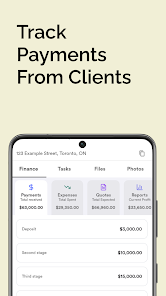
⭐ Know what you’ve been paid: Monitor client payments and subcontractor payouts to see true job profit.
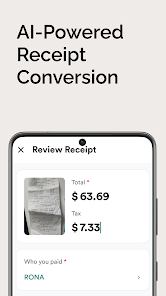
⭐ Snap & store receipts: Photograph receipts, extract data instantly, and keep records for tax deductions.
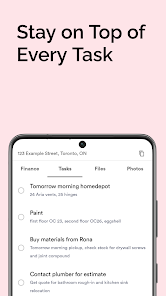
⭐ Organize tasks: Create simple to-dos and assign work so crews know priorities on every site.
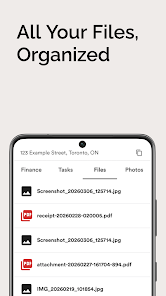
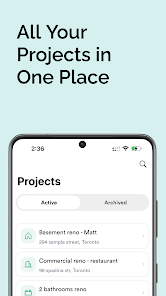
⭐ Keep files & photos together: Attach permits, PDFs, and site images directly to each project.
⭐ Works offline: Capture receipts and manage jobs even without a network connection.
Advantages
✅ RenoJira is built by contractors for contractors, so the interface focuses on real trade workflows.
✅ Keeps finances and job files in one place, reducing paperwork and scattered spreadsheets.
✅ Receipt capture with instant data extraction helps preserve tax deductions and speeds up bookkeeping.
✅ Simple, affordable, and ideal for small to mid-sized teams that need practical field tools.
Disadvantages
❎ Not intended for large corporate or enterprise-level contractor operations.
❎ Its intentionally simple feature set may be too limited for users who require complex corporate accounting or extensive integrations.
- No virus
- No advertising
- User protection
Information
- File size: 27.00 M
- Language: English
- Latest Version: 1.2.1
- Requirements: Android
- Votes: 342
- Package ID: com.renojira.renojira
- Developer: RenoJira Inc.
Screenshots

















Explore More
Equip yourself with our all-in-one toolbox app for everyday tasks and projects. Instantly convert between units, calculate tips, scan documents, manage files, and more with handy productivity tools. Includes a level, compass, QR code reader, ruler, speedometer, decibel meter, and flashlight. Save frequently used tools to your customizable dashboard for one-tap access. Track billable hours, wages, budgets, and invoices. Annotate screenshots, magnify labels, and sign PDFs on the go.

MEXC Global: BTC, ETH, Gamefi

Text Art - Write Text On Photo

MERA PROXY PRO

Domino's Pizza Sri Lanka

Halloween Photo Editor -Makeup

Connecting - Friends Near Me

Cartola

HFonts - font & emoji manager