Introduction
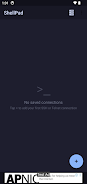
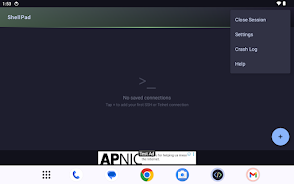
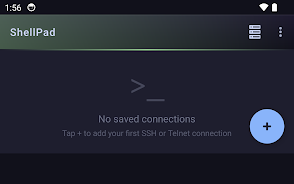
ShellPad is a lightweight SSH and Telnet client for Android that brings quick command-line access to your phone or tablet. It lets you reach servers, VPS instances, routers and other network devices from anywhere, making routine maintenance and emergency fixes simple while you're on the move. ShellPad keeps the interface uncluttered and dark-themed, and it includes convenience options like saved connections, adjustable font size and keep-alive settings. The app is free and ad-supported, requires only internet permission and does not require creating an account, which makes it a practical tool for sysadmins and developers.
Key Features
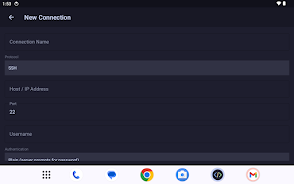
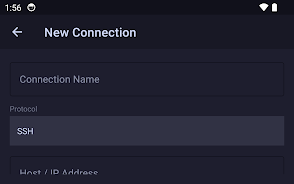
⭐ ShellPad supports both SSH and Telnet protocols so you can connect to a wide range of systems and devices.
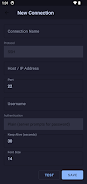
⭐ Save multiple connections with custom names to organize access to servers, routers and VPS instances.
⭐ Adjustable font size and keep-alive settings help tailor the terminal to your workflow and network conditions.
⭐ Password authentication is supported for straightforward credential-based logins.
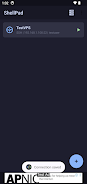
⭐ Connection list with quick-connect buttons speeds up repeated access to frequently used hosts.
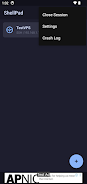
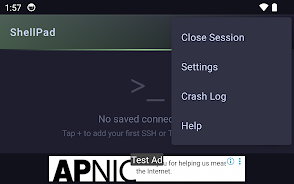
⭐ Built-in crash logging assists troubleshooting, and the clean dark-themed terminal keeps the interface readable in low light.
Advantages
✅ ShellPad is compact and fast, ideal for quick remote administration tasks without a heavy app footprint.
✅ Minimal permissions — the app only needs internet access, reducing privacy exposure and setup friction.
✅ No account required, so you can start connecting immediately without signing up or syncing data.
✅ The dark, uncluttered terminal interface improves readability during extended sessions and on small screens.
Disadvantages
❎ The app is ad-supported, so you will encounter ads during use.
❎ As a lightweight client focused on quick access, it may not include some advanced enterprise features or automation tools that power users sometimes need.
- No virus
- No advertising
- User protection
Information
- File size: 6.28 M
- Language: English
- Latest Version: 1.0.16
- Requirements: Android
- Votes: 437
- Package ID: com.shellpad.app
- Developer: DevPulseTools
Screenshots
















Explore More
Equip yourself with our all-in-one toolbox app for everyday tasks and projects. Instantly convert between units, calculate tips, scan documents, manage files, and more with handy productivity tools. Includes a level, compass, QR code reader, ruler, speedometer, decibel meter, and flashlight. Save frequently used tools to your customizable dashboard for one-tap access. Track billable hours, wages, budgets, and invoices. Annotate screenshots, magnify labels, and sign PDFs on the go.

Asma-Ul-Husna

TioPatinhax

Tips 9Apps 2018

Wiebkes Waage

Square No Crop

Lumie

AllStream - Movies & TV

Smart Stream