Introduction
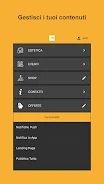
Romeo lab partner lets you manage your app’s content entirely on your own, giving editors direct control over what appears to users. With this tool you can create new content, modify or delete existing items, arrange entries in the sequence you prefer, set notifications for the in-app view or the landing page, and send push notifications to reach your audience. The interface is focused on simple content management so teams can prepare and preview updates quickly; remember to use the Publish All feature at the end of each session to make changes visible to all devices.
Key Features
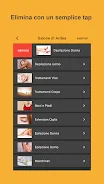
⭐ In Romeo lab partner you can create, edit, and delete content directly within the app, giving editors full autonomy over published material.
⭐ Arrange and order content items in the sequence that fits your workflow and user experience goals.
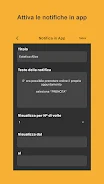
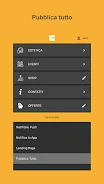
⭐ Configure notifications for either the in-app experience or the landing page to control where messages appear.
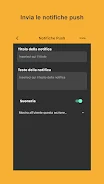
⭐ Send push notifications to announce updates or important information immediately to your users.
⭐ Use the Publish All function to deploy all changes at once so every user sees the latest content.
Advantages
✅ Romeo lab partner lets teams manage content without requiring constant developer intervention, speeding up routine updates.
✅ Push notifications and landing-page alerts help you communicate directly with users when it matters most.
✅ Content ordering and simple editing tools reduce the time needed to prepare releases or announcements.
✅ The Publish All workflow keeps deployment under your control, so changes go live only when you’re ready.
Disadvantages
❎ Changes remain local until you explicitly use Publish All, so edits are not visible to users until that step is completed.
❎ Because content can be published directly from the app, teams need a careful review process to avoid accidental or incorrect updates.
- No virus
- No advertising
- User protection
Information
- File size: 27.20 M
- Language: English
- Latest Version: 1.1.2
- Requirements: Android
- Votes: 276
- Package ID: it.romeolab.romeolabapp
- Developer: Romeo lab
Screenshots

















Explore More
Equip yourself with our all-in-one toolbox app for everyday tasks and projects. Instantly convert between units, calculate tips, scan documents, manage files, and more with handy productivity tools. Includes a level, compass, QR code reader, ruler, speedometer, decibel meter, and flashlight. Save frequently used tools to your customizable dashboard for one-tap access. Track billable hours, wages, budgets, and invoices. Annotate screenshots, magnify labels, and sign PDFs on the go.

myJersey

Training Feel

7 Bussid Private Bus Mod

1win

Iwan fals Paling Lengkap

CZUR

The Doylo

Radio You FM 106.9