Introduction
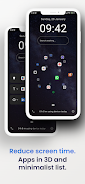
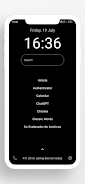
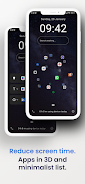
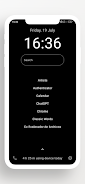
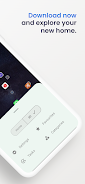
Detox 3D Launcher Minimalist helps reduce device usage by combining a clean 3D home interface with simple tools to track and limit screen time while keeping your home screen uncluttered. The launcher organizes installed apps automatically into categories and surfaces useful lists such as most-used and predicted apps, and it can hide or rename distracting apps like social media to help you focus. It also includes quick search, gestures, widgets and optional voice reminders, plus suggestions to free up storage for a practical, minimalist experience.
Key Features
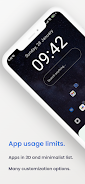
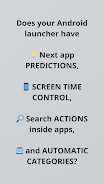
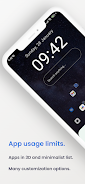
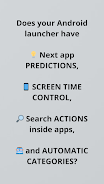
Detox 3D Launcher Minimalist includes app actions that let you launch common tasks for installed apps, such as sending messages or opening browser tabs directly from the home; automatic categories and quick search make apps easier to find without manual organization; screen time tracking provides per-app usage details and lets you set limits for individual apps and total daily screen time; the ability to hide and rename apps reduces distractions while a list of unused apps sorted by size helps free space; shortcuts, gestures and widgets are included along with optional voice reminders and dark background options to save battery.
Advantages
Detox 3D Launcher Minimalist groups apps automatically and offers predictions and most-used lists for faster access, which can reduce the need for manual sorting. Clear focus tools help reduce distractions by hiding or renaming social apps and limiting usage. Storage management highlights large, unused apps so you can reclaim space easily, and customizable gestures, widgets and dark themes support a simpler, more efficient home screen.
Disadvantages
Some functions, like screen time monitoring, require usage access and other permissions to operate correctly. Optional features such as voice reminders need microphone access and may be declined by privacy-conscious users.
- No virus
- No advertising
- User protection
Information
- File size: 9.80 M
- Language: English
- Latest Version: 11.8
- Requirements: Android
- Votes: 291
- Package ID: angel.gabaldon.launcherbw
- Developer: Ángel Gabaldón
Screenshots
















Explore More
Equip yourself with our all-in-one toolbox app for everyday tasks and projects. Instantly convert between units, calculate tips, scan documents, manage files, and more with handy productivity tools. Includes a level, compass, QR code reader, ruler, speedometer, decibel meter, and flashlight. Save frequently used tools to your customizable dashboard for one-tap access. Track billable hours, wages, budgets, and invoices. Annotate screenshots, magnify labels, and sign PDFs on the go.

myJersey

Training Feel

7 Bussid Private Bus Mod

1win

Iwan fals Paling Lengkap

CZUR

The Doylo

Radio You FM 106.9