Introduction
KING CV is a comprehensive career toolkit that helps professionals create polished resumes, tailor cover letters, and manage application documents from a single app. KING CV combines AI-assisted writing, ATS-optimized templates, a built-in document scanner with OCR and an offline PDF toolkit to speed up the job-search workflow and improve the presentation of applications.
Key Features
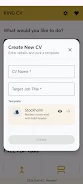
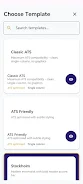
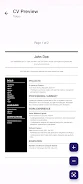
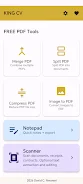
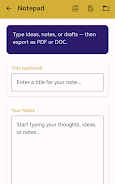
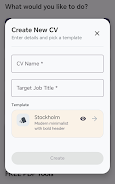
Key features include more than 100 ATS-optimized professional templates with multi-profile management for different roles; AI-powered content generation with a professional summary creator and real-time preview while you edit; a cover letter suite with AI templates, personalized content, and seamless syncing with CV data plus PDF and text export; a document scanner with advanced OCR, multi-language recognition, batch scanning, editable extracted text and export to PDF or DOC (premium); and a free offline PDF toolkit that supports merging, splitting, compression, image-to-PDF conversion and a notepad with PDF/DOC export.
Advantages
KING CV speeds up CV and cover letter creation with AI guidance and industry-specific templates, and its offline-first design keeps sensitive data local while offering optional cloud sync for convenience. Professional, print-ready PDF exports and ATS-friendly layouts help applications pass automated screening. KING CV also brings budgeting and skill-assessment tools together with productivity features so you can produce print-ready documents and organize application materials efficiently.
Disadvantages
Advanced document scanning and unlimited OCR require the premium subscription. Some premium templates, unlimited PDF exports and cloud features are available only in paid tiers.
Version Information
The app is updated regularly with new templates and feature improvements; monthly additions typically include fresh templates and refinements to export and scanning functions.
- No virus
- No advertising
- User protection
Information
- File size: 58.39 M
- Language: English
- Latest Version: 7.0
- Requirements: Android
- Votes: 458
- Package ID: com.kingcv.app
- Developer: RandomTech
Screenshots




















Explore More
Equip yourself with our all-in-one toolbox app for everyday tasks and projects. Instantly convert between units, calculate tips, scan documents, manage files, and more with handy productivity tools. Includes a level, compass, QR code reader, ruler, speedometer, decibel meter, and flashlight. Save frequently used tools to your customizable dashboard for one-tap access. Track billable hours, wages, budgets, and invoices. Annotate screenshots, magnify labels, and sign PDFs on the go.

myJersey

Training Feel

7 Bussid Private Bus Mod

1win

Iwan fals Paling Lengkap

CZUR

The Doylo

Radio You FM 106.9